REMOTE MIC STATION
10
RM-8000
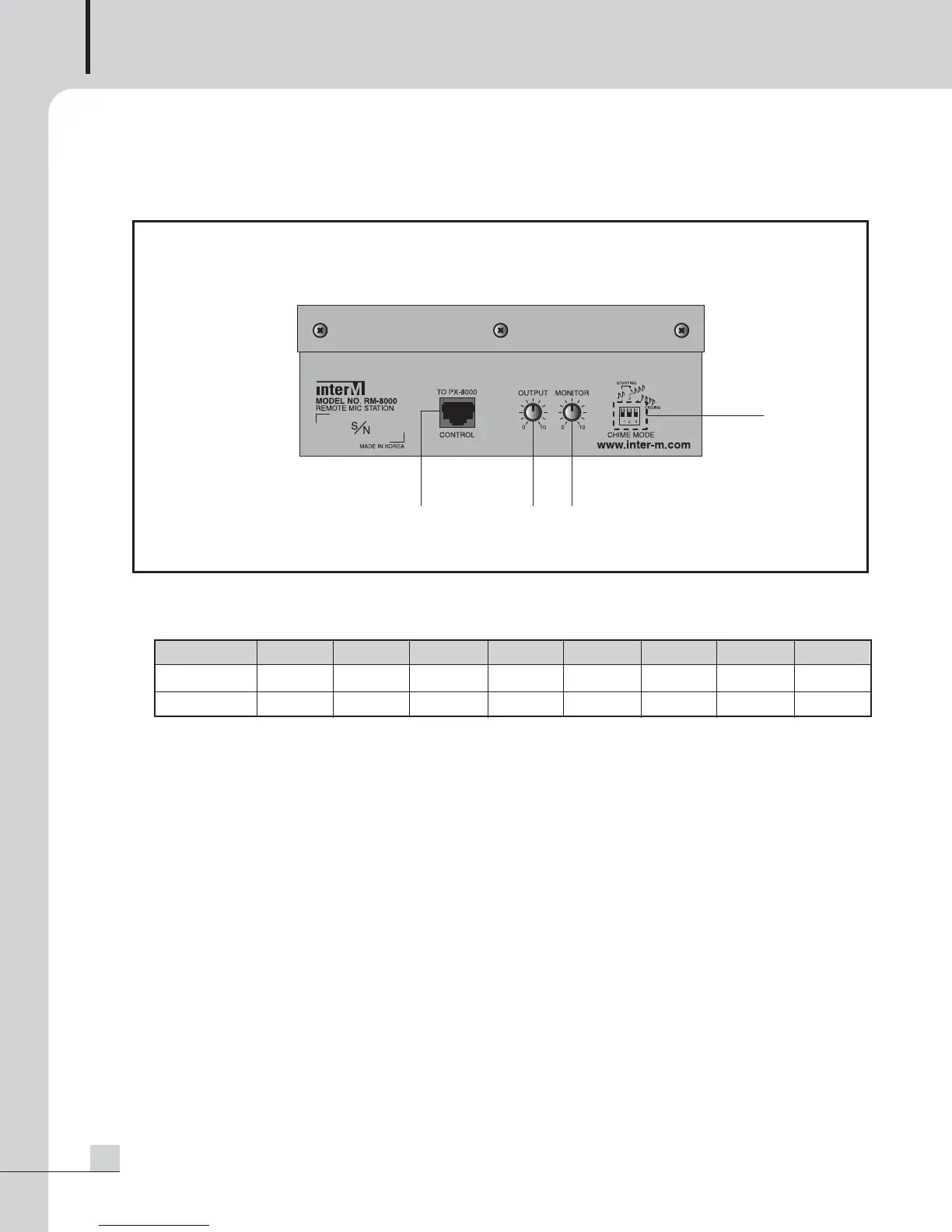
RM-8000 Rear Panel
RM-8000 Rear Panel
1. MODULAR JACK
Terminal to connect to PX-8000 using CAT5.
2. OUTPUT VOLUME
Volume to adjust output volume of MIC and Chime broadcasting.
3. MONITOR SPEAKER VOLUME
Volume to adjust sound volume of the built-in Monitor Speaker.
4. CHIME MODE DIP S/W
Switch to select Chime Mode. Setting and operation is same as PAGING MIC chime function of PX-8000.
A. SWITCH1 ON : Chime increased by 2 tones for starting is broadcast when pressing the TALK button.
B. SWITCH2 ON : Chime increased by 4 tones for starting is broadcast when pressing the TALK button.
C. SWITCH3 ON : Chime decreased by 4 tones for ending is broadcast when pressing the TALK button.
D. SWITCH1, 2 ON : Same as for SWITCH1 ON.
PIN Number 12 3 4567 8
Functions TX- TX+ RX- RX+ GND VCC AUDIO+ AUDIO-
Color BLU BLU/WHT GRN GRN/WHT ORG ORG/WHT BRN BRN/WHT



 To Next Page