8X8 AUDIO MATRIX SYSTEM
13
PX-8000/RM-8000/LM-8000
Operation
Operation
1. Priority of PX/RM/LM-8000 Broadcasting
This system broadcasts according to following priority:
PAGING MIC > FIRE ALARM (REC&PLAY IC) > RM-8000 MIC > LM-8000 > PX-8000 BGM
- The lower priority of broadcasting is shut off if broadcasting the upper priority of RM-8000, and output
is done if the upper priority of broadcasting.
- RM-8000 has the priority of RM1 > RM2 > RM3 > RM4. However, the RM-8000 firstly starting
broadcasting has the priority because non-broadcasting area has the same priority.
- The PX-8000 BGM broadcasting becomes slowly MUTE if Local broadcasting is done in the LM-8000
during the PX-8000 BGM broadcasting.
2. PX-8000 BGM Broadcasting 1 (Single operation)
- Connects a BGM source unit to broadcast to the rear BGM input terminal.
- The LED equivalent to the front BGM input turns on if input signal comes.
- Capable of performing previous hearing by selecting the input channel with the front monitor speaker.
- Select Input using the BGM Selection button in the desired output area and then adjust the output volume.
BGM display of the LM-8000 connected to the relevant area is also changed when changing BGM.
Capable of selecting the desired BGM broadcasting by connecting up to 8 BGM source units and
broadcasting to the output area.
3. PX-8000 BGM Broadcasting 2 -Link operation (8X8^N MATRIX)
- Link PX-8000 together depending on numbers of the output area to broadcast.
- Sets Link Mode switch on the rear panel.
- Sets Master for the highest equipment and Slave for the remaining PX-8000.
- Connect cables. (LINK OUT-LINK IN, LINK IN-LINK OUT)
- Refer to the page 19.
- Always connect BGM input to only MASTER PX-8000.
- Make sure that the BGM INPUT LED turns on by adjusting all BGM input volumes of both MASTER and SLAVE.
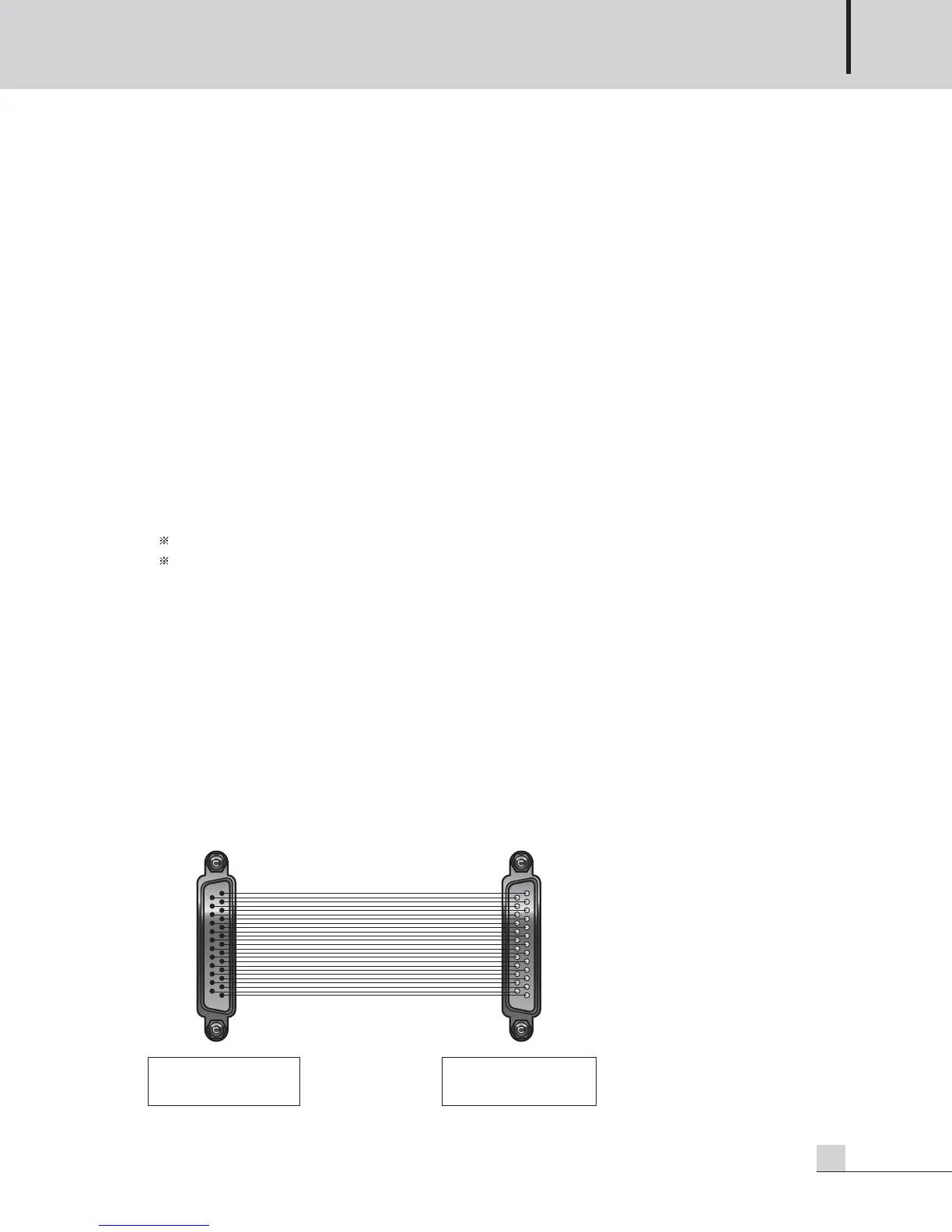
* Detail of Link Cable.
- Contact your warranty provider to get this cable.
or make it yourself as bellow figure.



 To Next Page