AC40 Service Manual Page 26
Adjusting the knobs after reassembly –
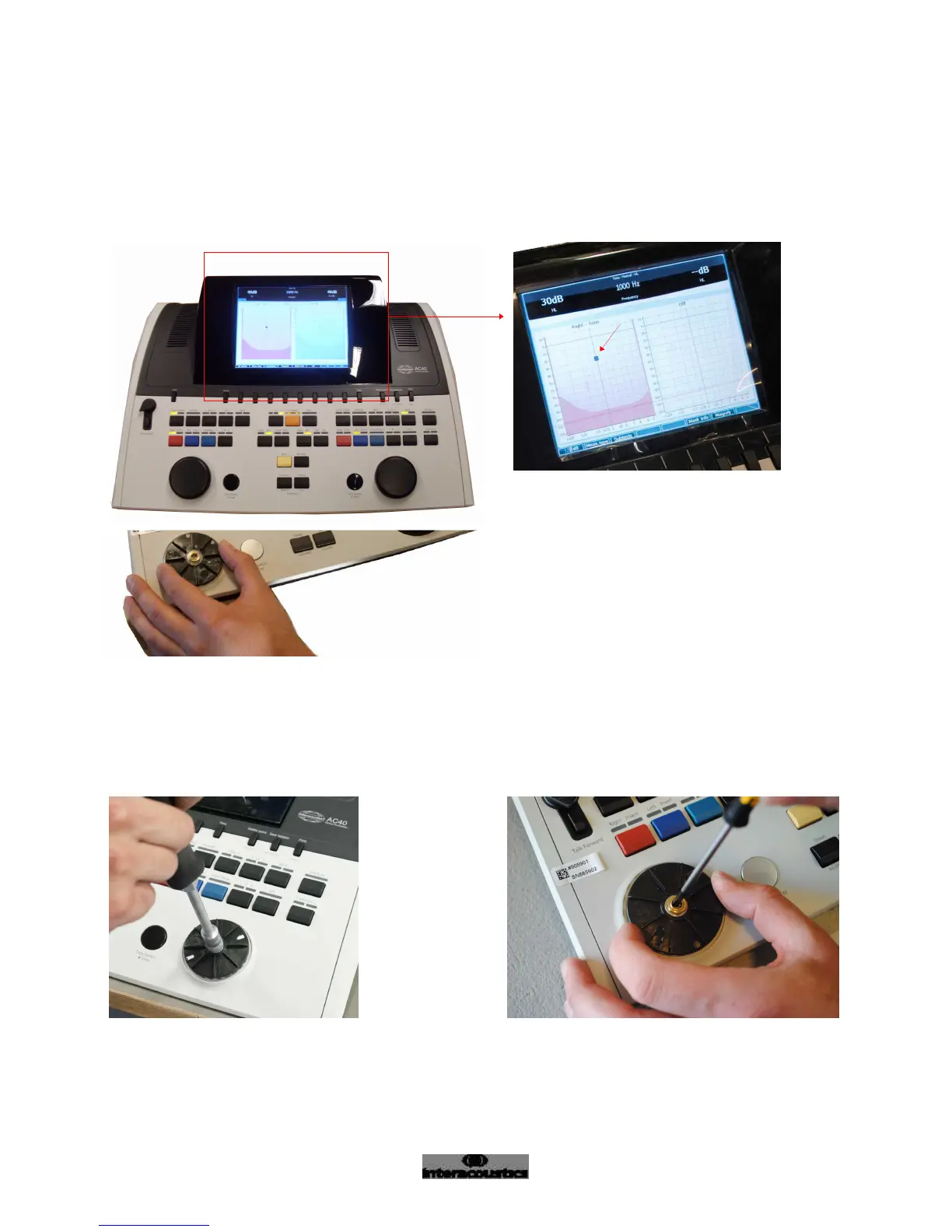
Before the covers are mounted check the functionality of the knobs
Turn the knob both clockwise and anti-clockwise.
While turning the knob, notice the little square on the screen (see detail picture). The square should ONLY move
after each “full click”/when ”it feels like the knob clicks’”.
Continue with this test, if the square moves before the knob completes one “full click”.
Hold on to the knob and loosen the nut a little bit. Hold on to the knob and carefully tighten the
encoder, as shown. Tighten clockwise



 To Next Page