D-0123234-D – 2020/05
Affinity Compact - Instructions for Use - EN Page 42
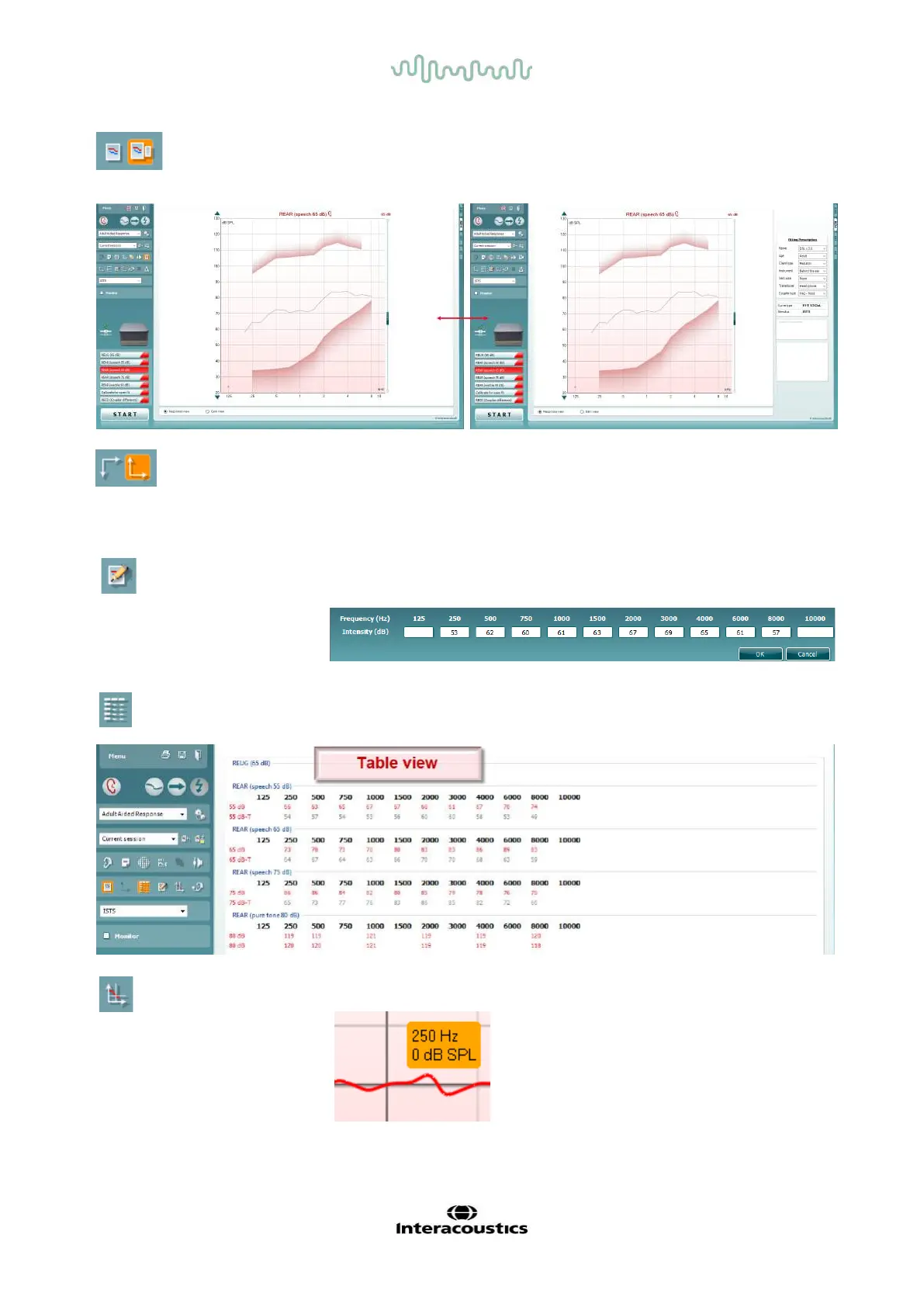
Table View button provides a chart view of the measured and target
values.
Show Cursor on Graph locks the cursor to the curve, displaying the
frequency and intensity at any given point along the measure curve.
Simple View/Advanced View buttons toggle between an advanced
screen view (including the test and fitting prescription information on the
right hand side) and a more simple view with a larger graph only.
Normal and Reversed Coordinate System buttons enable you to
toggle between reversed and normal graph displays.
This may be helpful for counselling purposes since the reversed view
look more similar to the audiogram and may therefore be easier for the
client to comprehend when explaining his/her results.
Insert/Edit Target button allows you to type in an individual target or
edit an existing one. Press the button and insert the preferred target
values in the table as illustrated below. When satisfied click OK.



 To Next Page