13
8. FM RADIO
8.1 FM Radio features
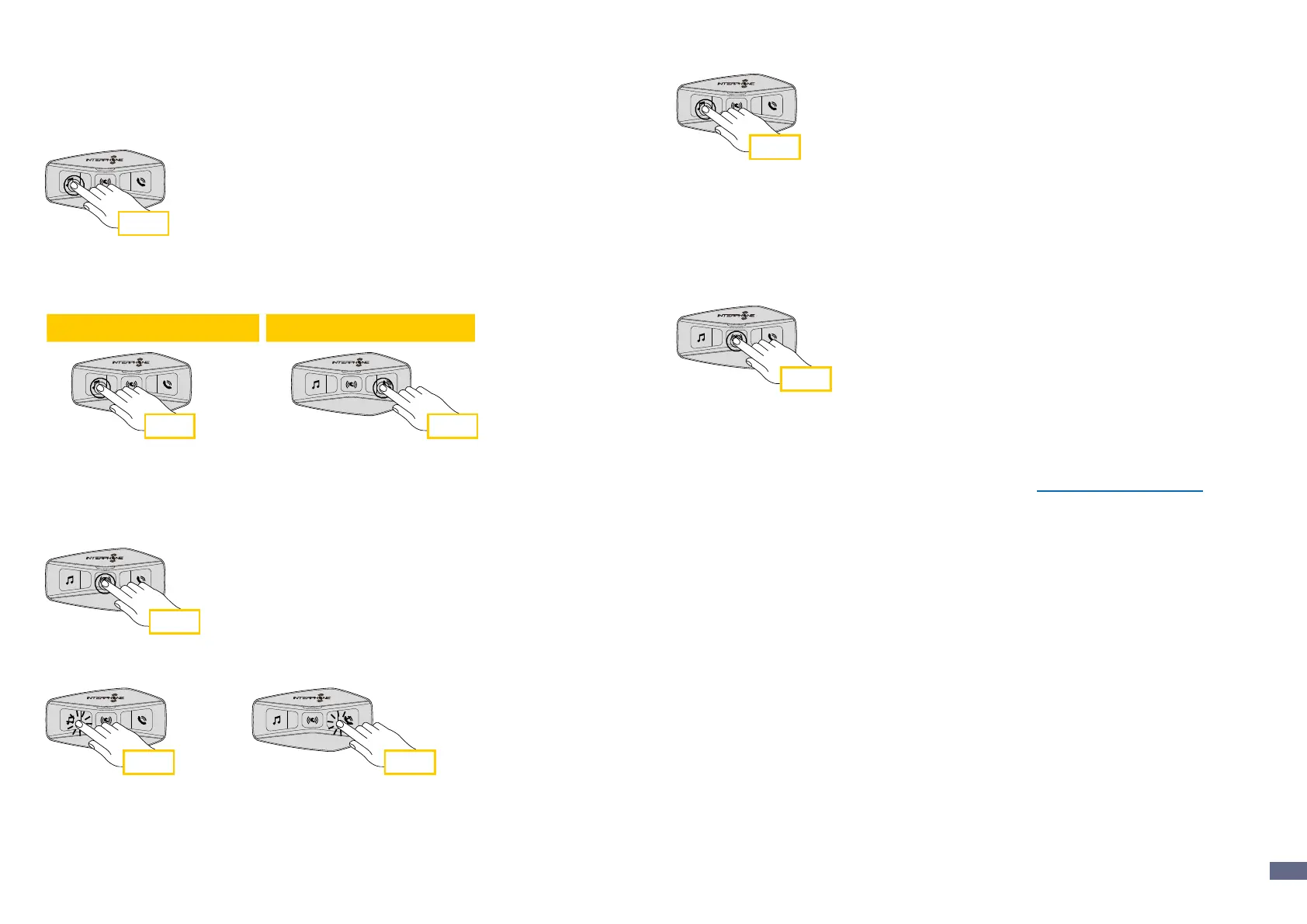
Press MUSIC button for 3 seconds to switch ON/OFF the FM RADIO.
3 sec
1. To start searching for radio stations, press the music key or the phone key
for one second.
1 sec
1 sec
3 sec3 sec
2 sec
2 sec 2 sec
2 sec 3 sec
Radio FM
Musica
Not playing
1 sec
1 sec
Phone
Music and FM radio
Beep
Beep
Incoming call answer End call Reject incoming call
Music play Music pause Next track Previous track
Start/stop music sharing Start/stop FM radio
Next station Previous station
Phone assistant trigger Speed dial
8.2. Radio Stations memory
Tune on station you want to save into memeries. Press for three seconds the
central button to start saving procedure.
3 sec
Navigate through the preset numbers that you want to store.
x 1 x 1
Press MUSIC button for one second to save station.
1 sec
Any existing station will be overwritten.
Up to 10 stations can be stored on U-COM 2. You can navigate through the
saved stations by pressing the central button for one second, advancing one
memory at a time.
1 -> 2 -> 3 -> 4 -> 5 -> 6 -> 7 -> 8 -> 9 -> 10 -> 1 -> 2 -> 3 -> ...
1 sec
8.3 Region Selection
You can select the proper FM frequency range for your location from the
Device Manager (available for PC and MAC on www.interphone.com) or the
INTERPHONE UNITE App. Using the region setting, you can optimize the
seek function to avoid unnecessary frequency ranges.
SETTINGS:
Worldwide 76.0 ~ 108.0MHz ± 100kHz
North America, South America and Australia 87.5 ~ 107.9MHz ± 200kHz
Asia and Europe 87.5 ~ 108.0MHz ± 100kHz
Japan 76.0 ~ 95.0MHz ± 100kHz
8.4 Storing temporary stations (with “Advanced Features”
activated by APP or Device Manager)
The TEMPORARY STORE feature automatically searches and saves the 10
nearest radio stations, without changing the preset stations existing.
To activate the function, press the MUSIC button 3 times quickly.
The temporary preset stations are canceled when the intercom is restarted.


 To Next Page