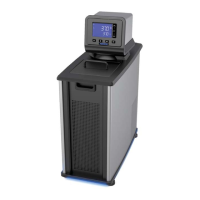
Main Operational Display (Home)
This is the Circulators main operational display. You can return to this screen at any time by pressing the
key.
Set-Up Sub-Menus
Pressing the
key accesses the Temperature Controller’s set-up sub-menus. The Touch Scroll Bar is
used to change the current setting / value in the sub-menus.
Sub-Menu Selection / Range Factory Default
Temperature unit °C or °F °C
Pump Speed Low or High High
Calibration -3.0°C to +3.0°C 0.0°C
Low Limit -52° to 20°C / -65° to +65°F -52°C
High Limit +25° to +175°C / +80° to +350°F 175°C
Baud 1200, 2400, 4800, 9600, 19200, 38400, 57600 9600
Refrigeration Control
(Refrigerating / Heating
Circulators only)
1 to 150°C 45°C
To accept a value in a sub-menu, press
,
, ,
or allow the LCD to return to the main
operational display ( approximately 10 seconds).
ctual bath
temperature
Set point
temperature
Lit when heating
Lit when circulating
bath fluid
Lit when refrigerating
(Refrigerating/Heating
models only)
110-512 PSC/EN
21


 To Next Page