Da Vinci Firefly Imaging System User Manual Addendum 552064-10 Rev. A
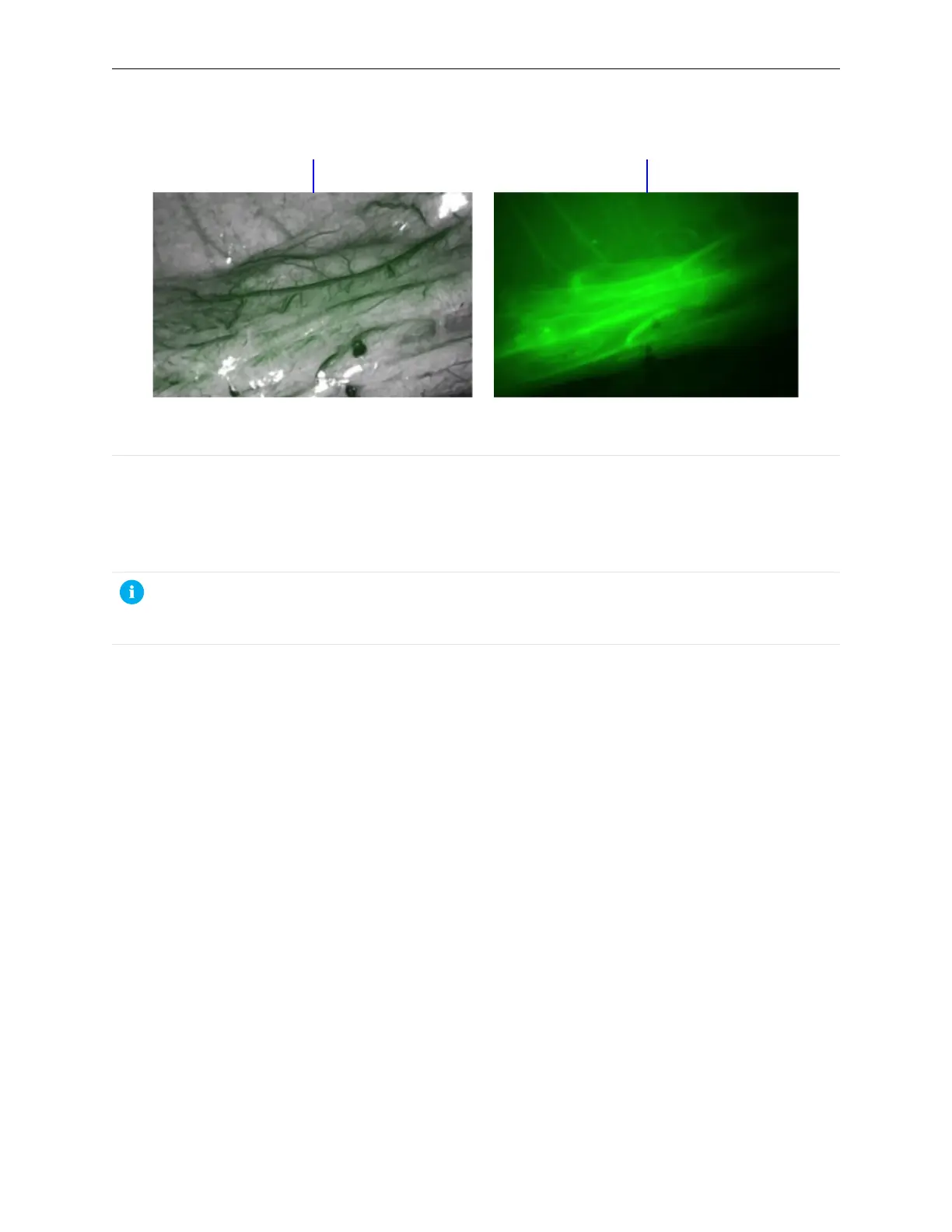
Figure 22 Image in Firefly Standard mode and in Sensitive mode (example)
1. Standard mode
2. Sensitive mode
Select Sensitive Mode
When the appropriate endoscope is installed, the Sensitive Mode option is available at the bottom
of the Firefly section of the Settings tab.
Note: The Show Controls button on the Surgeon Console must be enabled in order to
activate Sensitive mode at either the Surgeon Console or the Vision Cart. After Show
Controls is enabled, the setting is saved to the user profile.
24
Sensitive Mode Operation | Select Sensitive Mode


 To Next Page