Da Vinci Firefly Imaging System User Manual Addendum 552064-10 Rev. A
The illumination button cannot be used to activate Firefly imaging. In order to activate Firefly
imaging, use the Firefly OFF/ON button on either the Surgeon Console touchpad or the Vision Cart
touchscreen.
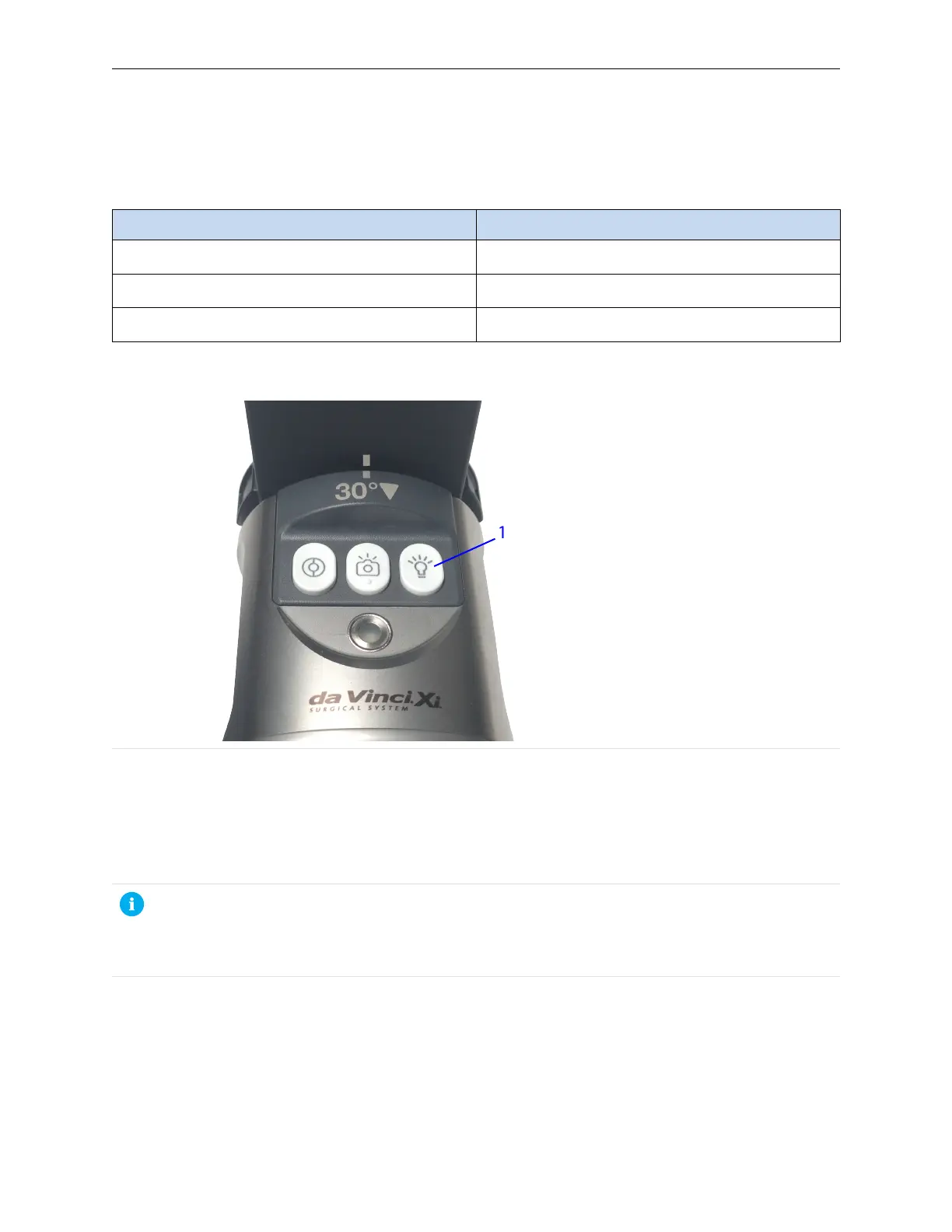
Table 6 Illumination Button
Illumination State Press and Hold Button
Visible light is ON Visible light turns OFF
Firefly ON Visible light and near-infrared light turn OFF
Visible light is OFF Visible light turns ON
Figure 15 Illumination On/Off button (example)
1. Illumination On/Off
Adjust Image
The brightness and intensity (contrast) of the Firefly image can be adjusted on both the Surgeon
Console touchpad and the Vision Cart touchscreen.
To improve the image from a weak signal, increase intensity and decrease background brightness.
Note: Although the same brightness slider is used for both visible light and Firefly imaging,
the system remembers separate settings for each mode. When Firefly imaging is activated
and deactivated, the brightness slider remains in the position that it was in when it was last
adjusted.
18
Firefly Imaging Operation | Adjust Image


 To Next Page