Da Vinci Firefly Imaging System User Manual Addendum 552064-10 Rev. A
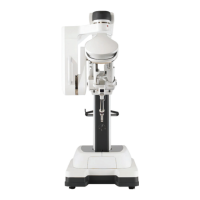
Hand Control Finger Clutches
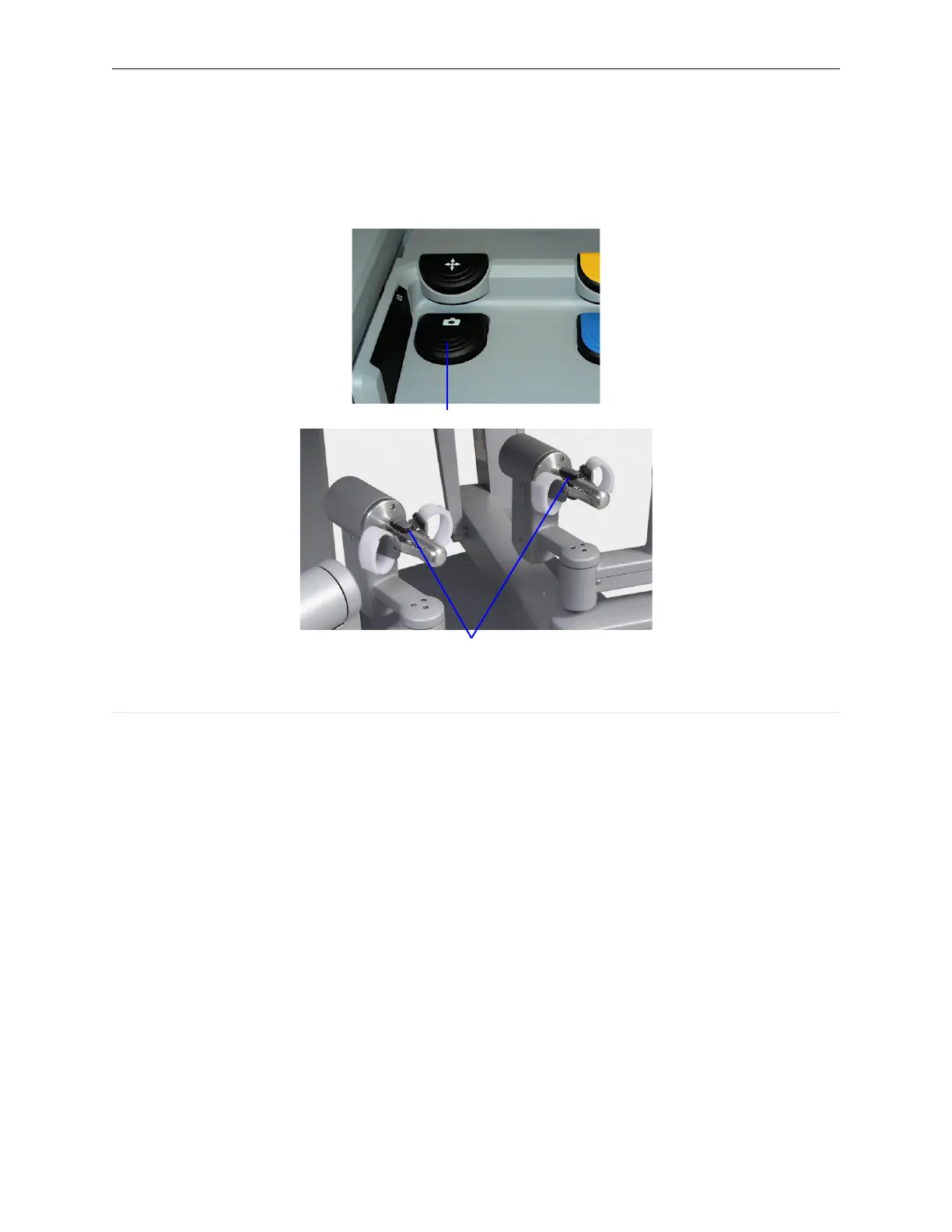
While pressing and holding the endoscope control pedal, use the finger clutches on either of the
hand controls to toggle between visible light imaging and Firefly imaging.
Figure 14 Switching modes at Surgeon Console
1. Press endoscope control pedal
2. Use hand control finger clutches to toggle between visible light and Firefly imaging
Deactivate Firefly on the Endoscope
Illumination On/Off Button
Pressing and holding the illumination button on the endoscope (Figure 15) turns off all illumination.
The system only responds to a long press (that is, longer than one second) of the button and
ignores momentary presses.
The illumination button only functions when the endoscope is detached from a system arm. If
Firefly imaging is active, and the endoscope is not on the arm, pressing and holding this button
turns off all illumination. Pressing the button again activates visible light imaging.
Firefly Imaging Operation | Select the Visualization Mode
17


 To Next Page