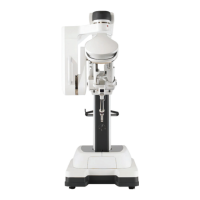
Da Vinci Firefly Imaging System User Manual Addendum 552064-10 Rev. A
Appendix A Troubleshooting and Service
A.1 Troubleshooting
If the system requires maintenance or service, call our Customer Service line. In the U.S., call
1.800.876.1310, where phones are staffed 24 hours a day, seven days a week.
Table A.1 Firefly Standard Mode Troubleshooting
Symptom
Reason Action
Visualization mode
does not change when
surgeon presses the
endoscope control
pedal and simultane-
ously presses and
releases a hand
control finger clutch.
Use of hand control
finger clutches to
toggle visualization
mode is disabled.
On the Surgeon Console touchpad, touch the
Settings tab and navigate to the Firefly section
to verify that the Firefly Fingerswitch setting is
set to On (see Select the Visualization
Mode on page 13). If the problem persists,
contact Intuitive Customer Service.
Visualization mode
becomes locked in
Firefly (near-infrared)
mode, and the
Endoscope is off the
arm.
Communication or
component failure.
1. Press and hold the illumination button (see
Figure A.1) on the endoscope to turn off the
light source.
2. If pressing the illumination button does not
turn off the source, restart the system when
safe to do so.
3. If the problem persists, contact Intuitive
Customer Service.
Fluorescence image
does not appear or
appears weakly in the
expected time frame
after ICG injection.
• Firefly laser may not
be operating
• Clinical factors
related to dosage
and administration
• Firefly background
brightness or
intensity needs
adjustment
On the Surgeon Console touchpad, touch the
Settings tab and navigate to the Firefly
section. Adjust the Background Brightness and
Firefly Intensity slider controls as needed. If
the problem persists, contact Intuitive
Customer Service.
Light is emitting from
the Endoscope Con-
troller when the
endoscope is removed
from the Endoscope
Controller.
On the Endoscope
Controller, the shutter
for the endoscope
receptacle is stuck in
the open position.
• Install and remove an endoscope from the
Endoscope Controller.
• If the problem persists, restart the system
when safe to do so.
• If the problem persists, contact Intuitive
Customer Service.
32
Troubleshooting and Service


 To Next Page