Da Vinci Firefly Imaging System User Manual Addendum 552064-10 Rev. A
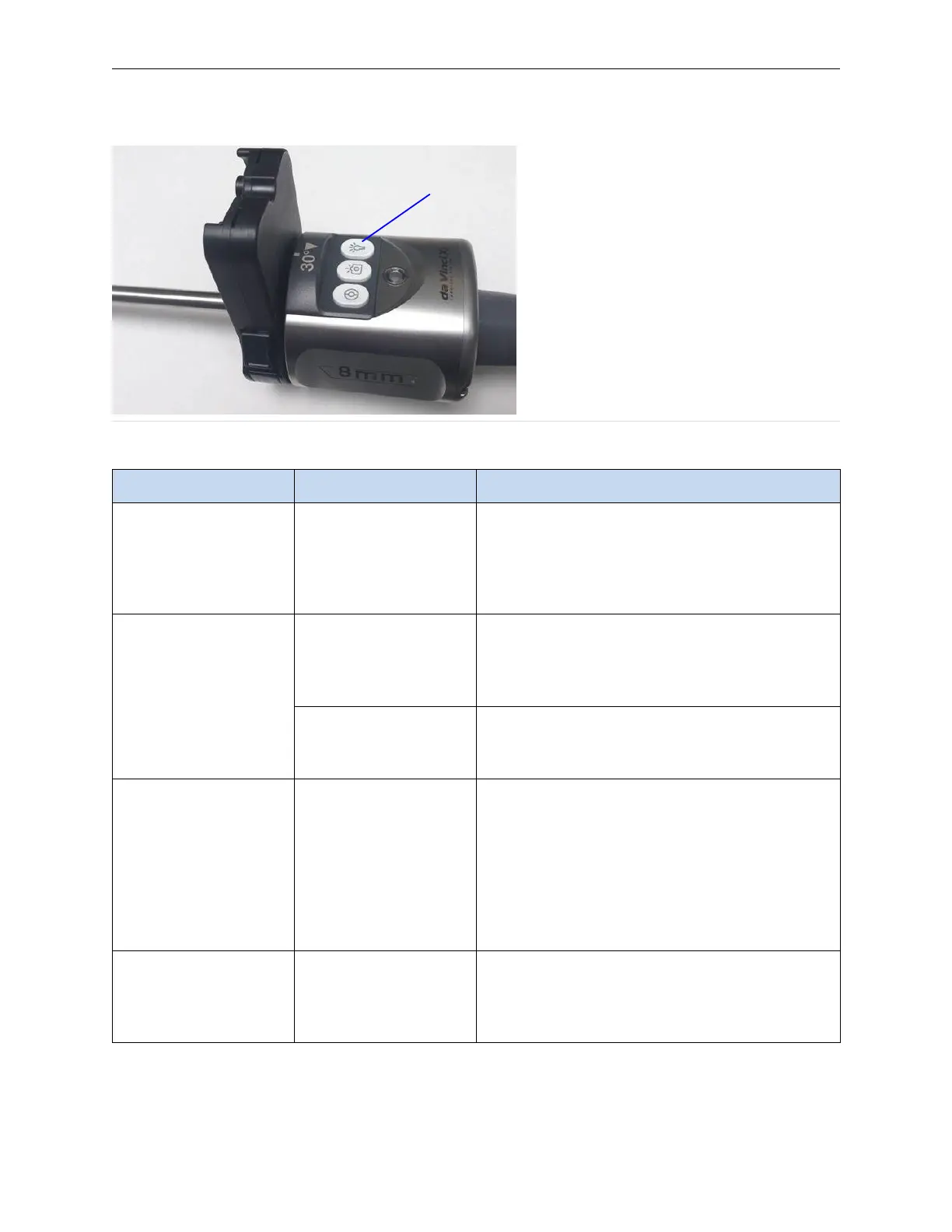
Figure A.1 Illumination button on endoscope (example)
1. Illumination button
Table A.2 Firefly Sensitive Mode Troubleshooting
Symptom
Reason Action
Cannot save Sensitive
mode settings
If a user account is not
used, Surgeon Console
settings, including
Sensitive mode
settings are not saved.
Make sure you are logged into a Surgeon
Console user account when pressing Show
Controls.
Surgical image
appears dark
Administration of flu-
orescent agent is
inadequate or is not
completed correctly.
Confirm that administration of the fluorescent
imaging agent is completed correctly.
Sensitive mode image
adjustment selections
produce a dark image.
Check the Sensitive mode image adjustment
settings. Adjust the selections to ensure proper
visualization of fluorescent signals.
Surgical image
appears black and
white
A Sensitive mode
image adjustment
selection displays the
Standard mode
black-and-white
background image.
When the user moves instruments while in
Sensitive mode, the system reverts to Standard
mode. See Instrument Function During
Sensitive Mode on page 31.
The user can choose to remain in Standard
mode or return to Sensitive mode. See Select
Sensitive Mode on page 24 for instructions on
how to return to Sensitive mode.
Surgical image has
too many image
artifacts
Fluorescent imaging
agent is emitting a
signal that is too low.
Check the Sensitive mode image adjustment
settings. Decrease the Intensity and increase
the Black Point settings to ensure proper visual-
ization of fluorescent signals.
(continues on next page)
Troubleshooting and Service | Troubleshooting
33


 To Next Page