Da Vinci Firefly Imaging System User Manual Addendum 552064-10 Rev. A
Image Adjustment on Surgeon Console
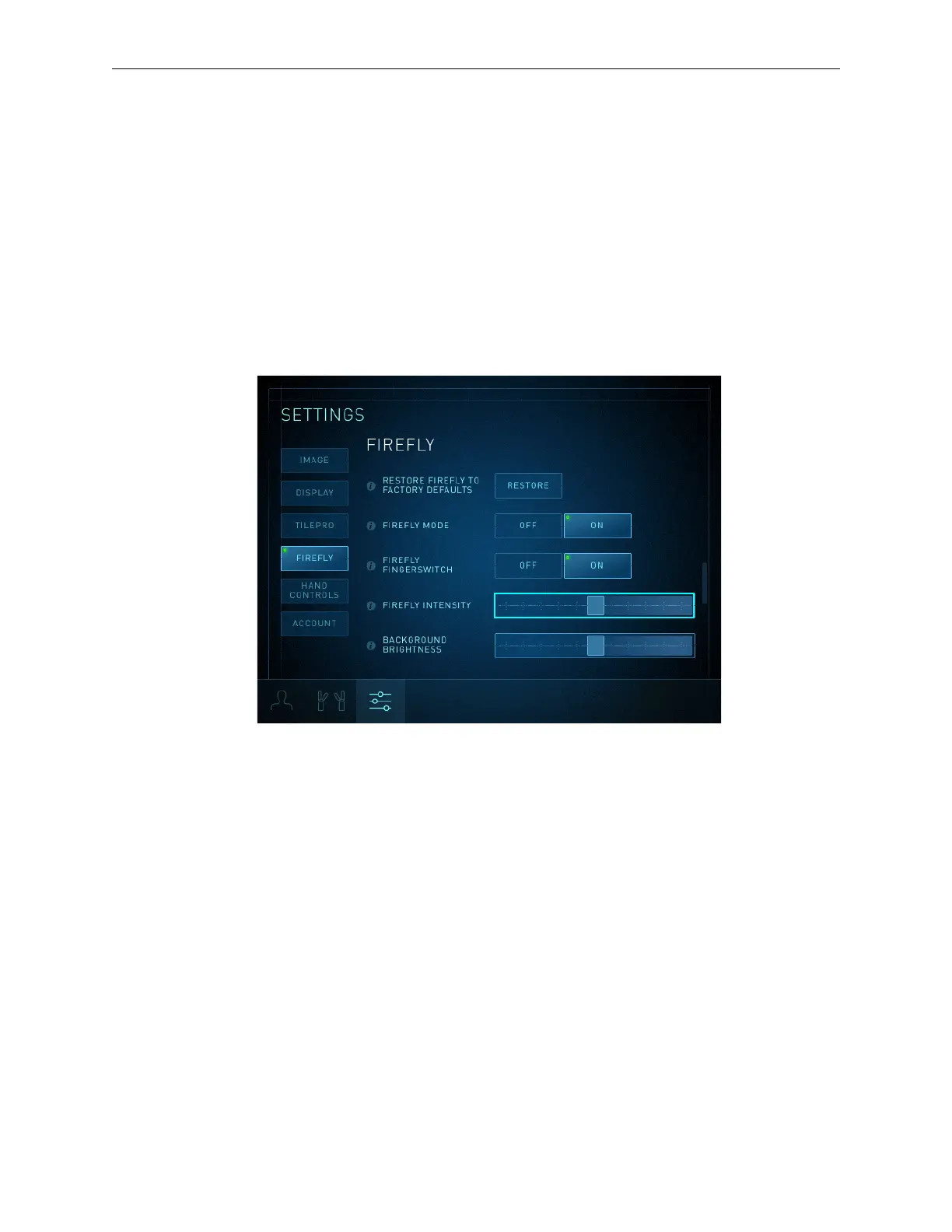
Firefly Intensity Slider
The Firefly Intensity slider adjusts the visibility of the green fluorescing image relative to the
non-fluorescing image (black and white). This slider is enabled in Firefly imaging and disabled
when the system is in visible light mode (when Firefly is deactivated).
1. Touch the Settings tab, then touch the Firefly button or scroll to view the Firefly section.
2. Drag the Firefly Intensity slider to adjust the intensity of the green fluorescence. Moving it to
the right increases the intensity of the fluorescence (appears more saturated).
Figure 16 Surgeon Console Firefly Intensity slider
Background Brightness Slider
To adjust image background brightness when Firefly is activated, use the Background Brightness
slider on the Instrument tab endoscope arm pod or the Background Brightness slider in the Firefly
section of the Settings tab.
On the Instrument tab, the Background Brightness slider is used to adjust background brightness in
Firefly imaging. For information about adjusting image brightness in visible light mode, refer to the
applicable system user manual.
On the Instrument tab, with Firefly activated (the tip of the Firefly button icon is lit green):
1. Touch the Brightness button on the endoscope arm pod (Figure 17).
The Brightness screen opens.
2. Drag the Background Brightness slider to adjust brightness of the image. Moving it up
increases brightness.
Firefly Imaging Operation | Adjust Image
19


 To Next Page