Da Vinci Firefly Imaging System User Manual Addendum 552064-10 Rev. A
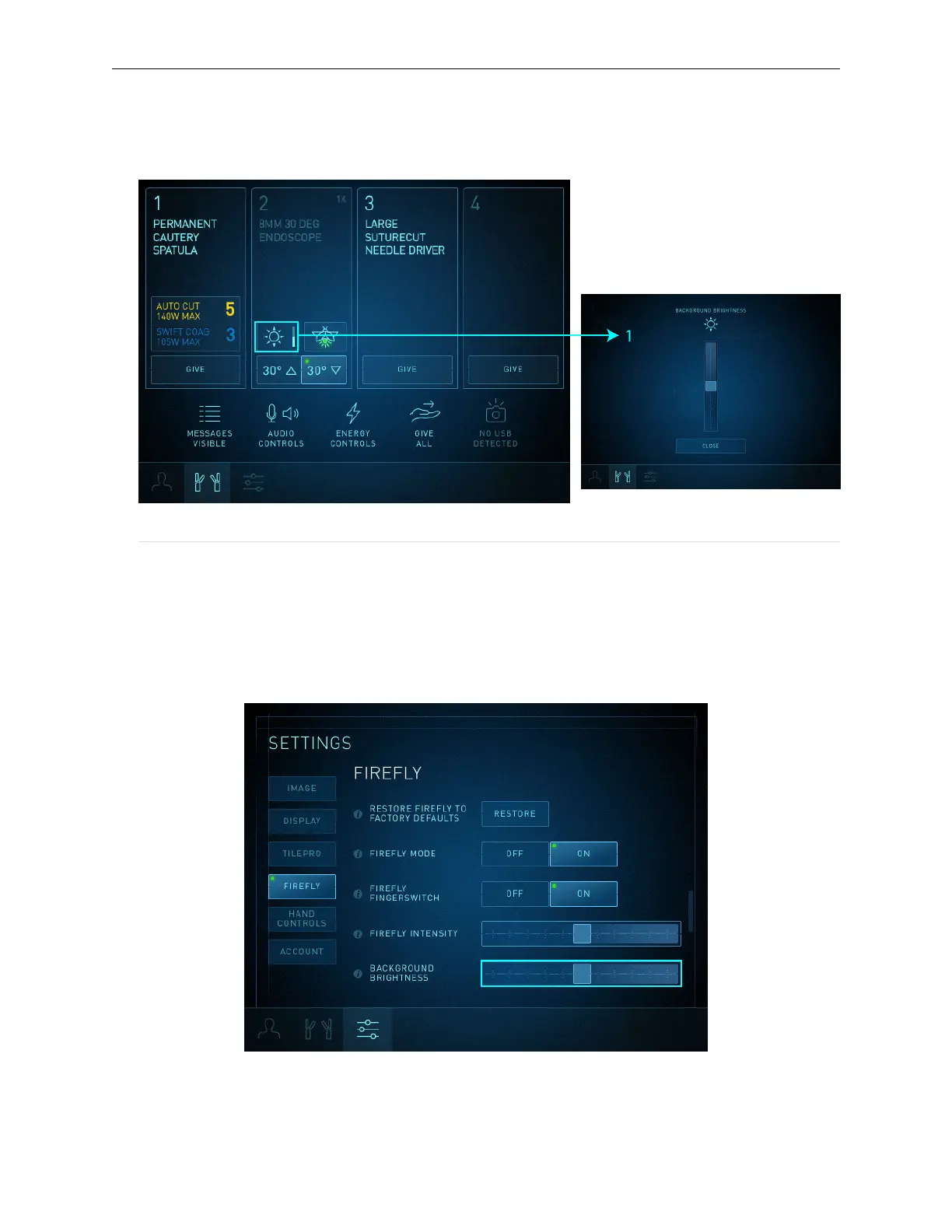
3. Touch Close to exit the Brightness screen.
Figure 17 Instrument Tab Brightness slider
1. Background Brightness screen
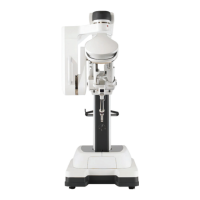
In the Firefly section of the Settings tab when Firefly is activated:
1. Touch the Settings tab, then touch the Firefly button or scroll to view the Firefly section.
2. Drag the Background Brightness slider to adjust the brightness of the image. Moving it to the
right increases brightness.
Figure 18 Firefly Background Brightness slider
20
Firefly Imaging Operation | Adjust Image


 To Next Page