da Vinci SP Instruments and Accessories
Using the Electrosurgical Unit (ESU) with Monopolar and Bipolar Instruments
43
DRAFT/PRE-RELEASE/CONFIDENTIAL
12/5/19
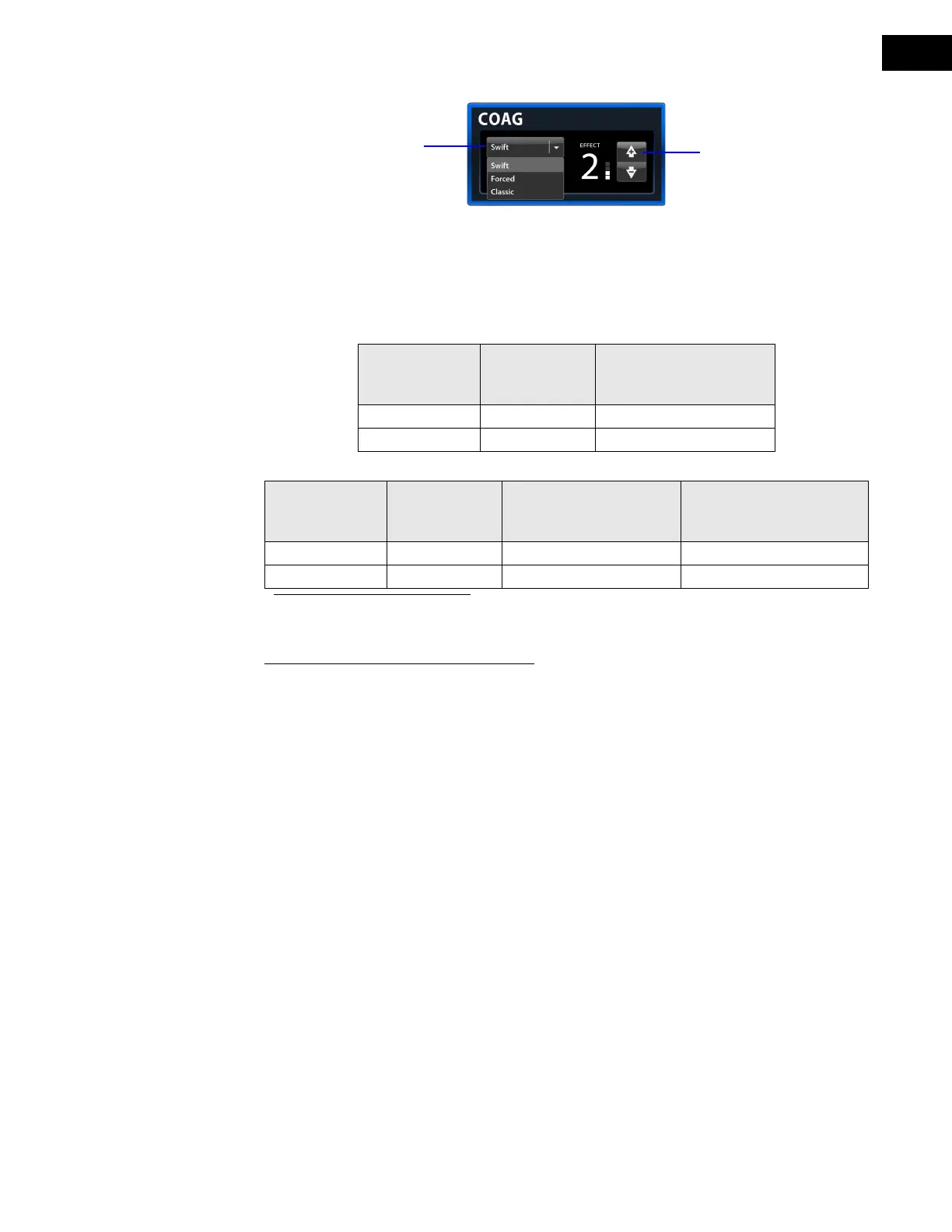
Figure 8.5 Mode and effect settings, Monopolar COAG
Bipolar and Monopolar Instrument Activation
Bipolar and monopolar instruments (EndoWrist SP and manual) can be activated using the
specified ports (as shown with [X] in the tables below).
Manually Adjust Power Limit Settings
In addition to adjusting mode and effect settings, users can adjust power limit settings (Figure
8.6). Power limit settings enable users to adjust the limit on the maximum power delivered for
fine-tuned control over tissue effect in each energy mode. Adjusting power limits changes the
potential range of power fluctuation.
1. Touch the Power Limit button to open the power limit settings window.
2. Use the left and right arrow buttons to select the required limit.
The power limit can be reset to the factory default using the Default button.
The effect can also be adjusted, using the effect selection arrows in this window.
3. Touch Close to return to the main screen.
Table 8-2 Bipolar Instrument Activation
Port EndoWrist SP
Bipolar
Instruments
Manual Bipolar
Instruments
(Foot pedal activated)
Bipolar Port 1 X
Bipolar Port 2 X X
Table 8-3 Monopolar Instrument Activation
Port EndoWrist SP
Monopolar
Instruments
a
a. EndoWrist SP monopolar instruments are connected to the VIO dV through the
EnergyShield Monitor.
Manual Monopolar
Instruments
(Foot pedal activated)
Manual Monopolar
Instruments
(Fingerswitch activated)
Monopolar port 1 X X
Monopolar port 2 X X X
Mode selection
Effect selection


 To Next Page