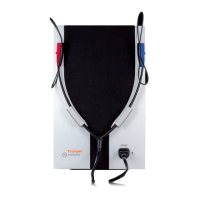
audiometer is communicating with its control device. The LED can assume
two different colours: green for communications with a PC (via a USB cable),
blue for communications with an iPad (over a Bluetooth connection).
CONNECTION TO COMPUTER/IPAD
To permit control from a computer, the Piccolo audiometer must be
connected to one of the computer’s USB ports using the cable provided (a
standard USB A/B cable). The connection is plug-and-play, and no special
drivers are required for for installation purposes: a few seconds after plugging
in, the operating system will recognize the device and install the drivers
automatically. The installation is complete when the following message
appears at the bottom right of the screen:
Piccolo audiometer can be controlled from a computer using Inventis Maestro
software: for further details about the use and the features of Maestro
software, and for minimum system requirements, refer to the Maestro user
manual.
Aero models permit to control the device via Bluetooth from an iPad using
Inventis Maestro app. available free of charge from the Apple App Store: for
further details about the use and the features of Maestro App, and for
minimum system requirements, refer to the Maestro – App User Manual.



 To Next Page