EasyManua.ls Logo

Inventis PICCOLO - User Manual

Inventis PICCOLO
40 pages
To Next Page IconTo Next Page
Loading...
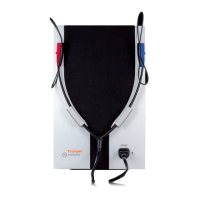
PICCOLO
PORTABLE AUDIOMETER
USER MANUAL

Other manuals for Inventis PICCOLO

Questions and Answers

Inventis PICCOLO Specifications

General IconGeneral
Frequency Range1 kHz to 6 kHz
ConnectivityUSB
TypeOAE (Otoacoustic Emissions) analyzer
OAE TypeDPOAE and TEOAE
DisplayLCD
Power Supply/SourceRechargeable battery
Data StorageInternal Memory
TransducersProbe with integrated microphone and speaker

Summary

Foreword

CHAPTER 1 Safety: warnings and information

OPERATOR RESPONSIBILITIES

Defines user's duties for safe and reliable use, including repair responsibilities.

INTENDED USE

Explains the audiometer's function and target users for hearing evaluations.

INDICATION FOR USE AND END USERS

Details intended use by healthcare professionals for hearing evaluations and diagnosis.

PRECAUTIONS

Lists precautions for correct and safe use, including ambient conditions and interference.

Installation and general precautions

General precautions for transport, storage, operation, and avoiding hazardous environments.

Calibration

Explains calibration validity, recalibration requirements, and indicators for status.

Hygiene

Disposable eartips and disinfecting headphone cushions to prevent infection.

Use

Warning about adjusting tone intensity to avoid patient harm.

DISPOSAL

Information on proper disposal of hazardous substances and the device.

CONFORMITY

States the device's classification as a class IIa medical device and ISO certification.

SYMBOLS ON LABELS

Explains various symbols used on the device and their meanings.

CHAPTER 2 Introduction

MAIN FEATURES

Describes the portable nature, control options (PC/iPad), and available software.

ACCESSORIES

Lists accessories supplied with or obtainable for different Piccolo models.

CHAPTER 3 Installation

PRECAUTIONS

Warnings about electromagnetic waves and potential interference with other devices.

CONNECTIONS

Details connection points for accessories on the rear panel and model differences.

CONNECTION TO COMPUTER;IPAD

Explains plug-and-play USB connection for PC and Bluetooth for iPad with Maestro app.

CHAPTER 4 Maintenance

PERIODIC CHECKS

Daily tests to check for damage, cable integrity, and subjective sound output equality.

MAINTENANCE OF TRANSDUCERS

Instructions on cleaning headphone cushions and handling eartips to prevent infection.

CLEANING

How to clean the audiometer using lint-free cloths and cleaning solutions.

REPLACEABLE PARTS

How to disconnect and replace defective transducers or accessories.

REPAIRS AND TECHNICAL ASSISTANCE

Steps for contacting service, preparing items for repair, and returning for service.

APPENDIX A Technical specifications

Classification

Details the classification of Piccolo Basic, Plus, and Speech models according to IEC standards.

Signal Specifications

Lists available signals, their specifications, and accuracy parameters.

Output and Tone Specifications

Details output capabilities and maximum intensity levels for pure and warble tones.

Speech and Masking Specifications

Covers maximum intensities for speech audiometry and masking frequencies.

Acoustical Safety and Transducers

Information on device safety, compatible transducers, and communication features.

Audiometer Control and System Requirements

Details control methods, available tests, and minimum system requirements.

Power Supply and Calibration

Information on power supply, consumption, and calibration validity.

Environmental Conditions and Mechanics

Specifies operating environmental conditions and physical dimensions.

Rear Panel Sockets

Lists and describes the connectors available on the rear panel of the audiometer.

Input;Output and Attenuation Specs

Details input/output specifications and sound attenuation values.

APPENDIX B Troubleshooting

No Signal from Transducer

Describes possible causes and solutions for no signal from a transducer.

Patient Response Button Issues

Addresses problems with the patient response button and potential causes.

Connection Establishment Problems

Troubleshooting for issues connecting the audiometer to PC or iPad.

Unlikely Exam Results Troubleshooting

Explains potential causes for unlikely exam results and troubleshooting steps.

Test Access Issues

Troubleshooting for inability to access a specific test function.

APPENDIX C Electromagnetic compatibility

Emissions

Details guidance and manufacturer's declaration for electromagnetic emissions.

Immunity

Provides guidance and manufacturer's declaration for electromagnetic immunity.

Related product manuals