EasyManua.ls Logo

Invertek Optidrive ODE-2-24400-3K04 - User Manual

Default Icon
28 pages
Print Icon
To Next Page IconTo Next Page
Loading...
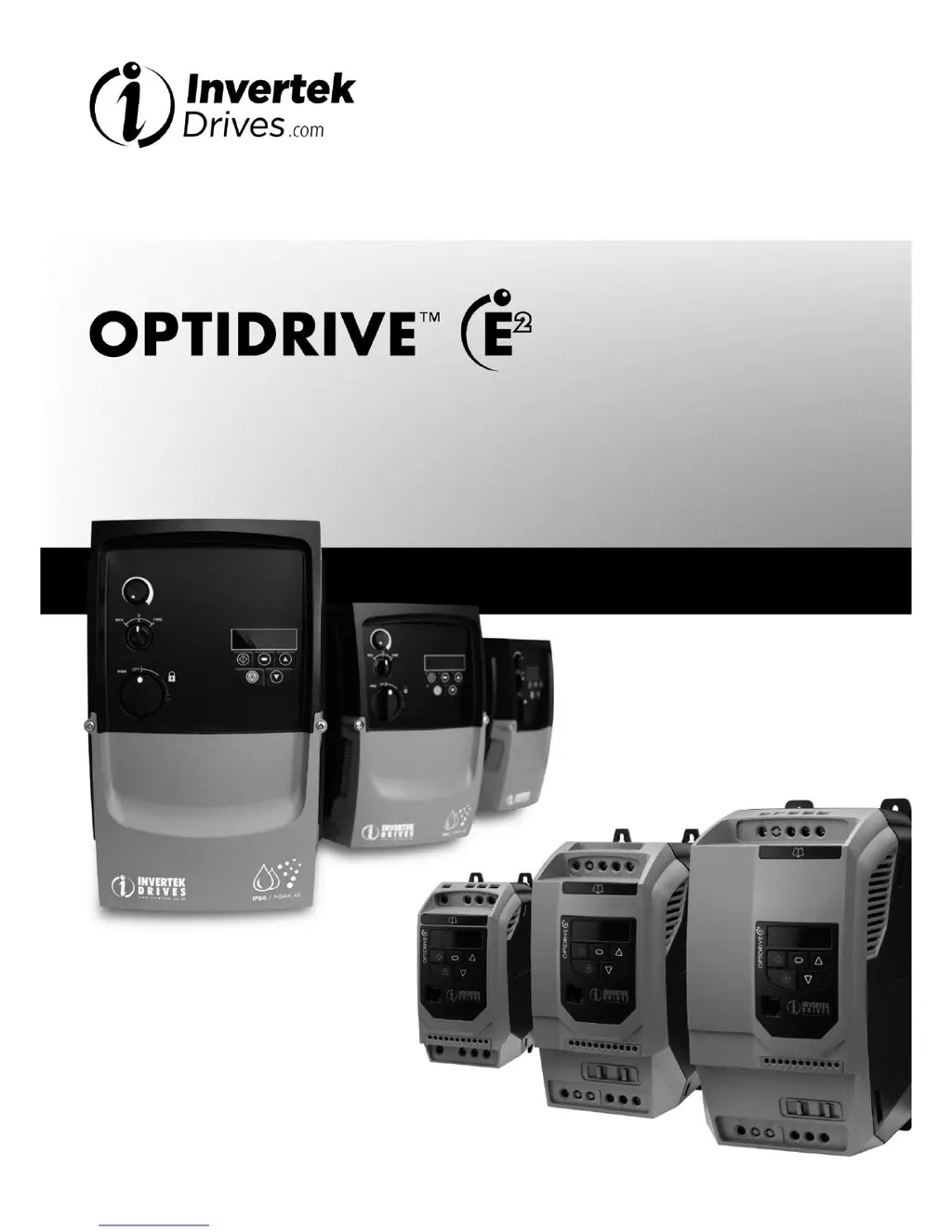
Optidrive ODE-2 User Guide Revision 3.30
www.invertekdrives.com
1
1
Introduction
User Guide
IP20 & IP66 (NEMA 4X)
AC Variable Speed Drive
0.37 11kW (0.5 15HP)
110 480V
Installation and Operating Instructions

Questions and Answers

  • J
    Jessica BrownAug 21, 2025
    Why does my Invertek Controller motor thermal overload protection trip?
    • B
      Brianna SolisAug 21, 2025
      If the Invertek Controller's motor thermal overload protection trips, make sure the correct motor nameplate current value is entered in P-08. Verify the Star or Delta wiring configuration is correct. Check if the decimal points are flashing (indicating the output current exceeds the P-08 value) and, if so, either increase the acceleration ramp (P-03) or decrease the motor load. Also, confirm that the total motor cable length is within the drive's specification and that the load is mechanically free from jams, blockages, or other mechanical faults.
  • S
    Samantha DorseyAug 23, 2025
    How to fix over voltage on DC bus in Invertek Controller?
    • M
      Michelle NguyenAug 23, 2025
      If the Invertek Controller experiences an overvoltage on the DC bus, verify that the supply voltage is within the drive's allowed tolerance. If the fault arises during deceleration or stopping, try increasing the deceleration time in P-04 or installing a suitable brake resistor and activating the dynamic braking function with P-34.
  • J
    Jeremy WrightAug 26, 2025
    What to do if Invertek Controller shows heatsink over temperature?
    • T
      Tracy JonesAug 26, 2025
      If the Invertek Controller indicates a heatsink over temperature, ensure the ambient temperature around the drive is within the specified limits. Make sure that sufficient cooling air can circulate freely around the drive, increasing panel ventilation if needed. Confirm that the bottom entry and top exit vents are not blocked or obstructed, allowing adequate cooling air to enter the drive.
  • S
    Steven FischerAug 27, 2025
    How to troubleshoot hardware over current in Invertek Controller?
    • M
      Michael PearsonAug 28, 2025
      If the Invertek Controller reports a hardware over current, check the motor wiring and the motor itself for phase-to-phase and phase-to-earth short circuits. Disconnect the motor and motor cable, then retest the drive. If the drive trips without the motor connected, it needs replacement, and the system should be thoroughly checked and retested before installing a replacement unit.
  • K
    Kelly MitchellAug 29, 2025
    What causes brake resistor thermal overload in Invertek Controller?
    • C
      Curtis SantosAug 29, 2025
      If the Invertek Controller displays a brake resistor thermal overload, and you're using an Invertek standard braking resistor, P-34 MUST be set to 1. Increase the deceleration time (P-04) or the 2nd deceleration time (P-24). Reduce the load inertia. If using other brake resistors, ensure the resistance is equal to or greater than the minimum value specified for the drive. Consider using an external thermal protection device for the brake resistor, in which case P-34 may be set to 2.
  • S
    Sheila WalshSep 1, 2025
    Why does my Invertek Controller show under voltage on DC bus?
    • J
      Jessica SerranoSep 1, 2025
      If the Invertek Controller shows an under voltage on the DC bus, it means the incoming supply voltage is too low. This trip typically occurs when power is removed from the drive. If it happens during operation, check the incoming power supply voltage and all components in the power feed line to the drive.
  • M
    Martin CraigSep 3, 2025
    What to do if Invertek Controller displays brake channel over current?
    • P
      Patrick HaydenSep 3, 2025
      To address a brake channel over current (excessive current in the brake resistor) in the Invertek Controller, inspect the cabling to the brake resistor and the brake resistor itself for any signs of short circuits or damage. Ensure that the resistance of the brake resistor is equal to or greater than the minimum value specified for the drive.
  • P
    pgarzaSep 5, 2025
    Why does my Invertek Controller show under temperature?
    • S
      Samantha BennettSep 5, 2025
      If the Invertek Controller trips due to an under temperature condition, this occurs when the ambient temperature is less than -10°C. The temperature must be raised above -10°C to start the drive.
  • D
    David CarlsonSep 7, 2025
    How to fix comms loss trip on Invertek Controller?
    • A
      Alex CamposSep 7, 2025
      If the Invertek Controller experiences a comms loss trip, check the communication link between the drive and any external devices. Ensure that each drive in the network has a unique address.
  • R
    Richard CampbellSep 9, 2025
    What does input phase loss trip mean on Invertek Controller?
    • T
      Teresa HurstSep 9, 2025
      If the Invertek Controller experiences an input phase loss trip, it indicates that the drive, which is intended for use with a 3-phase supply, has lost one of its input phases.

Summary

Important Safety Information

IP66 Enclosed Unit Installation

IP66 Unit Dimensions

Dimensions and mounting for IP66/Nema 4X units.

Power Wiring

Grounding the Drive

Essential guidelines for proper drive earthing and safety.

Wiring Precautions

General advice and precautions for wiring the drive.

Incoming Power and Motor Connections

Incoming Power Connection

How to connect the main AC power supply.

Drive and Motor Connection

Connecting the drive output to the motor.

Motor Terminal Box Connections

Selecting motor connection (Star/Delta) based on voltage.

Control and Motor Wiring Details

Motor Thermal Overload Protection

Explanation of the built-in thermal overload protection.

Connection Diagrams

Diagrams showing wiring for switched and non-switched units.

Advanced Operation and Control

Control Terminal Connections

Details the default connections for control terminals.

Drive Operation and Control

Managing the Keypad

How to navigate and use the keypad for operation.

Terminal Control Operation

Operating the drive using external control terminals.

Parameters

Standard Parameters

Details and configuration options for standard drive parameters.

Extended Parameters

Comprehensive list and explanation of extended drive parameters for advanced configuration.

Analog and Digital Input Configurations

Trouble Shooting

Fault Code Messages

Lists fault codes, descriptions, and corrective actions.

Invertek Optidrive ODE-2-24400-3K04 Specifications

General IconGeneral
ModelODE-2-24400-3K04
Input Voltage380-480V AC
Output Power4.0 kW
Output Current9.5 A
Enclosure TypeIP20
Input Phase3-Phase
Frequency Range0-500 Hz
Protection RatingIP20
CommunicationModbus RTU
Control MethodSensorless Vector Control
Cooling MethodFan
Ambient Temperature-10°C to 50°C
Humidity95% RH, non-condensing
AltitudeUp to 2000m

Related product manuals