EasyManua.ls Logo

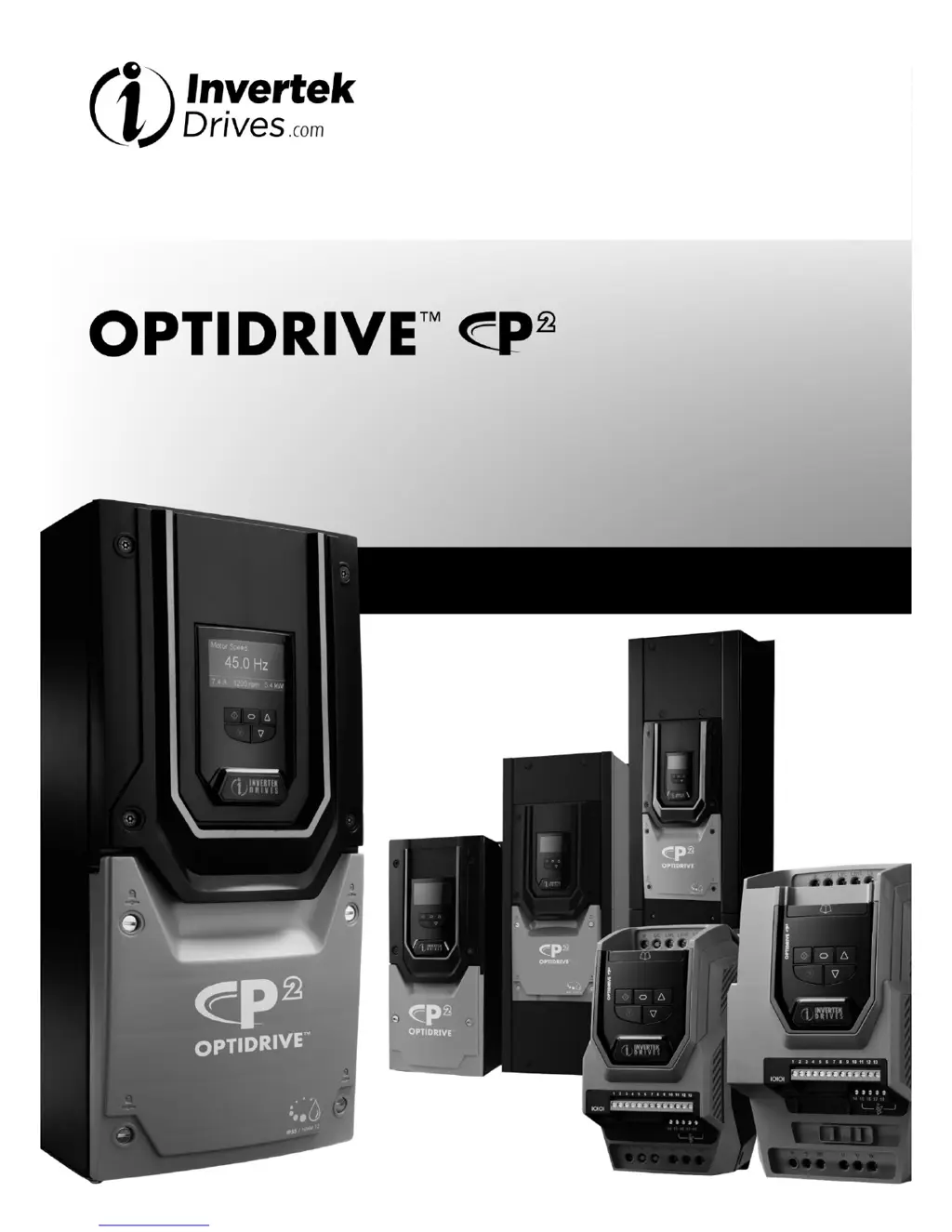
Invertek Optidrive P2 series - User Manual

Invertek Optidrive P2 series
52 pages
Print Icon
To Next Page IconTo Next Page
Loading...
1
Introduction
AC Variable Speed Drive
0.75kW 160kW / 1HP 250HP
200 480 Volt 1 & 3 Phase
Installation & Operating Instructions

Questions and Answers

Summary

Introduction to Optidrive P2

Important Safety Information

Crucial safety guidelines and warnings for installation and operation of the drive.

General Information and Ratings

Part Number Construction and Definition

Explains how Optidrive P2 model numbers are structured and what each part signifies.

Drive Model Numbers - IP20

Lists IP20 drive models, specifications, output current, and frame sizes.

Drive Model Numbers - IP55

Lists IP55 drive models, specifications, output current, and frame sizes.

Drive Model Numbers - IP66

Lists IP66 drive models, specifications, output current, and frame sizes.

Mechanical Installation

General Mechanical Installation Guidelines

Provides general advice for mounting the Optidrive unit, including position and clearances.

Pre-Installation Procedures

Steps to take before physically installing the drive, including unpacking and checking.

UL Compliant Installation Requirements

Specific requirements for installing the drive in compliance with UL standards.

Mechanical Dimensions and Weights

Detailed physical dimensions, weights, and mounting bolt specifications for various drive frame sizes.

IP55 Unit Mounting Guidelines

Specific guidelines and dimensions for mounting IP55 enclosure type drives.

IP66 Unit Mounting Guidelines

Specific guidelines and dimensions for mounting IP66 enclosure type drives.

Enclosure Mounting for IP20 Units

Recommendations for mounting IP20 drives within enclosures, including air gap requirements.

Routine Maintenance Procedures

Outlines routine checks and maintenance tasks to ensure the drive operates correctly.

Electrical Installation

Grounding the Drive for Safety and EMC

Explains essential grounding procedures for electrical safety and electromagnetic compatibility.

Wiring Precautions and Incoming Power

Important precautions for wiring the drive, including incoming power connections and cable selection.

Drive and Motor Connection

Guidance on connecting the drive to the motor, including cable types and connections (Star/Delta).

Motor Thermal Overload Protection

Details on the drive's internal thermal overload protection and thermistor connections.

Control Terminals and Connection Diagram

Explains wiring for control terminals and provides a comprehensive connection diagram for power and control.

Safe Torque Off (STO) Function Overview

In-depth explanation of the STO function, its responsibilities, and what it provides and does not provide.

STO Operation, Testing, and Installation

Details STO function operation, testing procedures, and electrical installation requirements.

Connecting a Brake Resistor

Instructions on how to connect a brake resistor to the Optidrive P2 unit.

Managing the Keypad

Keypad Navigation and Parameter Changes

Covers LED/OLED keypad layouts, changing parameters, and basic operations.

Drive Operating Displays and Settings

Details drive displays, language settings, parameter resets, and operating modes.

Control Modes and Speed References

Explains terminal control, keypad control, and Sensorless Vector speed control operation.

Parameters

Parameter Set Overview and Basic Group

Introduces parameter groups and details basic configuration parameters for the drive.

Extended, PID, and Motor Control Parameters

Covers extended, PID, and high-performance motor control parameters for advanced configuration.

Communication and Monitoring Parameters

Parameters for configuring communication protocols and monitoring drive status.

Digital Input Functions

Digital Input Configuration Parameter P1-13

Defines functions for digital inputs, allowing customization of control signals and behaviors.

Serial Communications

RJ45 Connector Pin Assignment

Details the pinout and interface options for the RJ45 communication connector.

Modbus RTU Communications Setup

Information on setting up and using Modbus RTU for serial communication with the drive.

Modbus Control and Monitoring Registers

Explains the Modbus registers used for controlling and monitoring the Optidrive P2.

Technical Data

Environmental Specifications

Specifies operating and storage environmental conditions, including temperature, altitude, and humidity.

Input;Output Power and Current Ratings

Provides detailed tables of output current ratings, cable sizes, and brake resistance for various models.

UL Approved Installation Information

Additional requirements and information for installations requiring UL compliance.

Derating Information and Factors

Guidelines and factors for derating the drive's output current capacity under specific conditions.

Troubleshooting

Fault Messages and Corrective Actions

Lists common fault codes, their descriptions, and recommended corrective actions to resolve issues.

Summary

Introduction to Optidrive P2

Important Safety Information

Crucial safety guidelines and warnings for installation and operation of the drive.

General Information and Ratings

Part Number Construction and Definition

Explains how Optidrive P2 model numbers are structured and what each part signifies.

Drive Model Numbers - IP20

Lists IP20 drive models, specifications, output current, and frame sizes.

Drive Model Numbers - IP55

Lists IP55 drive models, specifications, output current, and frame sizes.

Drive Model Numbers - IP66

Lists IP66 drive models, specifications, output current, and frame sizes.

Mechanical Installation

General Mechanical Installation Guidelines

Provides general advice for mounting the Optidrive unit, including position and clearances.

Pre-Installation Procedures

Steps to take before physically installing the drive, including unpacking and checking.

UL Compliant Installation Requirements

Specific requirements for installing the drive in compliance with UL standards.

Mechanical Dimensions and Weights

Detailed physical dimensions, weights, and mounting bolt specifications for various drive frame sizes.

IP55 Unit Mounting Guidelines

Specific guidelines and dimensions for mounting IP55 enclosure type drives.

IP66 Unit Mounting Guidelines

Specific guidelines and dimensions for mounting IP66 enclosure type drives.

Enclosure Mounting for IP20 Units

Recommendations for mounting IP20 drives within enclosures, including air gap requirements.

Routine Maintenance Procedures

Outlines routine checks and maintenance tasks to ensure the drive operates correctly.

Electrical Installation

Grounding the Drive for Safety and EMC

Explains essential grounding procedures for electrical safety and electromagnetic compatibility.

Wiring Precautions and Incoming Power

Important precautions for wiring the drive, including incoming power connections and cable selection.

Drive and Motor Connection

Guidance on connecting the drive to the motor, including cable types and connections (Star/Delta).

Motor Thermal Overload Protection

Details on the drive's internal thermal overload protection and thermistor connections.

Control Terminals and Connection Diagram

Explains wiring for control terminals and provides a comprehensive connection diagram for power and control.

Safe Torque Off (STO) Function Overview

In-depth explanation of the STO function, its responsibilities, and what it provides and does not provide.

STO Operation, Testing, and Installation

Details STO function operation, testing procedures, and electrical installation requirements.

Connecting a Brake Resistor

Instructions on how to connect a brake resistor to the Optidrive P2 unit.

Managing the Keypad

Keypad Navigation and Parameter Changes

Covers LED/OLED keypad layouts, changing parameters, and basic operations.

Drive Operating Displays and Settings

Details drive displays, language settings, parameter resets, and operating modes.

Control Modes and Speed References

Explains terminal control, keypad control, and Sensorless Vector speed control operation.

Parameters

Parameter Set Overview and Basic Group

Introduces parameter groups and details basic configuration parameters for the drive.

Extended, PID, and Motor Control Parameters

Covers extended, PID, and high-performance motor control parameters for advanced configuration.

Communication and Monitoring Parameters

Parameters for configuring communication protocols and monitoring drive status.

Digital Input Functions

Digital Input Configuration Parameter P1-13

Defines functions for digital inputs, allowing customization of control signals and behaviors.

Serial Communications

RJ45 Connector Pin Assignment

Details the pinout and interface options for the RJ45 communication connector.

Modbus RTU Communications Setup

Information on setting up and using Modbus RTU for serial communication with the drive.

Modbus Control and Monitoring Registers

Explains the Modbus registers used for controlling and monitoring the Optidrive P2.

Technical Data

Environmental Specifications

Specifies operating and storage environmental conditions, including temperature, altitude, and humidity.

Input;Output Power and Current Ratings

Provides detailed tables of output current ratings, cable sizes, and brake resistance for various models.

UL Approved Installation Information

Additional requirements and information for installations requiring UL compliance.

Derating Information and Factors

Guidelines and factors for derating the drive's output current capacity under specific conditions.

Troubleshooting

Fault Messages and Corrective Actions

Lists common fault codes, their descriptions, and recommended corrective actions to resolve issues.

Invertek Optidrive P2 series Specifications

General IconGeneral
BrandInvertek
ModelOptidrive P2 series
CategoryController
LanguageEnglish

Related product manuals