EasyManua.ls Logo

INVT CHE100-004G/5R5P-4 - User Manual

INVT CHE100-004G/5R5P-4
124 pages
Print Icon
To Next Page IconTo Next Page
Loading...
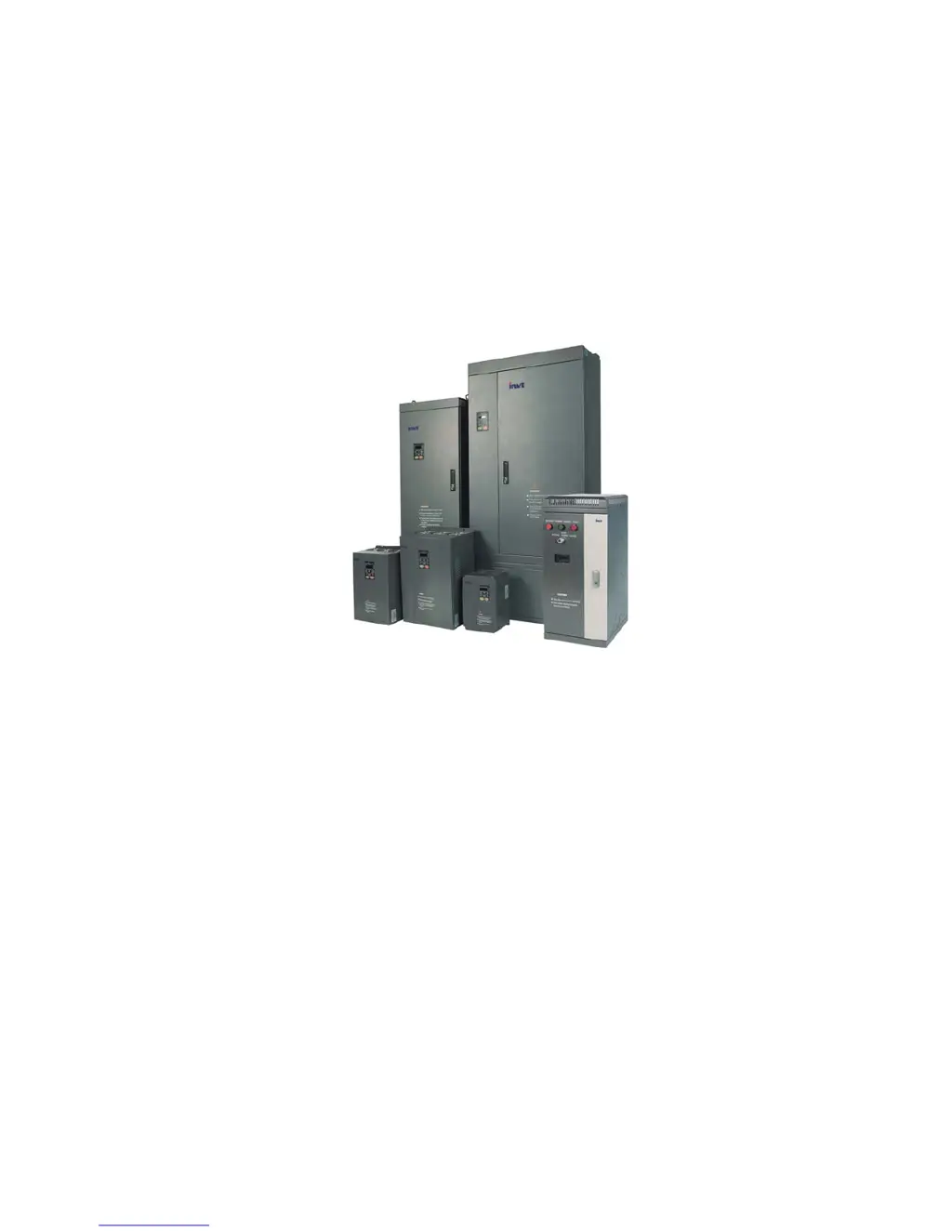
CHE Series Sensorless Vector
Control Inverter
Operation Manual
z Thank you very much for your buying CHE series sensorless vector control
inverter.
z
Before use, please read this manual thoroughly to ensure proper usage. Keep this
manual at an easily accessible place so that can refer anytime as necessary.

Table of Contents

Questions and Answers

  • J
    jonesamandaAug 20, 2025
    What to do if there is over-current during acceleration in INVT CHE100-004G/5R5P-4 DC Drives?
    • S
      Sarah ThomasAug 20, 2025
      If the INVT DC Drive displays an over-current error during acceleration, it could be due to several reasons. There might be a short-circuit or ground fault at the inverter output, the load could be too heavy, the acceleration/deceleration time might be too short, the V/F curve might be unsuitable, or there could be a sudden change in load. To resolve this: * Inspect the motor for damage, worn insulation, or cable damage. * Increase the acceleration/deceleration time or select an inverter with a larger capacity. * Check and adjust the V/F curve, and also check the load.
  • E
    Edward CastanedaAug 22, 2025
    Why is my INVT CHE100-004G/5R5P-4 showing inverter overload?
    • T
      timothymooreAug 22, 2025
      If your INVT DC Drive displays an inverter overload, it could be due to a heavy load, short acceleration/deceleration time, an unsuitable V/F curve, or the inverter's capacity being too small. Here's how to address it: * Increase the acceleration/deceleration time or choose an inverter with a larger capacity. * Check and adjust the V/F curve. * Consider selecting an inverter with a higher capacity.
  • A
    Ashley WatkinsAug 25, 2025
    How to fix IGBT Ph-U fault in INVT CHE100-004G/5R5P-4?
    • B
      Bethany WilliamsAug 25, 2025
      If the INVT DC Drive shows an IGBT Ph-U fault, it could be due to several reasons: the acceleration/deceleration time being too short, a fault in the IGBT module itself, malfunction caused by interference, or improper grounding. To address this: * Increase the acceleration/deceleration time. * Inspect external equipment and eliminate any interference.
  • L
    lydia52Aug 26, 2025
    What causes over-voltage during acceleration in INVT CHE100-004G/5R5P-4?
    • J
      Juan ValenzuelaAug 26, 2025
      If the INVT DC Drive shows an over-voltage error during acceleration, it could be due to a short deceleration time causing excessive regenerative energy from the motor, or the input voltage being too high. To fix this, you can: * Increase the deceleration time or connect a braking resistor. * Decrease the input voltage to stay within the specified range.
  • K
    kleinjoshuaAug 27, 2025
    Why is my INVT CHE100-004G/5R5P-4 DC Drives showing motor overload?
    • D
      Dean CarrollAug 27, 2025
      If the INVT DC Drive indicates a motor overload, it may be because the motor is driving a heavy load at low speed for an extended period, the V/F curve is not properly set, the motor’s overload protection threshold (PB.01) is incorrect, or there is a sudden load change. To resolve this: * Select a variable frequency motor. * Check and adjust the V/F curve. * Check and adjust PB.01. * Check the load.
  • K
    Kenneth ShawAug 29, 2025
    What causes DC bus Under-voltage in INVT CHE100-004G/5R5P-4?
    • I
      Ian BrownAug 29, 2025
      If the INVT DC Drive displays a DC bus under-voltage error, it could be due to an open phase in the power supply, a momentary power loss, loose wiring terminals for the input power supply, or large voltage fluctuations in the power supply. Inspect the input power supply or wiring.
  • C
    Caroline GentryAug 31, 2025
    What to do if INVT CHE100-004G/5R5P-4 DC Drives shows input phase failure?
    • A
      Amy AndersonAug 31, 2025
      If the INVT DC Drive shows an input phase failure, it could be due to an open phase in the power supply, a momentary power loss, loose wiring terminals for the input power supply, large voltage fluctuations in the power supply, or poor voltage balance between phases. Check the wiring, installation, and power supply.
  • N
    Nicholas FryeSep 2, 2025
    How to resolve rectify overheat in INVT CHE100-004G/5R5P-4?
    • J
      Joseph RodriguezSep 2, 2025
      If the INVT DC Drive displays a rectify overheat error, it could be due to high ambient temperature, proximity to a heat source, cooling fan issues (stopped or damaged), obstructed ventilation, or a high carrier frequency. To solve this: 1. Install a cooling unit. 2. Remove any nearby heat sources. 3. Replace the cooling fan. 4. Clear any obstructions in the ventilation channel. 5. Decrease the carrier frequency.
  • M
    Mrs. Anna Oconnor MDSep 4, 2025
    What causes output phase failure in INVT CHE100-004G/5R5P-4 DC Drives?
    • N
      navarrovanessaSep 4, 2025
      If the INVT DC Drive indicates an output phase failure, it could be due to a broken wire in the output cable, a broken wire in the motor winding, or loose output terminals. Check the wiring and installation.
  • K
    Kimberly GlassSep 6, 2025
    How to troubleshoot communication fault in INVT CHE100-004G/5R5P-4?
    • G
      Gina DurhamSep 6, 2025
      If the INVT DC Drive displays a communication fault, it may be due to an incorrect baud rate setting, receiving incorrect data, or a prolonged interruption in communication. To solve this, set the proper baud rate and check the communication devices and signals.

Summary

4. WIRING

5. OPERATION

6. DETAILED FUNCTION DESCRIPTION

6.1 P0 Group-Basic Function

Details basic functions including control mode selection and run command source.

6.2 P1 Group-Start and Stop Control

Explains parameters related to starting and stopping the motor, including DC braking.

6.3 P2 Group-Motor Parameters

Covers parameters essential for motor identification and performance optimization, like rated power and resistance.

6.4 P3 Group-Vector Control

Describes parameters for vector control, including ASR proportional and integral gains.

6.5 P4 Group- V;F Control

Details parameters for V/F control, such as V/F curve selection and torque boost.

6.6 P5 Group-Input Terminals

Explains the configuration and functions of the inverter's input terminals (S1-S4).

6.7 P6 Group-Output Terminals

Details the functions and selection of output terminals (Y, ROA, ROB, ROC) for signaling.

6.8 P7 Group-Display Interface

Covers parameters related to the display interface, such as user password and language selection.

6.9 P8 Group-Enhanced Function

Describes advanced functions like skip frequency, traverse operation, and FDI settings.

6.10 P9 Group-PID Control

Explains PID control parameters for process automation, including preset and feedback sources.

6.11 PA Group- Multi-step Speed Control

Details parameters for multi-step speed control, allowing predefined speed changes.

6.12 PB Group- Protection Function

Covers various protection functions, including motor overload and stall protection.

6.13 PC Group-Serial Communication

Explains parameters for serial communication, including Modbus protocol settings.

6.14 PD Group-Supplementary Function

Describes supplementary functions like oscillation restraint and PWM mode selection.

7. TROUBLE SHOOTING

7.1 Fault and Trouble shooting

Provides a table of fault codes, types, reasons, and solutions for troubleshooting.

7.2 Common Faults and Solutions

Lists common operational faults and their corresponding solutions for quick resolution.

9. LIST OF FUNCTION PARAMETERS

P0 Group: Basic Function

Lists and describes basic function parameters (P0.00-P0.14) for initial setup.

P1 Group: Start and Stop Control

Lists and describes parameters for controlling motor start, stop, and braking behavior (P1.00-P1.12).

10. COMMUNICATION PROTOCOL

INVT CHE100-004G/5R5P-4 Specifications

General IconGeneral
ModelCHE100-004G/5R5P-4
Power4 kW
Rated Power4 kW
Rated Output Current9 A
Output Current9 A
Control MethodV/F control, Sensorless Vector Control
Communication InterfaceRS485
Cooling MethodForced Air Cooling
Protection LevelIP20
Enclosure RatingIP20
Output Voltage0~Rated Input Voltage
Protection FeaturesOvercurrent, overvoltage, undervoltage, overheat, short circuit

Related product manuals