31
F3: SET
There are 10 different settings within the SET
section, which they are as follow:
OSD Hotkey
Port ID Display Position
Port ID Display Duration
Port ID Display Mode
Scan Duration
Scan-Skip Mode
Screen Blanker
Hotkey Command Mode
Hotkey
OSD Language
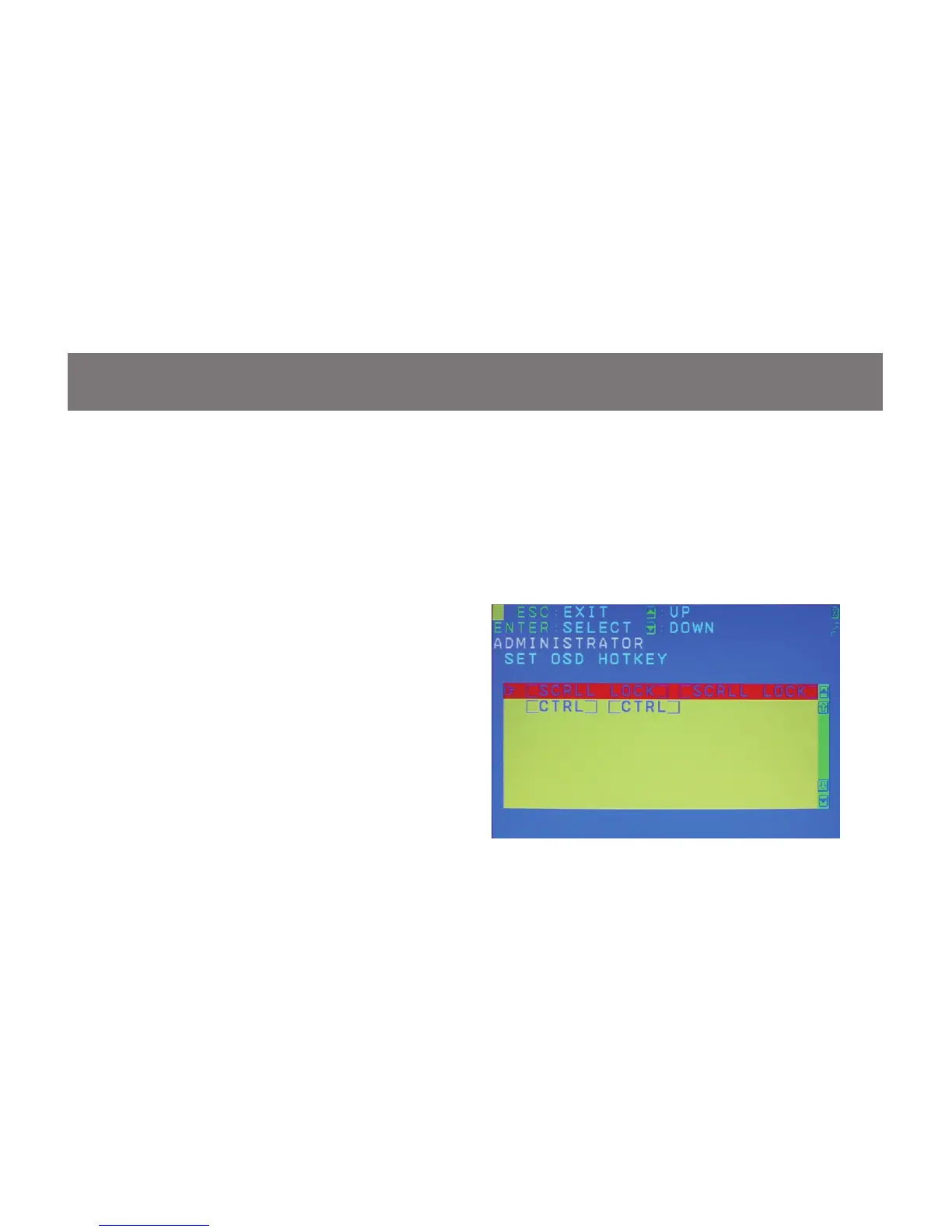
OSD Hotkey
This function allows you to switch the way to
trigger the hotkey between [Scroll Lock] [Scroll
Lock] and [Ctrl] [Ctrl]. Simply move the red
highlight bar to the hotkey setting that you would
like to choose and press [Enter]. Then press [Esc]
to exit from this function.
F3: SET



 To Next Page