10
Software Installation - Windows
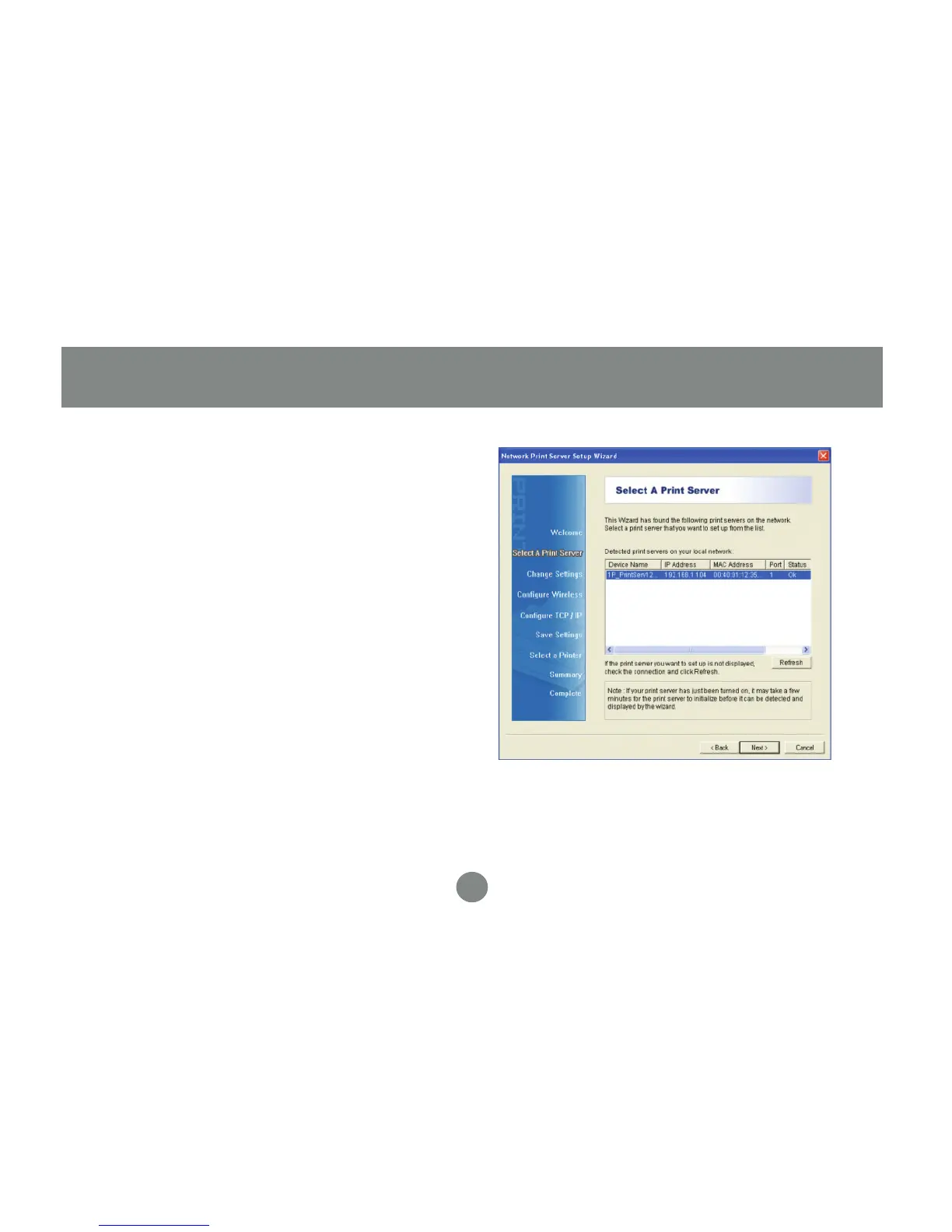
The wizard will scan your network for
the print server and display the results
in a list. If no server is found, disable all
firewall software and any extra network
cards (such as a wireless adapter) on
your computer except the one the print
server is on and click Refresh to search
again. Click Next when you have found
and selected your print server in the list.
3.


 To Next Page