13
Software Installation - Windows
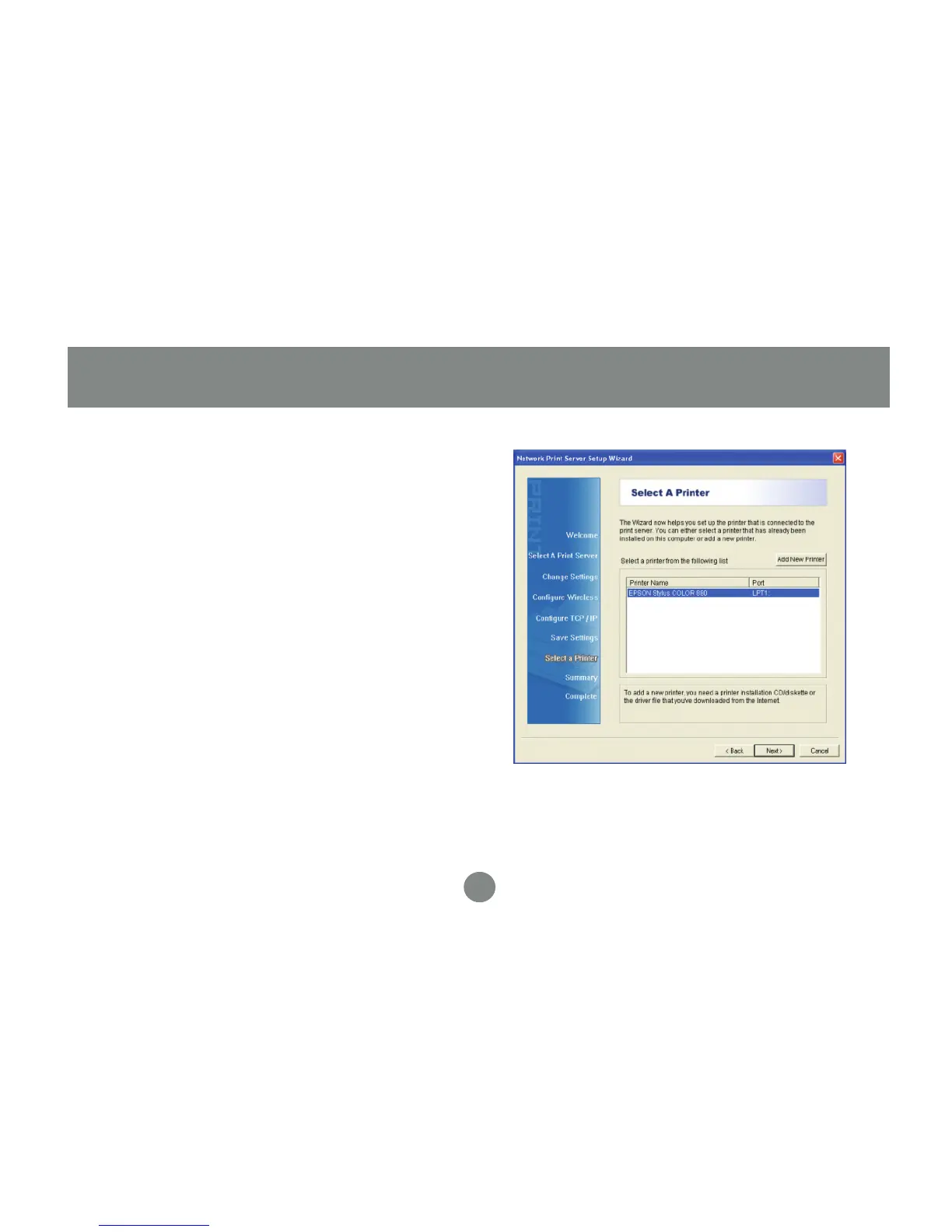
All existing printers installed on your
computer will show up in this list. Select
the model that is now attached to the print
server and click Next to continue. If the
printer you are setting up does not show
up in the list, click Add New Printer and
install your printer’s drivers as needed. If
asked which port to use, choose LPT1 but
do NOT print a test page yet. The printer
will be changed to the correct port in the
next step.
7.


 To Next Page