12
Software Installation - Windows
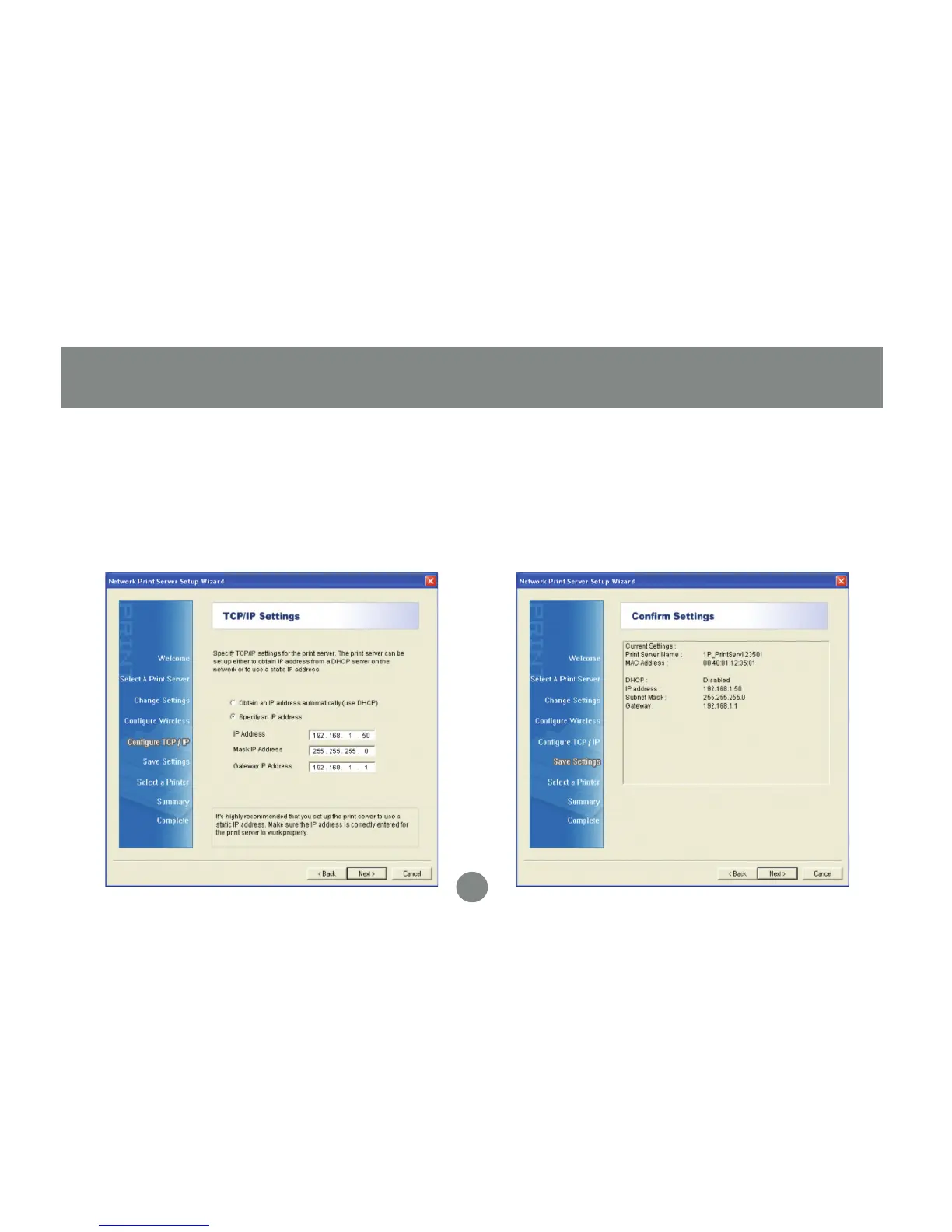
Here you can specify the network settings
the print server will use. If you will be
printing from the internet, it is important
that the Gateway IP Address is set to the
IP of your router. Click Next to continue.
5. Review the settings you have entered
carefully and click Next to confirm that
they are correct and save them to the print
server.
6.


 To Next Page