19
Software Installation – IPP
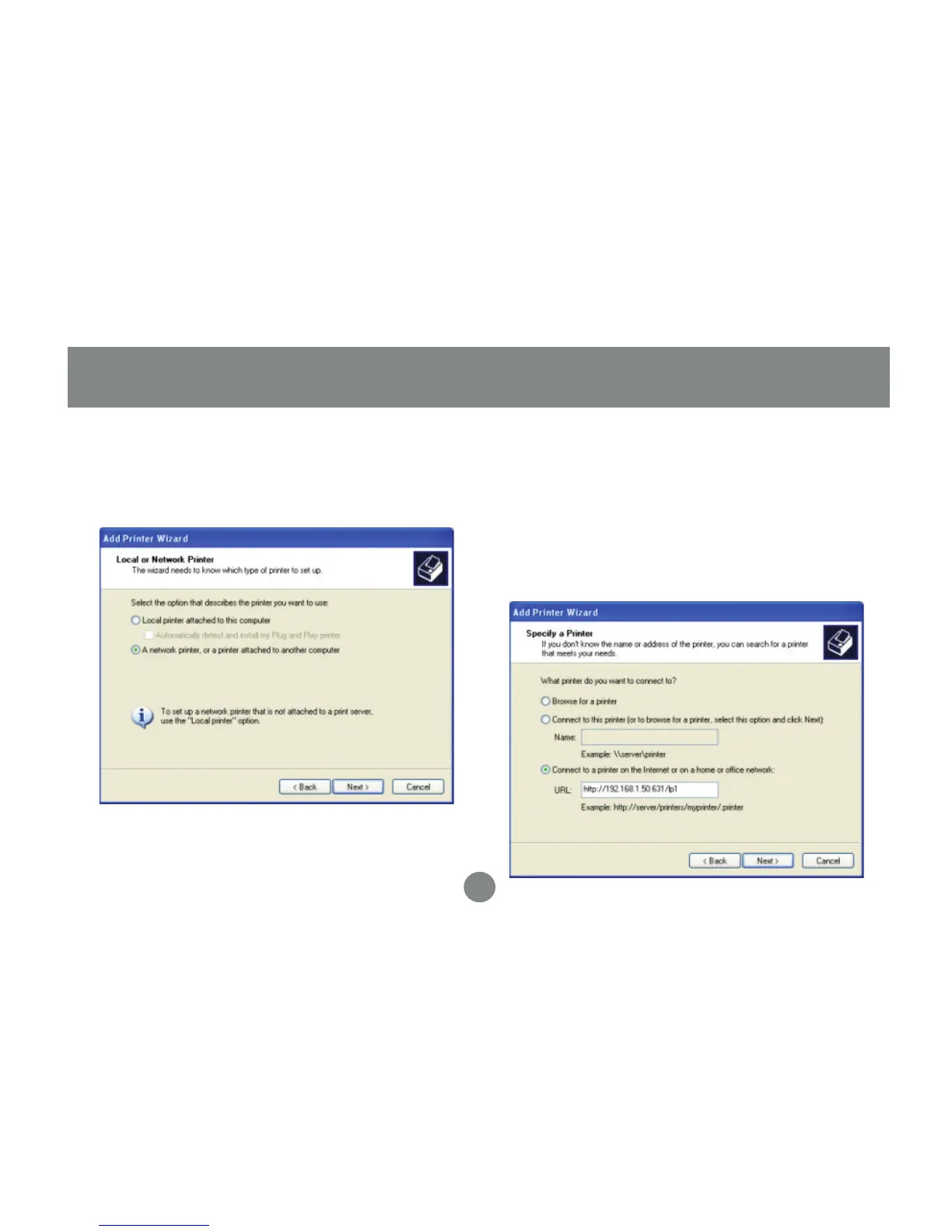
Select the option for a network printer, then
click Next.
3. Select the option to connect to a printer on
the internet, and type in the full IPP address
as shown. You must use the external,
or WAN, IP address of your router if the
print server is behind one. You must also
specify port 631 and queue name “lp1” in
lowercase. Click Next to continue.
4.


 To Next Page