20
Software Installation – IPP
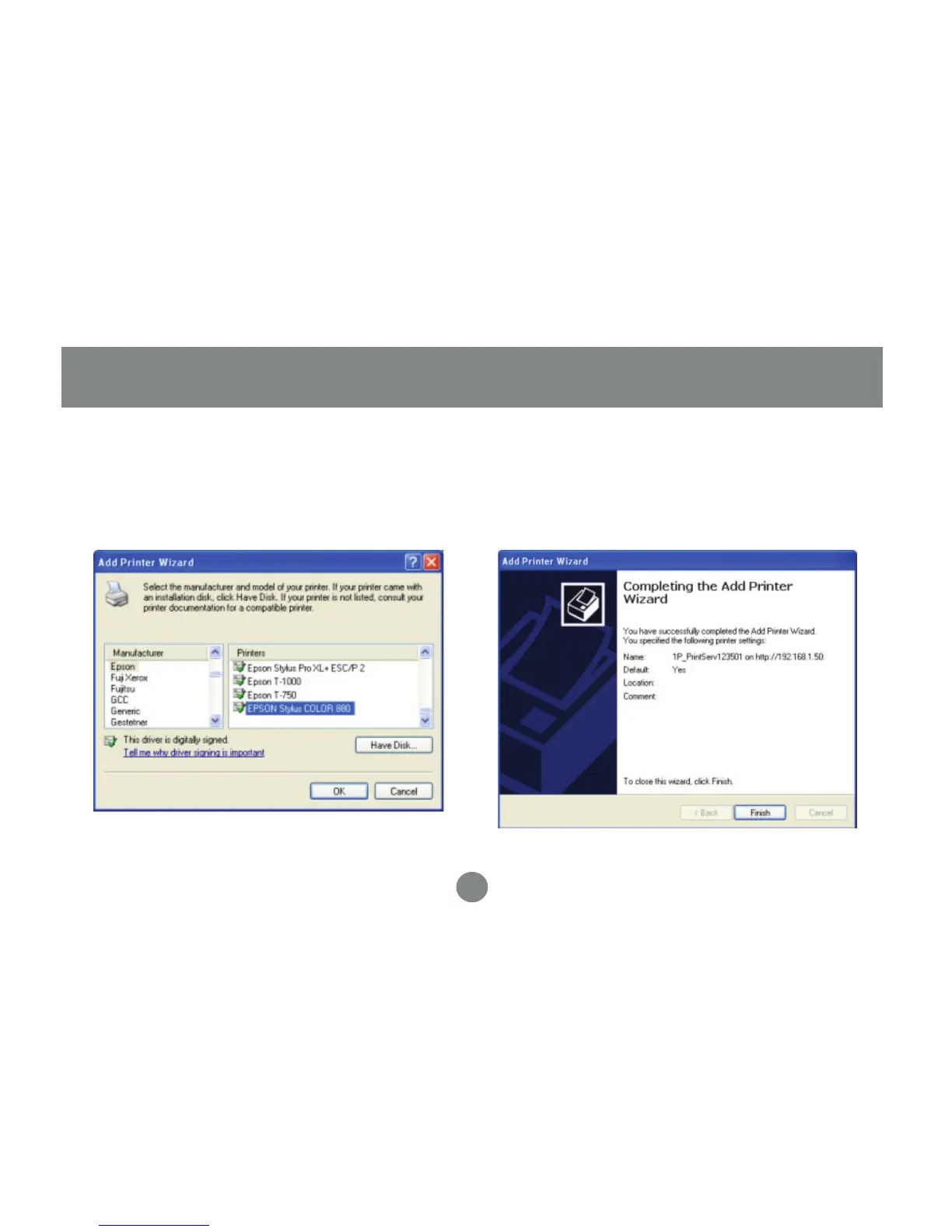
The wizard will ask you to choose the
model of your printer. Click OK when you
have chosen the appropriate driver.
5. Click Finish to complete the wizard and
begin printing to your home or office printer
from anywhere in the world.
6.


 To Next Page