28
Ioline FlexJet E Quick Start Guide
Preparing to Print
1. Turn on the power (if it is not already on). There is a brief
pause then the carriage will move to the left end plate then re-
turn for a cleaning in the Service Station. After the initial start-
up process is complete, the OK light turns red and the Square
light turns green.
2. Use the Left Arrow key to move the carriage out of the Service
Station.
3. Remove the protective strip from the bottom of the ink car-
tridge. Insert the included ink cartridge by lifting the latch, in-
serting the cartridge, then closing the latch until it locks down.
4. Press the Left (or Right) Arrow key to move the carriage over
the paper until the white marker on the base is over the desired
starting point of the marker.
5. Press the Set Origin key. The OK light will turn green. The
printer is ready to print.
Test the Setup
1. Start the Software.
a. Close all programs that might be using serial port that the
FlexJet E is connected to.
b. Start the FlexJet E Control Center software. A link to the
program is in the Start Menu under Programs>Ioline.
c. A message may appear that the Control Center was un-
able to communicate with the FlexJet E. If you see this
message, click on Yes. When the program starts, open the
menu Communications>Settings. Choose the COM port
that the FlexJet E is connected to. Leave the baud rate set
at 38,400 since this is the default set at the factory.
Step 7 : Insert Rear Dancer Bar (2H+ FJE Models Only)
1. FJE models with two or more printheads and the high speed
printing kit require that a heavy dancer bar is inserted in the
rear dancer bar channel (see paper path in Step 3).
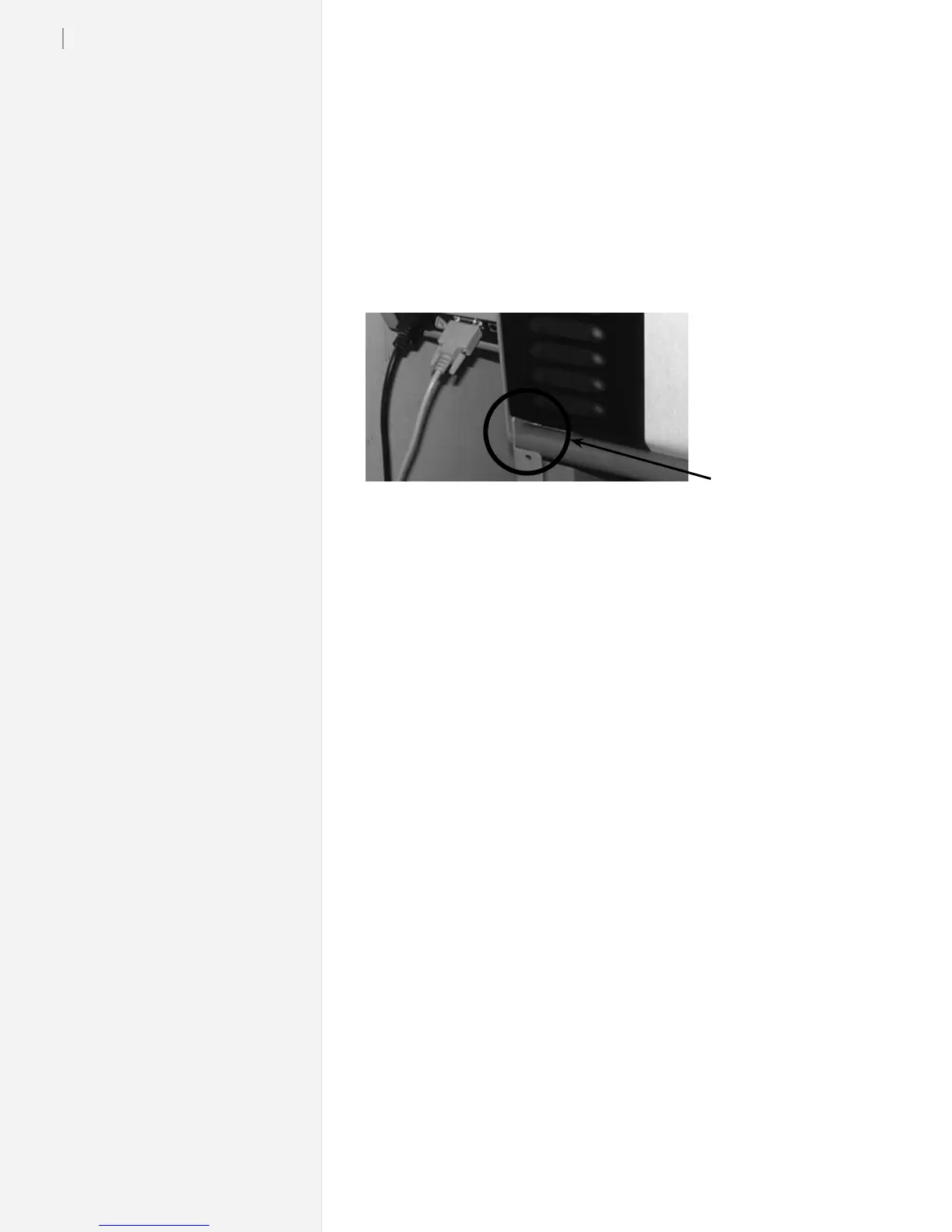
2. Take the heavy dancer bar (painted black on some models) and
insert the ends into the notches in the stand legs on the back of
the machine as shown in the image below.
3. Use a hand on the rear rolling bar to slow rotation as the dancer
bar slides into the channel and forms a rear paper loop.
Notch in Stand Leg



 To Next Page