Chapter 2
Preparing to Print
Paper Loading
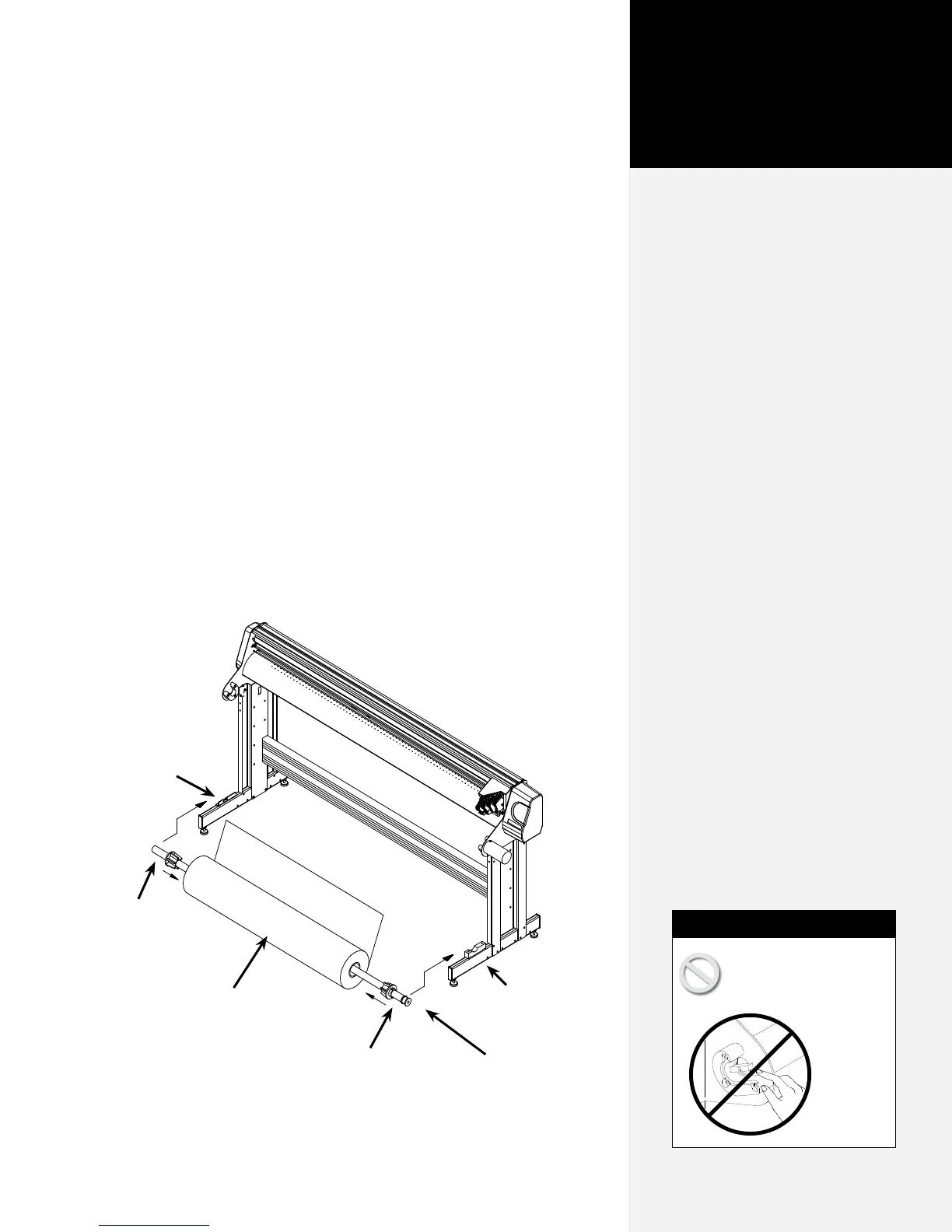
Step 1: Loading the Feed Roll
1. Before loading a new paper roll always make sure the drive
shaft is clean. See the Routine Maintenance section in the FlexJet
E User Guide for more details.
2. Place a paper hub in each end of the paper roll. Use a rubber
mallet to insert the hubs.
3. Slide the feed shaft through the paper hubs and the paper roll.
If a paper hub falls out, press it firmly back into the end of the
paper roll and set it with a rubber mallet.
Support
Block w/
Bearings
Feed
Shaft
Paper Roll
(Unrolls from behind)
Paper Hub (2)
Flanged Coupling
Support Block
(apply grease)
Never touch the take-up
key or anged coupling
while they are rotating.
Serious
personal
injury
could re-
sult. Turn
power
off rst.
Caution



 To Next Page