Need help?
Do you have a question about the ION Film 2 SD and is the answer not in the manual?
Step-by-step guide for the initial setup and basic operation of the FILM2SD scanner.
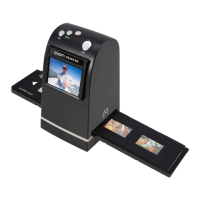
Identifies and describes the main buttons, slots, display, and ports of the FILM2SD scanner.
Guidance on cleaning the scanner's glass, backlight, and film for optimal image quality.
Instructions on how to properly insert slides and negatives into the respective film holders.
Details on how to capture images, including saving, rotating, and canceling.
How to preview, edit (rotate, flip, mirror), save, or delete captured images.
Instructions for selecting the correct film type (Color Negative, Slide, B&W Negative).
How to connect the device to a computer for transferring scanned images.
 General
| Color scanning | Yes |
|---|---|
| Duplex scanning | - |
| Background colors | Black, White |
| Input color depth | 10 bit |
| Maximum scan size | 35 x 35 mm |
| Optical scanning resolution | 1800 x 3600 DPI |
| Display | LCD |
| Scanner type | Film/slide scanner |
| Product color | Black |
| Display diagonal | 2.4 \ |
| Megapixel | 5 MP |
| Sensor type | CMOS |
| Internal memory | 24 MB |
| Daily duty cycle (max) | - pages |
| Compatible memory cards | MMC, SD, SDHC |
| USB version | 2.0 |
| Standard interfaces | USB 2.0 |
| Input voltage | 5 V |
| Power supply type | AC/USB |
| Mac operating systems supported | Mac OS X 10.5 Leopard, Mac OS X 10.6 Snow Leopard, Mac OS X 10.7 Lion, Mac OS X 10.8 Mountain Lion, Mac OS X 10.9 Mavericks |
| Windows operating systems supported | Windows 10, Windows 10 Education, Windows 10 Education x64, Windows 10 Enterprise, Windows 10 Enterprise x64, Windows 10 Home, Windows 10 Home x64, Windows 10 IOT Core, Windows 10 Pro, Windows 10 Pro x64, Windows 7 Enterprise, Windows 7 Enterprise x64, Windows 7 Home Basic, Windows 7 Home Basic x64, Windows 7 Home Premium, Windows 7 Home Premium x64, Windows 7 Professional, Windows 7 Professional x64, Windows 7 Starter, Windows 7 Starter x64, Windows 7 Ultimate, Windows 7 Ultimate x64, Windows 8, Windows 8 Enterprise, Windows 8 Enterprise x64, Windows 8 Pro, Windows 8 Pro x64, Windows 8 x64, Windows 8.1, Windows 8.1 Enterprise, Windows 8.1 Enterprise x64, Windows 8.1 Pro, Windows 8.1 Pro x64, Windows 8.1 x64, Windows Vista Business, Windows Vista Business x64, Windows Vista Enterprise, Windows Vista Enterprise x64, Windows Vista Home Basic, Windows Vista Home Basic x64, Windows Vista Home Premium, Windows Vista Home Premium x64, Windows Vista Ultimate, Windows Vista Ultimate x64, Windows XP Home, Windows XP Home x64, Windows XP Professional, Windows XP Professional x64 |
 Weight and Dimensions
| Depth | 86 mm |
|---|---|
| Width | 82 mm |
| Height | 152 mm |
| Weight | 390 g |


 To Next Page