Need help?
Do you have a question about the ION FILM 2 SD PLUS and is the answer not in the manual?
Register your product for updates and technical support.
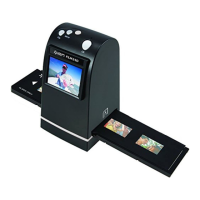
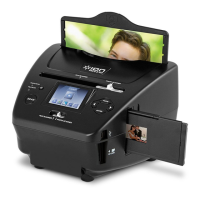
Lists included accessories and identifies device components.
Details system requirements and installation steps for Windows.
Details system requirements and installation steps for macOS.
Instructions for loading film into the film holder.
Instructions for loading slides into the rapid slide feeder.
Steps for connecting the device and scanning images.
How to preview scanned images on the device or a TV.
Methods for transferring scanned images to a computer or iPad.
Overview of photo enhancement, adjustment, and color correction tools.
Details on using tools like Healing Brush, Clone, and Blur.
 General
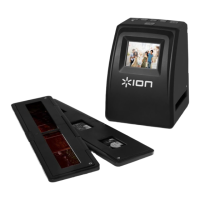
| Color scanning | Yes |
|---|---|
| Duplex scanning | - |
| Input color depth | - bit |
| Maximum scan size | 35 x 35 mm |
| Optical scanning resolution | - DPI |
| Display | LCD |
| Scanner type | Film/slide scanner |
| Product color | Black |
| Display diagonal | 2.4 \ |
| Scan to | Memory card |
| Scan file formats | JPG |
| Daily duty cycle (max) | - pages |
| Compatible memory cards | SD |
| Minimum RAM | 1024 MB |
| Minimum storage drive space | 300 MB |
| Mac operating systems supported | Mac OS X 10.5 Leopard, Mac OS X 10.6 Snow Leopard, Mac OS X 10.7 Lion |
| Windows operating systems supported | Windows 7 Home Basic, Windows 7 Home Basic x64, Windows 7 Home Premium, Windows 7 Home Premium x64, Windows 7 Professional, Windows 7 Professional x64, Windows 7 Starter, Windows 7 Starter x64, Windows 7 Ultimate, Windows 7 Ultimate x64, Windows XP Home, Windows XP Home x64, Windows XP Professional, Windows XP Professional x64 |
| Power supply type | AC/USB |
| USB version | 2.0 |
| Standard interfaces | USB 2.0 |
 Weight and Dimensions
| Depth | 106 mm |
|---|---|
| Width | 108 mm |
| Height | 143 mm |

 To Next Page