EasyManua.ls Logo

ION PICS 2 SD - User Manual

ION PICS 2 SD
32 pages
Print Icon
To Next Page IconTo Next Page
Loading...
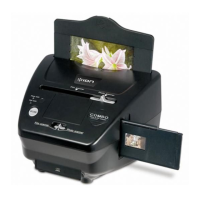
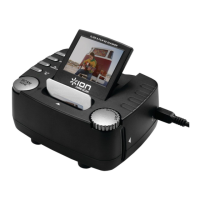
PICS 2 SD
USER GUIDE
ENGLISH ( 1 – 5 )
GUÍA DEL USUARIO
ESPAÑOL ( 6 – 10 )
GUIDE D’UTILISATION
FRANÇAIS ( 11 – 15 )
GUIDA UTENTE
ITALIANO (16 – 20 )
BEDIENUNGSANLEITUNG
DEUTSCH ( 21 – 25 )
GEBRUIKERSHANDLEIDING
NEDERLANDS ( 26 – 30 )

Other manuals for ION PICS 2 SD

Questions and Answers

Summary

Welcome

Precautions

FCC Notice

Box Contents

PICS 2 SD Features

Using the Included Holders

Slide & Negative Holders

Instructions for inserting slides and negatives into the appropriate holders for scanning.

Photo Holders

Instructions for inserting photos into the specific holders for scanning.

Scanning Images with PICS 2 SD

Viewing & Editing Images

Transferring Images from PICS 2 SD

Specifications

Troubleshooting

Summary

Welcome

Precautions

FCC Notice

Box Contents

PICS 2 SD Features

Using the Included Holders

Slide & Negative Holders

Instructions for inserting slides and negatives into the appropriate holders for scanning.

Photo Holders

Instructions for inserting photos into the specific holders for scanning.

Scanning Images with PICS 2 SD

Viewing & Editing Images

Transferring Images from PICS 2 SD

Specifications

Troubleshooting

ION PICS 2 SD Specifications

General IconGeneral
DisplayLCD
Product colorBlack
Built-in displayYes
Sensor type-
Daily duty cycle (max)- pages
Compatible memory cardsSD
Input color depth- bit
Maximum scan size127 x 178 mm
Optical scanning resolution- DPI
USB version2.0
Standard interfacesUSB 2.0

Related product manuals