Need help?
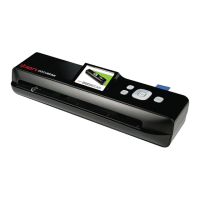
Do you have a question about the ION DOCUSCAN and is the answer not in the manual?
Instructions for connecting the scanner to power and turning it on.
Step-by-step guide on scanning documents or photos using the device.
Configuration options for scan modes, language, and formatting.
Navigating through scanned images in full-screen and thumbnail modes.
Magnifying scanned images to inspect details closely.
Options for managing scanned images like deleting, rotating, and formatting.
 General
| Scan Speed | Up to 15 ppm (pages per minute) |
|---|---|
| Power Source | USB Powered |
| Compatibility | Windows, Mac |
| Image Sensor | CIS (Contact Image Sensor) |
| File Format | JPEG, PDF |
| Interface | USB |
| Scan Size | Up to 8.5" x 14" (Legal) |
| Document Size | Up to 8.5" x 14" (Legal) |

 To Next Page