Need help?
Do you have a question about the ION Air Copy and is the answer not in the manual?
Lists items included in the Air Copy packaging.
Outlines necessary software and hardware for the Air Copy app.
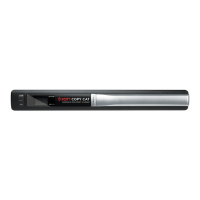
Describes the physical parts and indicators of the Air Copy device.
Instructions on how to charge the Air Copy device's internal battery.
Steps to download and install the Air Copy application on your device.
Procedure for connecting the Air Copy device to a wireless network.
Guide on preparing, scanning, and saving documents or photos.
Instructions for using the photo sleeve to protect fragile or small items.
Steps for cleaning the scanner using cleaning paper and strip.
Process to calibrate the scanner for optimal image quality.
Solutions for problems like device not turning on or connectivity issues.
 General
| Type | Portable Scanner |
|---|---|
| Connectivity | USB |
| Scanning Resolution | Up to 600 dpi |
| Optical Resolution | 600 dpi |
| Color Depth | 24-bit |
| Interface | USB 2.0 |
| Scanning Technology | Contact Image Sensor (CIS) |
| Maximum Document Width | 8.5 inches |
| Supported File Formats | JPEG |
| Supported Paper Sizes | A4, Letter |
| Power Source | USB powered |

 To Next Page