EN-3
3. Function
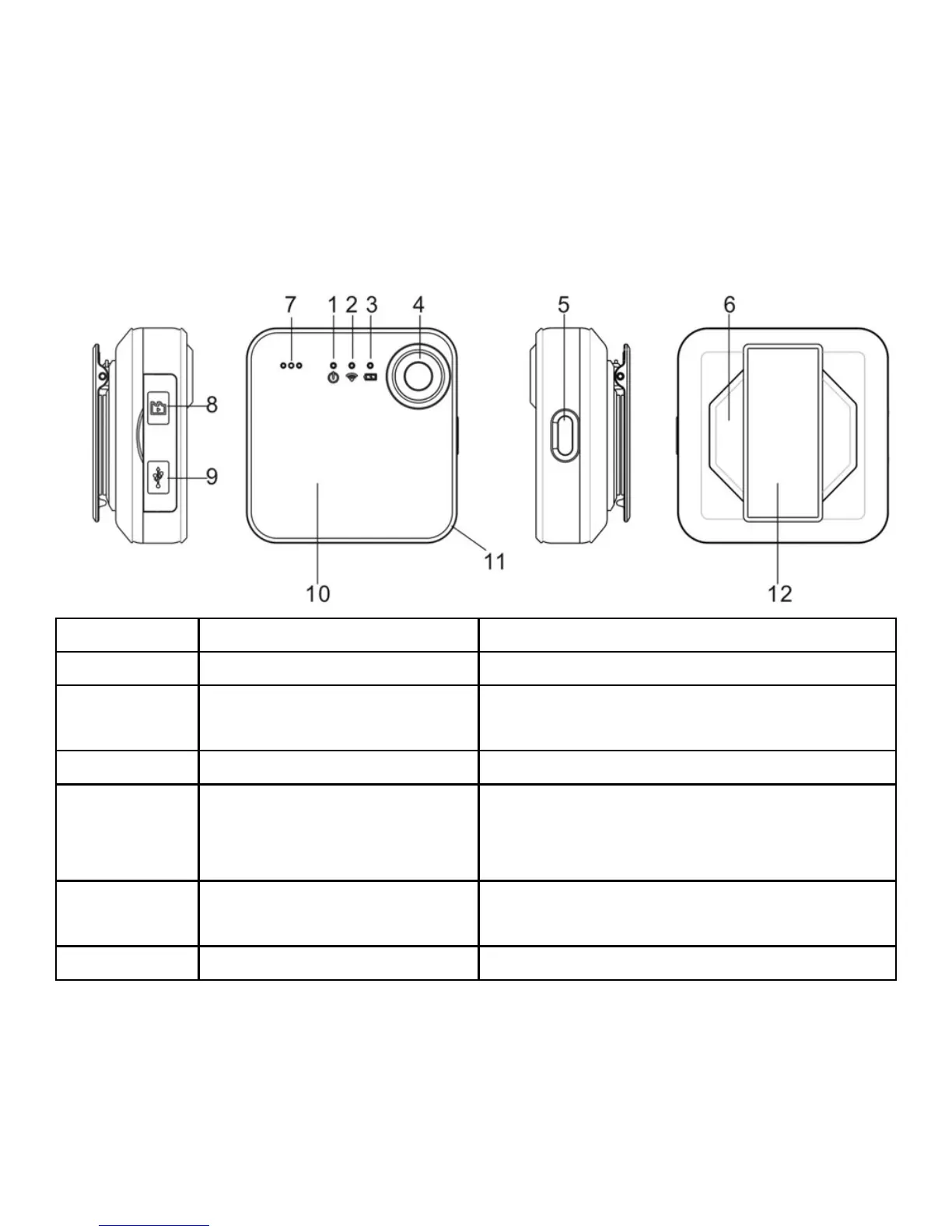
1. Camera LED (Red) Indicate the cameras reaction
2. Wi-Fi LED (Blue) Indicate Wi-Fi status
3. Battery LED (Green)
Indicate the camera battery
status
4. Lens Wide angle lens
5. Power Button
Turn on and off the camera
Turn on and off the Wi-Fi
Reset the camera
6. Magnet
For attaching your SnapCam to
clothing etc.
7. Microphone


 To Next Page