EN-5
Charge the built-in battery before starting to use your SnapCam. When
the SnapCam is off, the charging time from empty to full is approximately
1.5 hours.
The LED will turn solid GREEN once the SnapCam is fully charged.
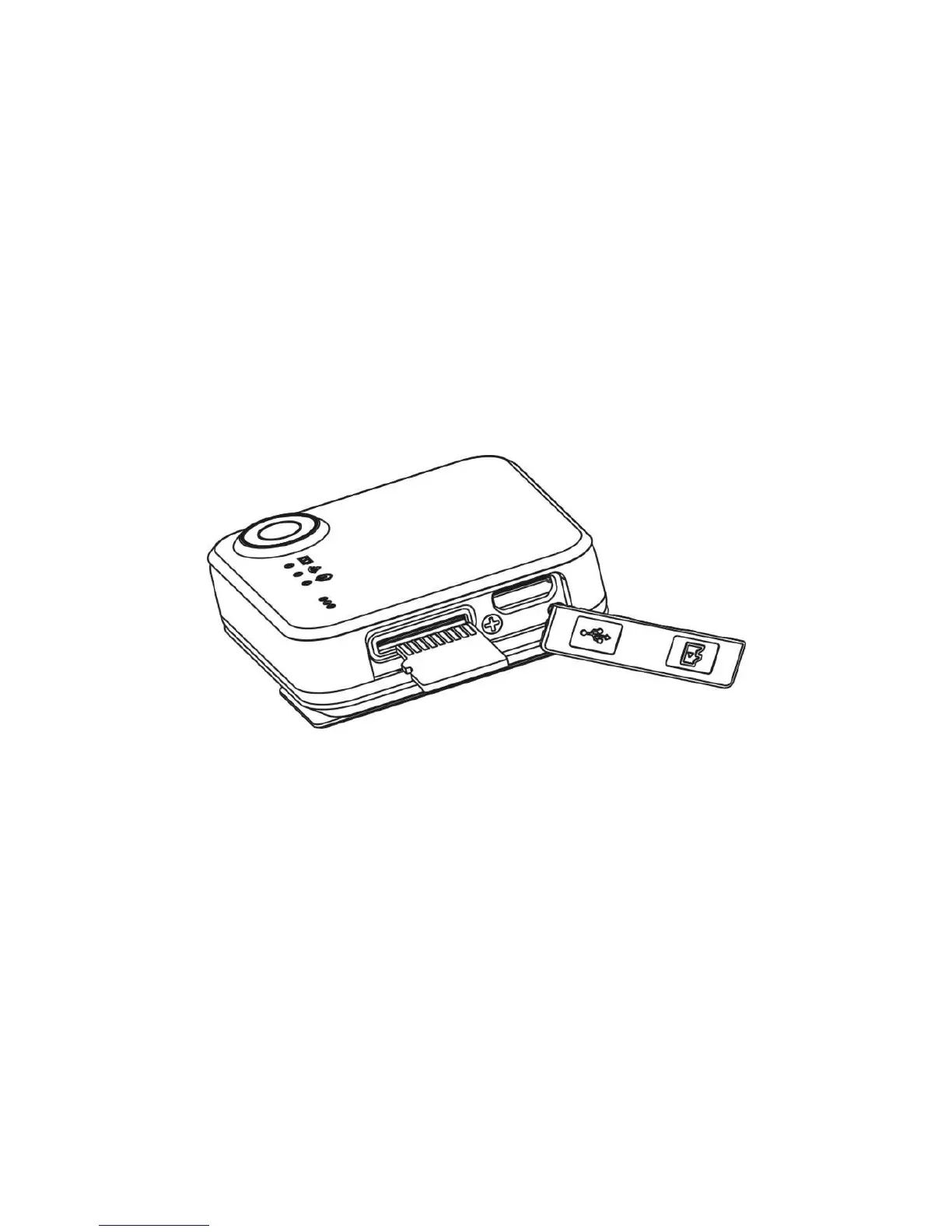
4.2 Inserting a MicroSD Memory Card
You must insert a MicroSD Card (required, not included) before using the
SnapCam. The SnapCam supports MicroSD Card from 2GB to 32GB
Class 6 or higher is recommended.
Note:
There is only one direction to insert the MicroSD Card into the slot. Do
not force the MicroSD Card into the slot as this may damage both the


 To Next Page