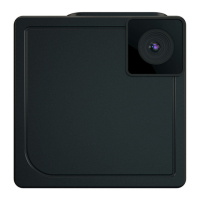
FR-15
5.7 Streaming en direct (Live Streaming)
Votre iON SnapCam permet de faire du streaming en direct (Live
Streaming)
1. Assurez-vous que votre SnapCam soit connectée à un réseau Wi-
Fi.
2. Ouvrez l'application iON SnapCam, et sélectionnez votre caméra
SnapCam dans la page Device.
3. Effleurez la surface de votre SnapCam de gauche à droite pour
commencer le streaming en direct.
4. Pour terminer le streaming en direct, effleurez la surface de votre
SnapCam de droite à gauche.
5.8 Connecter votre SnapCam à un smartphone ou une
tablette.
Vous pouvez contrôler votre SnapCam en utlisant l'application iON
SnapCam à l'aide d'un smartphone ou d'une tablette.


 To Next Page