Figure 9. Attach the mount
Level the mount by adjusting the tripod legs. Use the build-in Bubble Level Indicator on the mount
base or an external leveler for this purpose.
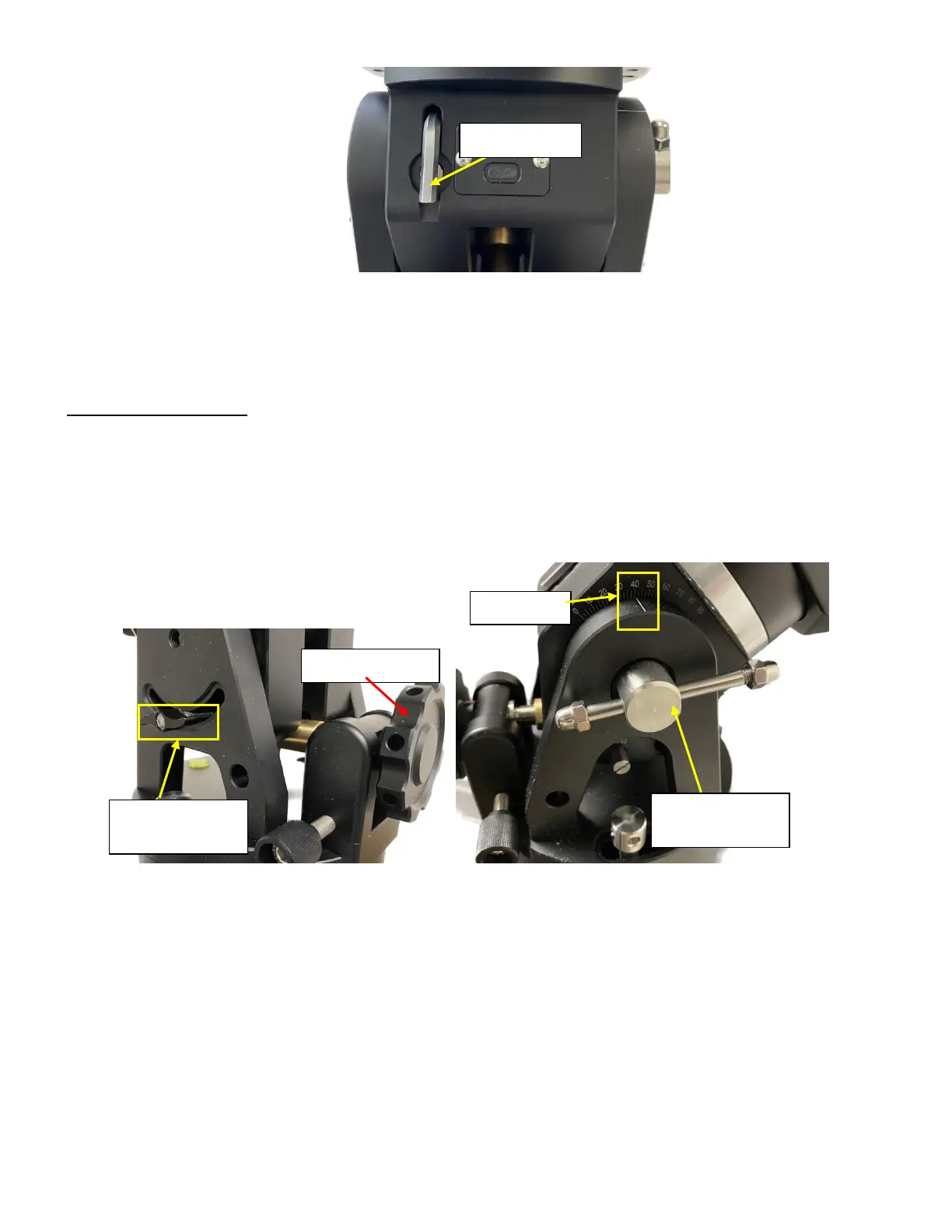
Step 3. Adjust latitude
The HAE69 mount has three latitude range settings: 0°~34°, 28°~62° and 56°~90°. The default
position is 28°~62°.
To adjust the latitude, loosen both the Primary and Auxiliary Lat. Locking Lever on the RA base. Use
the Latitude Adjustment Knob to move the mount to the desired latitude by aligning the scale to the latitude
Mark Line. Tighten both Primary and Auxiliary Locking Lever. There are holes on the Latitude Adjustment
Knob. An Allen wrench may be inserted for increased adjustment torque, if needed.
Figure 10. HAE latitude range settings
If your latitude is out of the 28°~62° latitude range, you may switch the range as following (from:
28°~62° to 56°~90°)
1. Remove any payload from the mount. Loosen latitude Locking Levers.
2. Adjust the mount latitude so both ranges can be seen inside the RA base.
Auxiliary Lat.
Lock. Lever



 To Next Page