Appendix D. Computer Control an HAE Mount
The HAE mount can be controlled by a SmartPhone, a Tablet or a computer. It is supported by two types of
computer connections:
Connect to a computer via USB port on hand controller. The mount can be controlled via
ASCOM protocol (Windows OS), or directly by some software, such as Sky Safari (Mac OS)
Connect wirelessly via built-in wireless connection. The mount can be controlled via ASCOM
protocol (Windows OS), SmartPhone/Tablet and MacOS wirelessly.
To control the mount via ASCOM protocol, you need:
1. Download and install the latest ASCOM Platform from http://www.ascom-standards.org/. Make
sure your PC meets the software requirement.
2. Download and install the latest iOptron Commander/ASCOM drive for HAE from iOptron website.
The HAE uses Commander V9.0 or later.
3. Planetarium software that supports ASCOM protocol. Follow software instructions to select the
iOptron Telescope.
Please refer to iOptron website, www.iOptron.com, under the product page, or Support Directory, iOptron
ASCOM Driver for more detail.
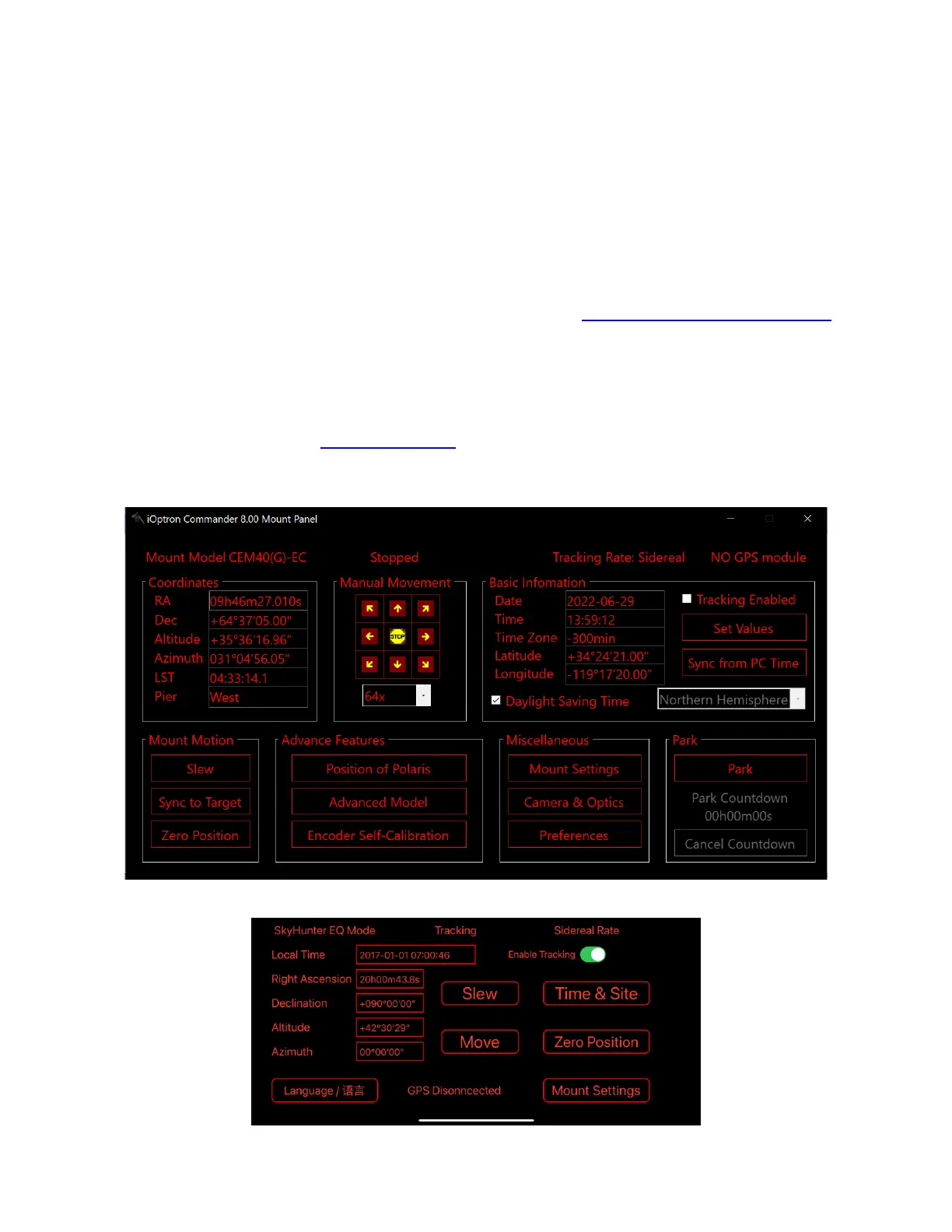
iOptron Commander Windows
iOptron Commander Lite for iOS



 To Next Page