34
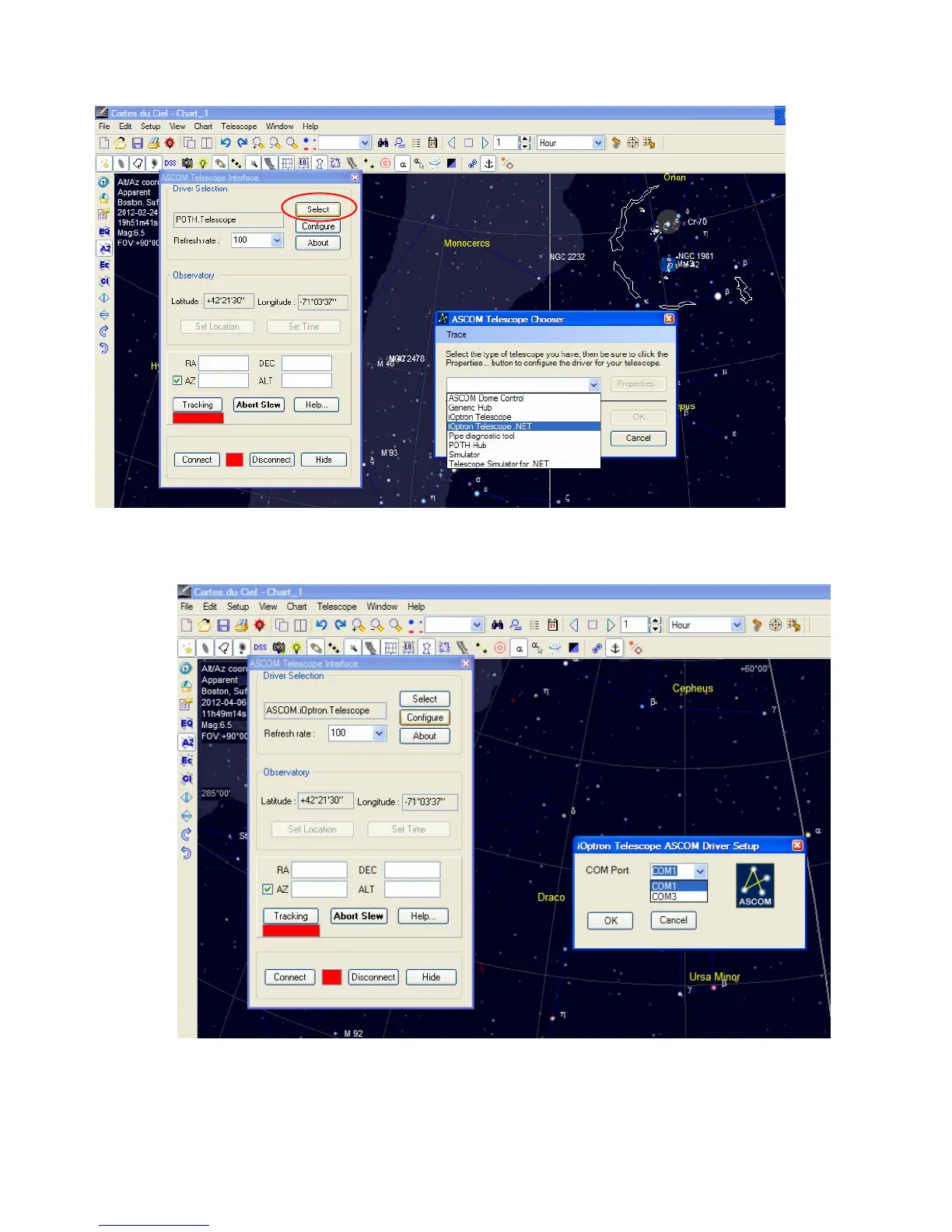
4. Click on Select button, an ASCOM Telescope Chooser window will pop-up. Click on the pull-down
menu to select iOptron Telescope .NET, then click OK.
5. Click on Configure. In iOptron Telescope ASCOM Driver Setup pop-up window, select COM1 port
from the COM Port pull-down menu. Click OK.
6. Click Connect button. The RED status square will change to GREEN. Now you are ready to GOTO and
tracking.



 To Next Page