11/39
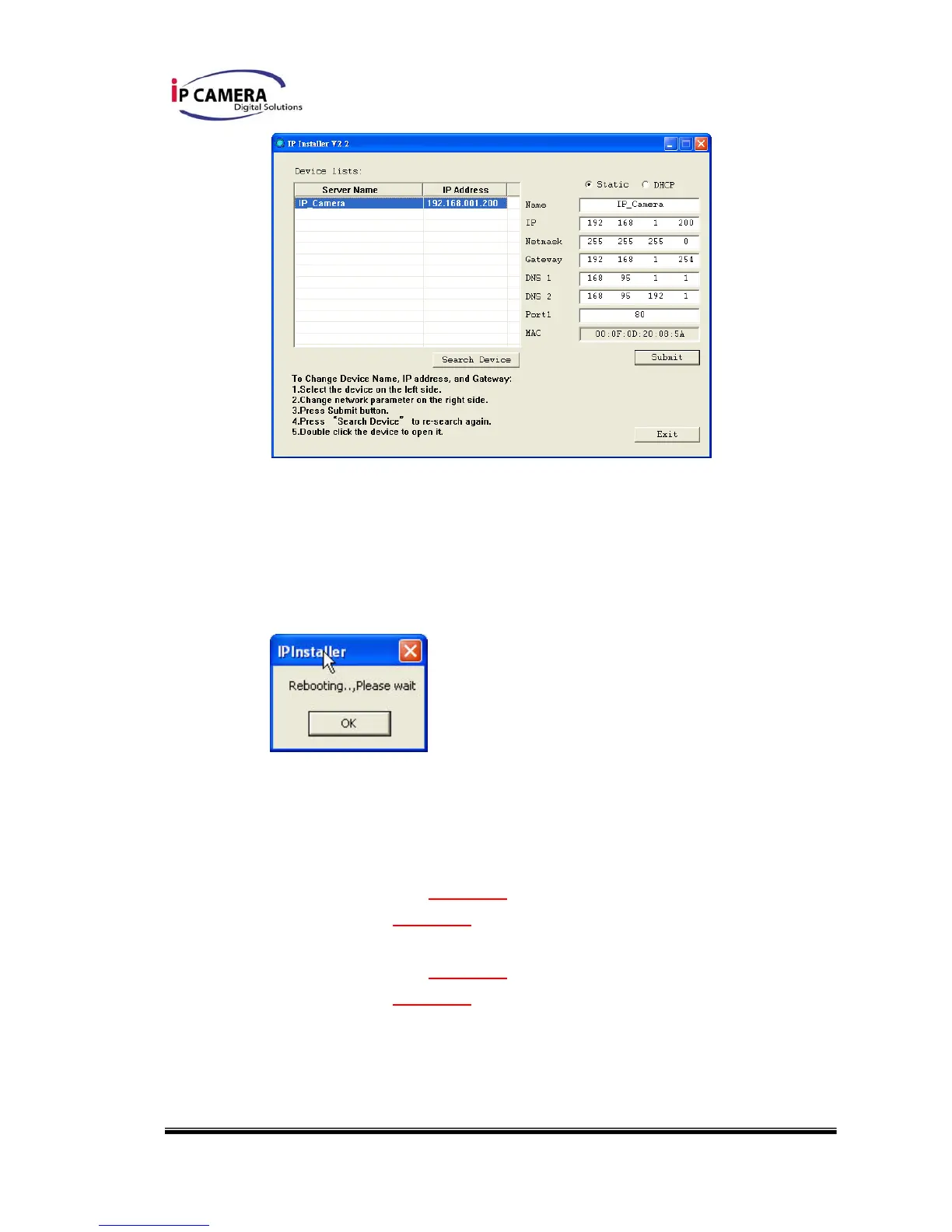
vii. IP Installer will search all IP Cameras connected on Lan. The user can
click “Search Device” to search again.
viii. Click one of the IP Camera listed on the left side. The network
configuration of this IP camera will show on the right side. You may
change the “name” of the IP Camera to your preference (eg: Office,
warehouse). Change the parameter and click “Submit”. The following
dialogue box will show. Just click “OK”. It will apply the change and
reboot the Device.
ix. Please make sure the subnet of PC IP address and IP CAM IP address
are the same.
The same Subnet:
IP CAM IP address: 192.168.1.200
PC IP address: 192.168.1.100
Different Subnets:
IP CAM IP address: 192.168.2.200
PC IP address: 192.168.1.100



 To Next Page