22/39
B.Network
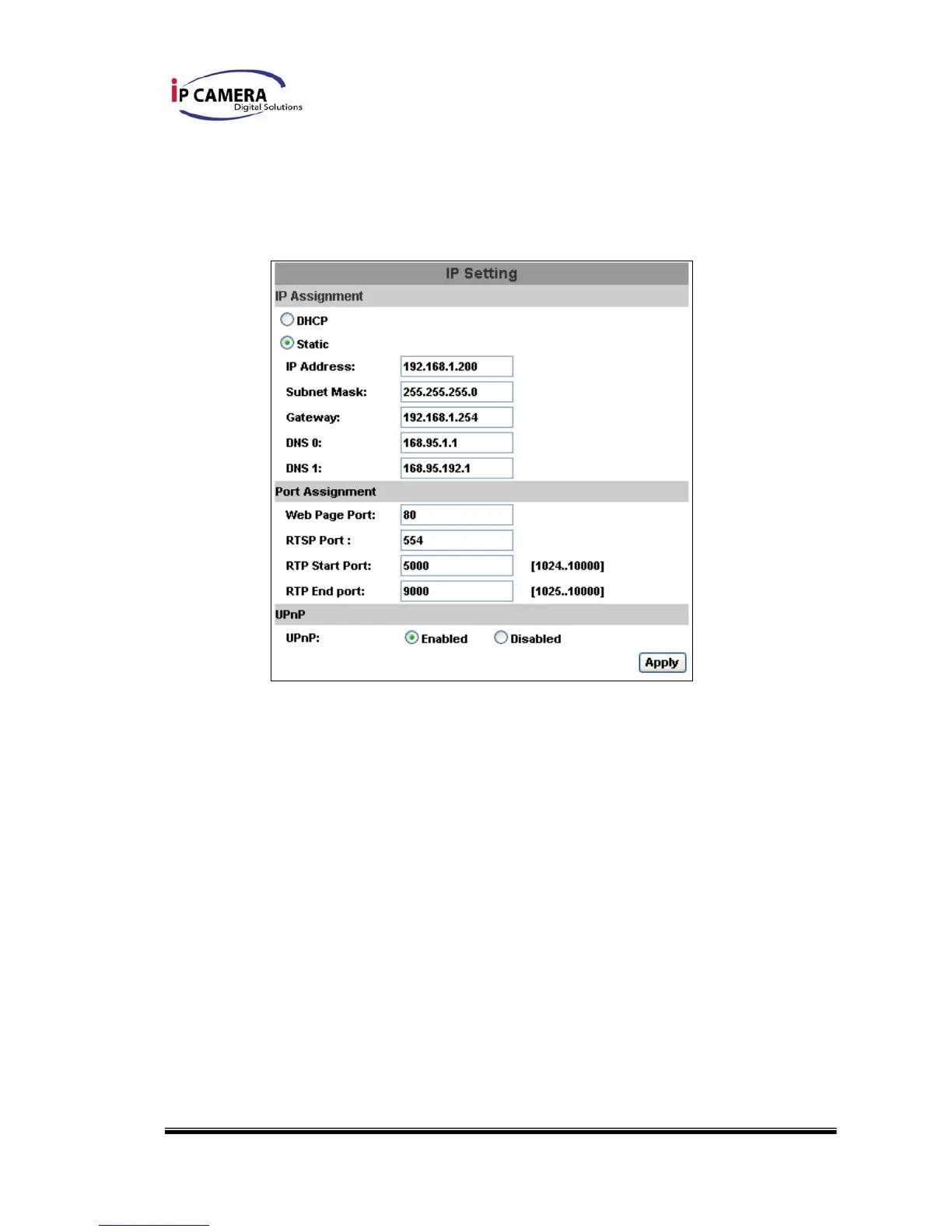
i、 IP Setting
IP Vandal Dome supports DHCP and static IP.
a. DHCP:Using DHCP, IP Vandal Dome will get all the network
parameters automatically.
b. Static IP:Please type in IP address, subnet mask, gateway, and
DNS manually.
c. Port Assignment: user may need to assign different port to avoid
conflict when setting up IP assignment.
1. Web Page Port: setup web page connecting port and video
transmitting port (Default: 80)
2. RTSP Port: setup port for RTSP transmitting (Default: 554)
3. RTP Start and End Port: in RTSP mode, you may use TCP and
UDP for connecting. TCP connection uses RTSP Port (554).
UDP connection uses RTP Start and End Port.
d. UPnP (Universal Plug and play): Display UPnP device icon in 『My



 To Next Page