21/39
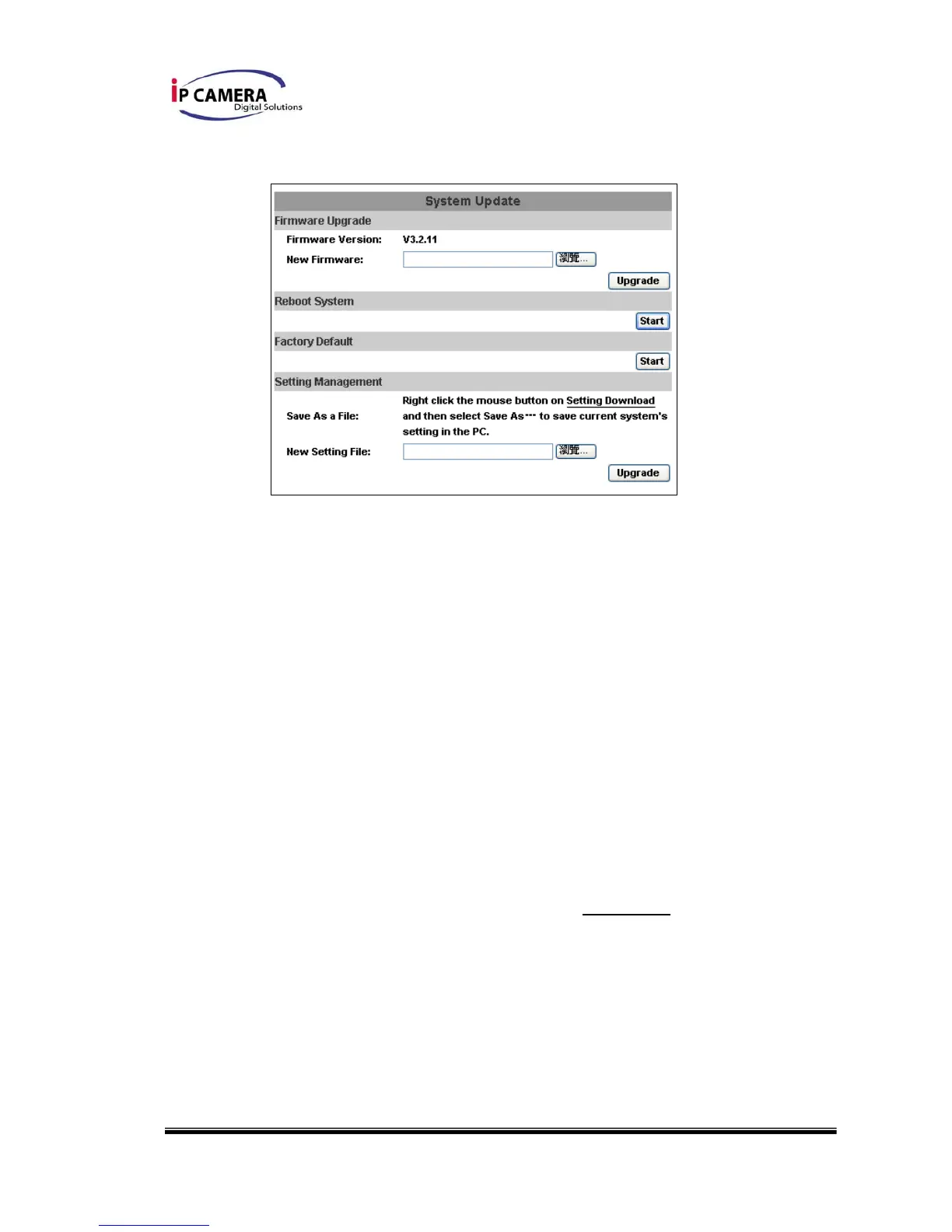
iii、 System update:
a. To update the firmware online, click “Browse…” to select the
firmware. Then click “Upgrade” to the proceed.
b. Reboot system:re-start the IP camera
c. Factory default:delete all the settings and restore defaults system.
d. Setting Management:User may download the current setting to PC,
or upgrade from previous saved setting.
1. Setting download:
Right-click the mouse button on Setting Download Æ Select
“Save AS…” to save current IP CAM setting in PC Æ Select
saving directory Æ Save
2. Upgrade from previous setting
Browse Æ search previous setting Æ open Æ upgrade Æ
Setting update confirm Æ click index.html. to return to main
page



 To Next Page