Chapter 1 iPod nano Basics 13
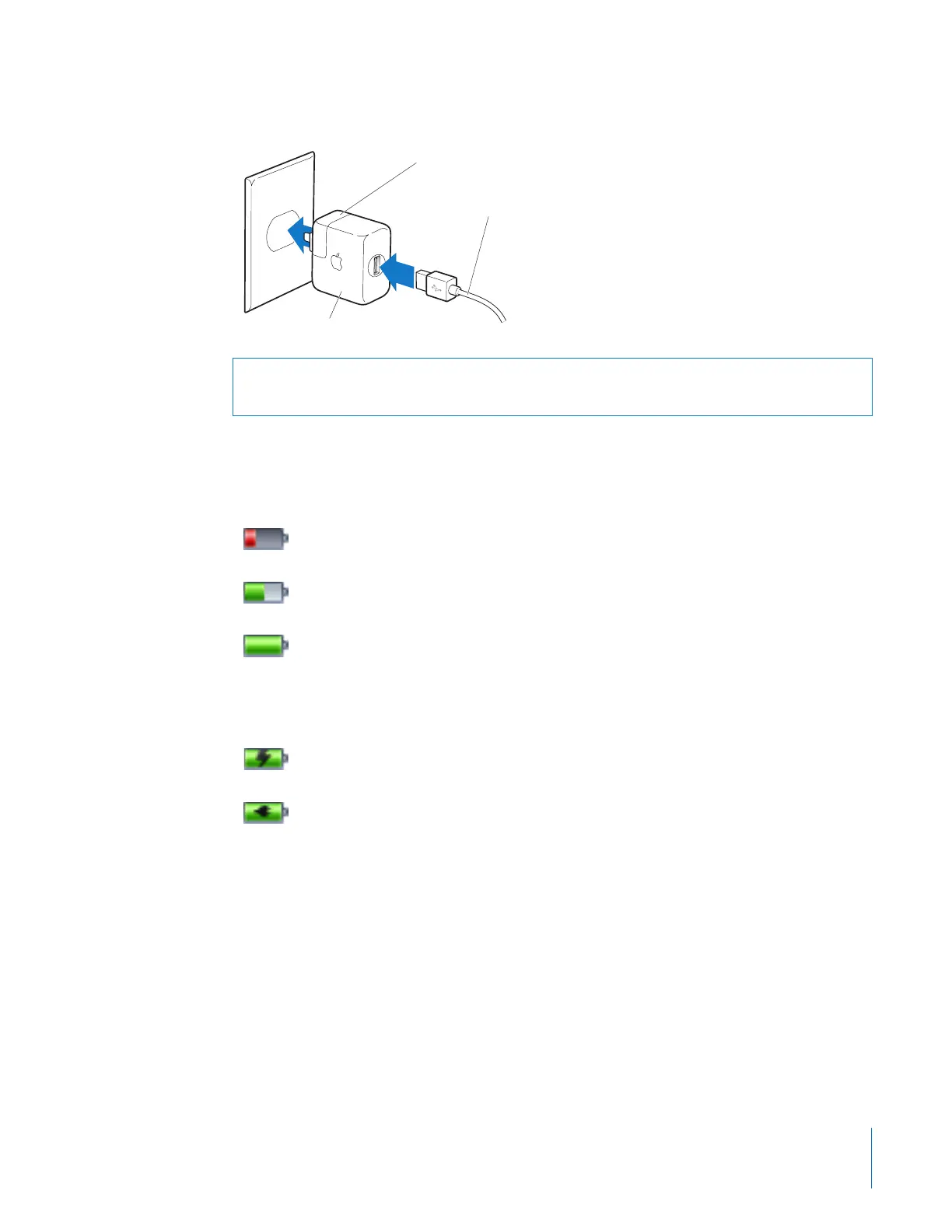
3 Plug the power adapter in to a working electrical outlet.
Understanding Battery States
When iPod nano is not connected to a power source, a battery icon in the top-right
corner of the iPod nano screen shows approximately how much charge is left.
If iPod nano is connected to a power source, the battery icon changes to show that the
battery is charging or fully charged.
You can disconnect and use iPod nano before it is fully charged.
Note: Rechargeable batteries have a limited number of charge cycles and might
eventually need to be replaced. Battery life and number of charge cycles vary by use
and settings. For more information, go to www.apple.com/batteries.
Warning: Make sure the power adapter is fully assembled before plugging it in to an
electrical outlet.
AC plug adapter
iPod USB Power Adapter
iPod Dock Connector to USB Cable
Battery less than 20% charged
Battery about halfway charged
Battery fully charged
Battery charging
Battery fully charged



 To Next Page