EasyManua.ls Logo

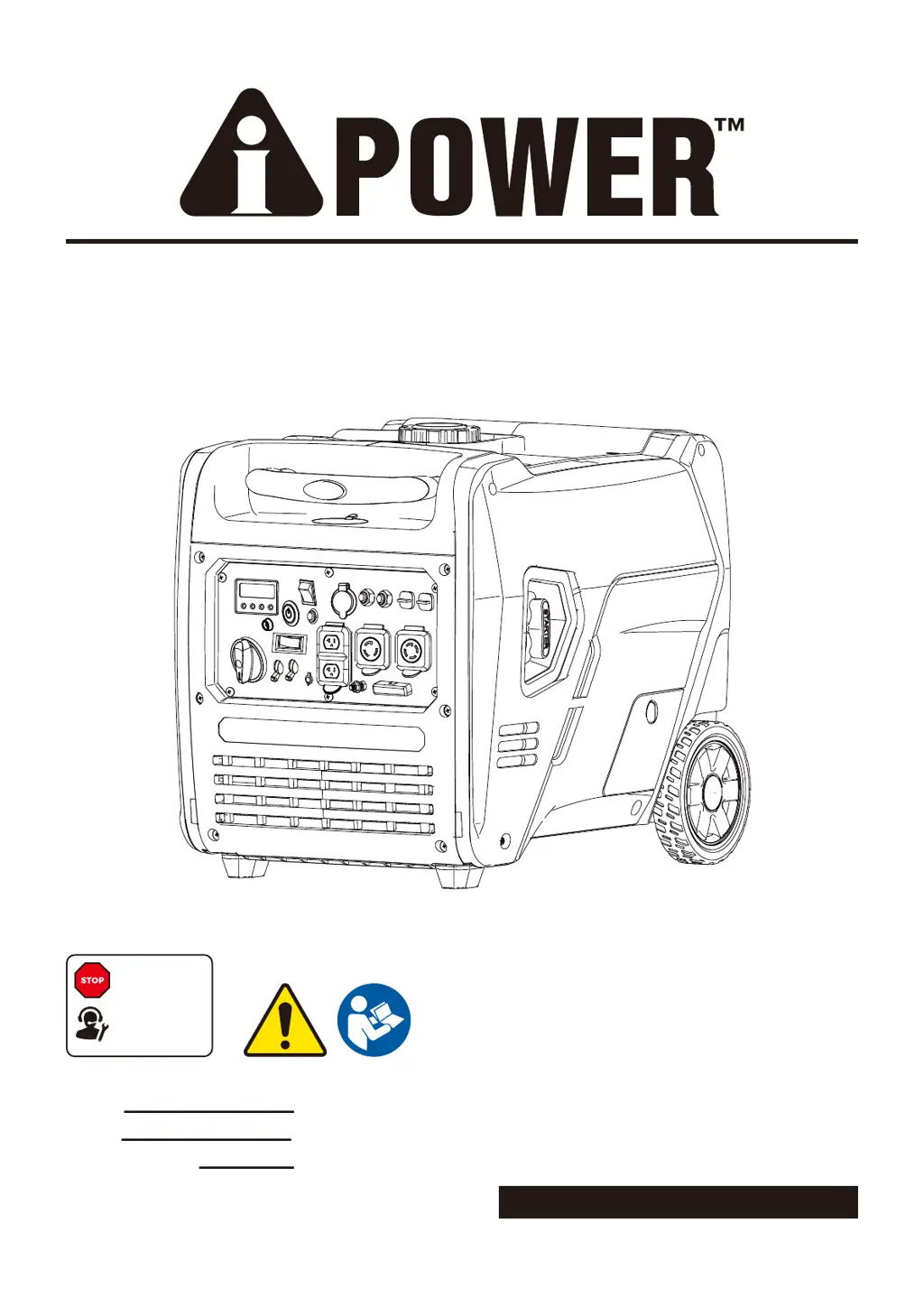
iPower GXS7100iRDC - User Manual

Default Icon
87 pages
Print Icon
To Next Page IconTo Next Page
Loading...
PORTABLE GENERATOR
Owner’s Manual
P/N: 32082-00000-00
Model:
Serial:
Date Purchased:
Model# 3221001 REV00
SAVE THIS MANUAL FOR FUTURE REFERENCE
DO NOT RETURN
TO STORE!
CALL US FIRST
855-888-3598
FOR SUPPORT
GXS7100iRDC

Table of Contents

Other manuals for iPower GXS7100iRDC

Questions and Answers

  • S
    Stephanie Hughes MDAug 10, 2025
    What to do if iPower GXS7100iRDC engine is running, but no AC output is available?
    • A
      Adam BrowningAug 10, 2025
      If your iPower Portable Generator's engine is running but there's no AC output, consider the following: * The AC circuit breaker might be open: Check the AC load and reset the circuit breaker. * There might be a poor connection or defective cord set: Check and repair. * The connected device may be faulty: Connect another device that is in good condition. * The GFCI outlet could be open (if equipped): Correct the ground fault and press the reset button on the GFCI outlet.
  • C
    Cynthia JonesAug 15, 2025
    Why iPower GXS7100iRDC engine shuts down when running?
    • E
      Elizabeth FrazierAug 16, 2025
      Your iPower Portable Generator engine might shut down while running for these reasons: * The unit is out of fuel: Fill the fuel tank. * The air cleaner is dirty: Clean or replace the air cleaner. * The oil level is low: Fill the crankcase to the proper level or place the generator on a level surface. * The unit shut off due to CO accumulation and blinking red indicator light: Follow all safety instructions on the CO Action Label. * The unit is out of gasoline or propane/LPG: Fill the fuel tank with gasoline or replace the LPG cylinder/check propane/LPG supply.
  • R
    Ricky ThompsonAug 20, 2025
    What to do if iPower GXS7100iRDC Portable Generator engine runs well at no-load, but bogs down when load is connected?
    • D
      Daniel GonzalezAug 20, 2025
      If your iPower Portable Generator runs well without a load but bogs down when a load is connected, check these potential causes: * There might be a short circuit in the connected load: Disconnect the shorted electrical load. * The generator is overloaded: Reduce the load. * The fuel filter might be clogged or dirty: Clean or replace the fuel filter. * The connected device may be bad: Connect another device that is in good condition.
  • D
    Darren HolderAug 26, 2025
    Why iPower GXS7100iRDC Portable Generator engine lacks power?
    • S
      samanthadanielAug 26, 2025
      If your iPower Portable Generator engine lacks power, consider the following possible causes: * The load is too high: Reduce the load. * The air filter is dirty: Replace the air filter. * The fuel filter is clogged or dirty: Clean or replace the fuel filter. * The spark arrester screen is clogged or dirty: Clean or replace the spark arrester screen. * The fuel is bad: Drain the gas tank and carburetor; fill with fresh fuel.
  • C
    chelseabarrAug 30, 2025
    How to fix iPower GXS7100iRDC Portable Generator engine that “hunts” or falters?
    • D
      diana78Aug 30, 2025
      If your iPower Portable Generator engine “hunts” or falters, it could be due to: * A clogged or dirty fuel filter: Replace the fuel filter. * The choke being opened too soon: Set the choke to the halfway position until the engine runs smoothly.
  • J
    Jerry DuranNov 4, 2025
    Why iPower Portable Generator engine will not start; starts and runs rough or shuts down when running?
    • S
      Stephen RodriguezNov 4, 2025
      There are several possible reasons why your iPower Portable Generator engine won't start or runs poorly: * The engine switch may be set to the OFF (O) position: Set it to the ON (l) position. * The fuel valve could be in the OFF (O) position: Move it to the ON (l) position. * Low oil level: Fill the crankcase to the proper level or place the generator on a level surface. * Dirty air filter: Clean or replace the air cleaner. * Out of fuel: Fill the fuel tank. * Stale fuel: Drain the fuel tank and carburetor, then fill with fresh fuel. * Spark plug wire disconnected: Connect the wire to the spark plug. * Bad spark plug: Replace the spark plug. * Water in fuel: Drain the gas tank and carburetor, then fill with fresh fuel. * Flooded engine: Wait 5 minutes and re-crank the ...

Summary

Introduction

Read This Manual Thoroughly

Important advice to read and understand the entire manual before operating the generator.

Safety

Definitions and Symbols

Explains safety alert symbols (Danger, Warning, Caution, Notice) and their meanings.

General Safety Precautions

Covers essential safety rules for operating the generator, including carbon monoxide hazards and electrical safety.

Fuel Safety

Critical safety guidelines for handling flammable gasoline and propane fuels to prevent fire and explosion.

Operational Safety Guidelines

Safety measures for operating, transporting, and storing the generator to prevent accidents and injuries.

Controls and Features

Control Panel Overview

Detailed explanation of all buttons, outlets, and indicators on the generator's control panel.

LED Data Center Functions

Details the display functions for voltage, power, fuel level, frequency, and running time.

Remote Control Programming

Pairing the Remote

Step-by-step instructions to pair the remote control fob with the generator for remote operation.

Specifications

Technical Data

Lists key technical specifications including model, wattage, voltage, engine details, and capacities.

CO Watch-Guard System

System Operation and Notifications

Explains the CO detection and auto-shutoff system, including indicator lights and actions.

Adding Engine Oil

Oil Level Check and Type

Guidance on checking engine oil level, recommended oil types, and capacity.

Low Oil Shutdown Feature

Description of the automatic engine shutdown mechanism triggered by low oil levels.

Adding Fuel

Adding Gasoline

Procedures and safety precautions for filling the gasoline fuel tank.

Adding Propane;LPG

Instructions and safety measures for connecting and using propane/LPG cylinders.

Operation

Generator Location and Setup

Guidelines for selecting a safe operating location and preparing the generator for use.

Before Starting the Generator

Pre-operation checks including oil, battery connection, and load disconnection.

Voltage Selector Switch

How to use the switch to select between 120V and 240V output.

Starting the Engine (Gasoline)

Step-by-step instructions for starting the generator using gasoline.

Starting the Engine (Propane;LPG)

Step-by-step instructions for starting the generator using propane/LPG.

Connecting Electrical Loads

Safe methods for connecting appliances, including load management and stabilization.

Low Idle Switch Usage

Explains the low idle function for fuel efficiency and noise reduction.

Stopping the Engine

Proper procedures for safely shutting down the generator after use.

Changing Fuels and Parallel Operation

Fuel Sense Technology

Explains automatic fuel switching between gasoline and propane for extended runtime.

Parallel Operation Setup

Instructions for connecting and operating two generators in parallel for increased power output.

Maintenance and Storage

Maintenance Schedule Overview

Recommended service intervals for regular maintenance to ensure performance and longevity.

Engine Maintenance Procedures

Covers essential engine upkeep like oil checks, oil changes, air filter, and spark plug service.

Battery and Spark Plug Maintenance

Procedures for battery charging/replacement and spark plug inspection/cleaning.

Valve Clearance and Spark Arrestor

Instructions for checking valve clearance and cleaning the spark arrestor.

Storage Procedures

Detailed steps for short-term and long-term storage, including draining the float bowl.

Trouble Shooting

Common Problems and Solutions

A guide to diagnosing and resolving common issues like no output, bogging down, and starting problems.

Parts Information

Parts Diagram and List

Visual diagram and detailed list of all generator components for reference and service.

Warranty and Registration

Warranty Coverage and Exclusions

Details the terms of the limited warranty, what is covered, and common exclusions.

Obtaining Warranty Service

Instructions on how to get help, troubleshoot issues, and arrange for repairs under warranty.

Product Registration Process

Steps and information required to register the product for warranty and customer support.

iPower GXS7100iRDC Specifications

General IconGeneral
Starting Watts7100
Fuel TypeGasoline
Displacement420cc
Engine Type4-Stroke OHV
AC Output120V/240V
DC Output12V/8.3A
Outlets(4) 120V 20A GFCI, (1) 12V DC
Noise Level72 dB at 23 feet

Related product manuals