EasyManua.ls Logo

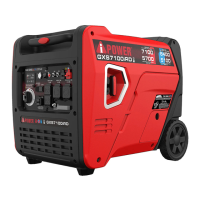
iPower GXS7100iRD - User Manual

iPower GXS7100iRD
43 pages
Print Icon
To Next Page IconTo Next Page
Loading...
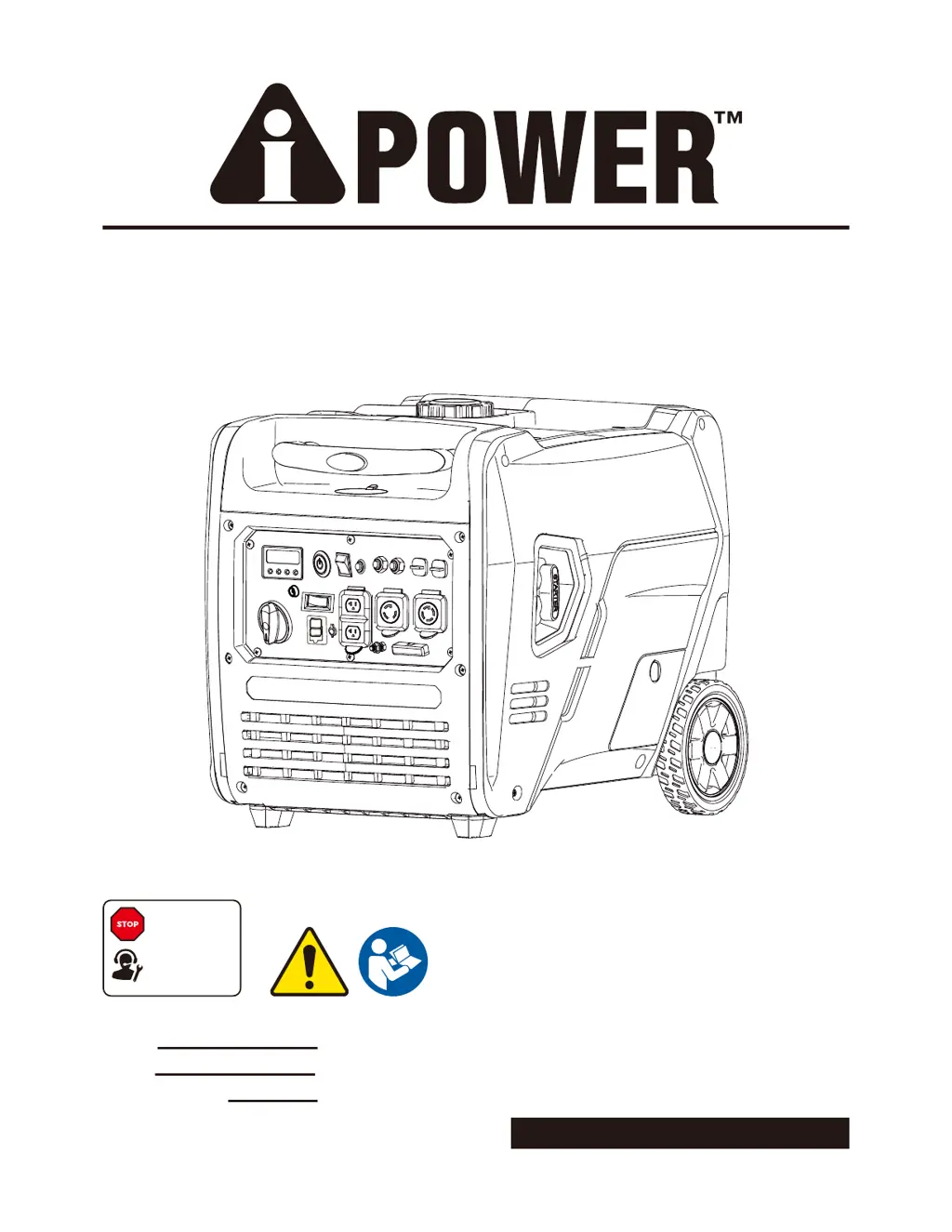
PORTABLE GENERATOR
Owner’s Manual
P/N: 32082-04705-03
Model:
Serial:
Date Purchased:
Model# 3222003 REV01
SAVE THIS MANUAL FOR FUTURE REFERENCE
DO NOT RETURN
TO STORE!
CALL US FIRST
855-888-3598
FOR SUPPORT
GXS7100iRD

Questions and Answers

  • J
    James CarterAug 5, 2025
    What to do if my iPower GXS7100iRD has no AC output?
    • R
      Ronald SmithAug 5, 2025
      If your iPower Portable Generator's engine is running but there's no AC output, try these steps: First, check the AC load and reset the circuit breaker. Connect another device that is in good condition to test the output. Also, correct any ground fault and press the reset button on the GFCI outlet. If these steps don't resolve the issue, you may need to contact customer service or an authorized service center for further assistance. Check and repair the device.
  • M
    mcarterAug 9, 2025
    Why does my iPower Portable Generator bog down when a load is connected?
    • Y
      yharrisAug 9, 2025
      If your iPower Portable Generator engine runs well without any load but bogs down when a load is connected, here's what you can do: Disconnect any electrical load that might be shorted. Try reducing the load you're placing on the generator. Clean or replace the fuel filter. Also, try connecting another device that is in good condition to see if the issue persists. If none of these steps work, consider contacting customer service or an authorized service center for help.
  • V
    Valerie FordAug 19, 2025
    What to do if iPower GXS7100iRD Portable Generator engine shuts down while running?
    • E
      erika22Aug 20, 2025
      If your iPower Portable Generator engine shuts down while running, make sure the fuel tank is full. You can also clean or replace the air cleaner. Check that the crankcase is filled to the proper level and that the generator is placed on a level surface. Also, follow all safety instructions on the CO Action Label. For LPG models, refill the fuel tank with gasoline or replace the LPG cylinder/check the propane/LPG supply.
  • R
    ronaldsmithAug 25, 2025
    Why does my iPower GXS7100iRD Portable Generator lack power?
    • R
      Richard MossAug 25, 2025
      If your iPower Portable Generator engine lacks power, try reducing the load on the generator. Replace the air filter and clean or replace the fuel filter. Additionally, clean or replace the spark arrester screen. If the fuel is old, drain the gas tank and carburetor, then fill with fresh fuel.
  • W
    Wendy WelchAug 30, 2025
    How to stop iPower GXS7100iRD Portable Generator engine from faltering?
    • M
      Maurice NguyenAug 30, 2025
      If the engine of your iPower Portable Generator “hunts” or falters, try replacing the fuel filter. You can also set the choke to the halfway position until the engine runs smoothly.
  • L
    Linda RayNov 13, 2025
    How to fix iPower GXS7100iRD that won't start or shuts down?
    • J
      Jeffery GloverNov 13, 2025
      If the engine of your iPower Portable Generator won't start, starts and runs roughly, or shuts down while running, try the following: Ensure the engine switch and fuel valve are in the ON position. Check and fill the crankcase to the proper level, ensuring the generator is on a level surface. Clean or replace the air cleaner and ensure the fuel tank is full. If the fuel is old, drain the tank and carburetor and refill with fresh fuel. Check the spark plug wire and replace the spark plug if necessary. If the engine has been running, wait 5 minutes before re-cranking. Also, follow all safety instructions on the CO Action Label. For propane/LPG models, ensure the LPG cylinder is full and the supply valve is fully open. You might also need to replace the fuel filter or clean/replace the spark ...

Summary

Introduction

Safety Information

General Safety Precautions

Covers essential safety guidelines for generator use, including warnings on carbon monoxide and electrical hazards.

Definitions and Symbols

Explains hazard alert words (DANGER, WARNING, CAUTION, NOTICE) and their associated safety alert symbols.

Fuel Safety

Adding and Draining Fuel

Provides instructions on safely adding gasoline or propane/LPG and draining fuel tanks for maintenance or storage.

Starting the Generator Safely

Details critical safety steps before starting the engine, including checking components and avoiding kickback.

Generator Operation and Safety

Operating, Transporting, and Storing

Covers safe practices for generator operation, transport, and storage, including fuel handling and positioning.

Grounding and Electrical Safety

Emphasizes the importance of proper grounding and precautions against electrical shock hazards during generator use.

Controls and Features

Control Panel Features

Identifies and describes the generator's control panel components, including outlets, indicators, and switches.

Remote Control Programming

Step-by-step instructions for pairing the remote control fob with the generator for remote operation.

Specifications

CO Watch-Guard System

System Operation and Notifications

Explains the CO detection system, its automatic shutoff feature, and indicator light meanings for safety.

Engine Oil and Battery

Adding Engine Oil

Provides instructions on checking and adding the correct type and amount of engine oil for optimal performance.

Low Oil Shutdown and Battery Connection

Details the low oil shutdown feature and guides on connecting the generator's battery for operation.

Fueling Procedures

Adding Gasoline

Step-by-step guide for safely adding unleaded gasoline to the generator's fuel tank.

Propane;LPG Fueling

Connecting Propane;LPG Source

Instructions for safely connecting propane or LPG cylinders to the generator for fuel supply.

Advanced Operation and Connectivity

Fuel Sense Technology

Explains the automatic fuel switching technology between gasoline and propane/LPG for extended runtime.

High Altitude Operation

Details considerations and adjustments for operating the generator at altitudes above 5,000 feet.

Grounding and Building Connection

Covers proper generator grounding and safe connection to a building's electrical system via a transfer switch.

Generator Operation

Location, Setup, and Before Starting

Guides on selecting a safe location, initial setup, and pre-operation checks before starting the generator.

Surge Protection

Recommends using surge suppressors to protect sensitive electronic devices from voltage fluctuations.

Starting the Engine

Selecting Fuel Source

Explains how to select either gasoline or propane/LPG as the fuel source for starting the engine.

Connecting Electrical Loads

Engine Speed and Stopping

Low Idle Switch

Describes the function of the low idle switch for fuel efficiency and noise reduction.

Stopping the Engine

Provides instructions on safely shutting down the generator and its electrical loads.

Generator Load and Fuel Management

Avoiding Overloads

Guidance on how to add electrical loads gradually to prevent generator damage and ensure longevity.

Changing Fuels

Safety warnings and procedures for switching between gasoline and propane/LPG fuel sources.

Advanced Operation

Parallel Operation

Instructions for connecting two generators for increased power output using the parallel kit.

Setup and Operation

Details on setting up two generators for parallel operation, including spacing and initial startup.

Maintenance and Storage

Maintenance Schedule

Outlines recommended maintenance intervals for regular service to ensure optimal performance and lifespan.

Walk-Around Inspection

Pre-operation checks to ensure the generator is in safe working condition, covering fluid levels and visible damage.

Engine Maintenance

Engine Oil Check and Change

Procedures for checking oil levels, adding oil, and changing engine oil according to the maintenance schedule.

Air Filter Maintenance

Steps for inspecting, cleaning, or replacing the air filter element to ensure proper engine air intake.

Component Maintenance

Battery Replacement

Guidance on safely replacing the generator's battery, including precautions and specifications.

Spark Plug Maintenance

Instructions for checking, cleaning, gapping, or replacing the spark plug for reliable engine ignition.

Generator Maintenance and Storage

Valve Clearance and Spark Arrestor

Details on checking valve clearance and cleaning the spark arrestor for engine health and fire prevention.

General Generator Maintenance

Covers cleaning the generator exterior, air vents, and cooling slots to ensure proper operation and longevity.

Storage Recommendations

Provides guidance for short-term and long-term storage of the generator to prevent fuel system issues.

Draining the Float Bowl

Troubleshooting

Parts Diagram and List

Warranty Information

Limited Warranty Details

Outlines the terms, coverage period, and conditions of the limited warranty for the generator.

Obtaining Warranty Service

Provides contact information and procedures for requesting warranty service or assistance from the manufacturer.

Warranty Exclusions and Returns

Warranty Exclusions

Lists conditions and parts not covered by the generator's warranty, such as normal wear and maintenance.

Merchandise Return Guidelines

Specifies requirements for returning merchandise, including packaging, fuel draining, and authorization.

iPower GXS7100iRD Specifications

General IconGeneral
BrandiPower
ModelGXS7100iRD
CategoryPortable Generator
LanguageEnglish

Related product manuals