EasyManua.ls Logo

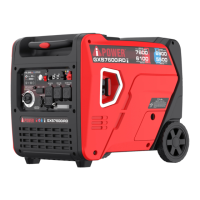
iPower GXS7600iRD - User Manual

iPower GXS7600iRD
43 pages
Print Icon
To Next Page IconTo Next Page
Loading...
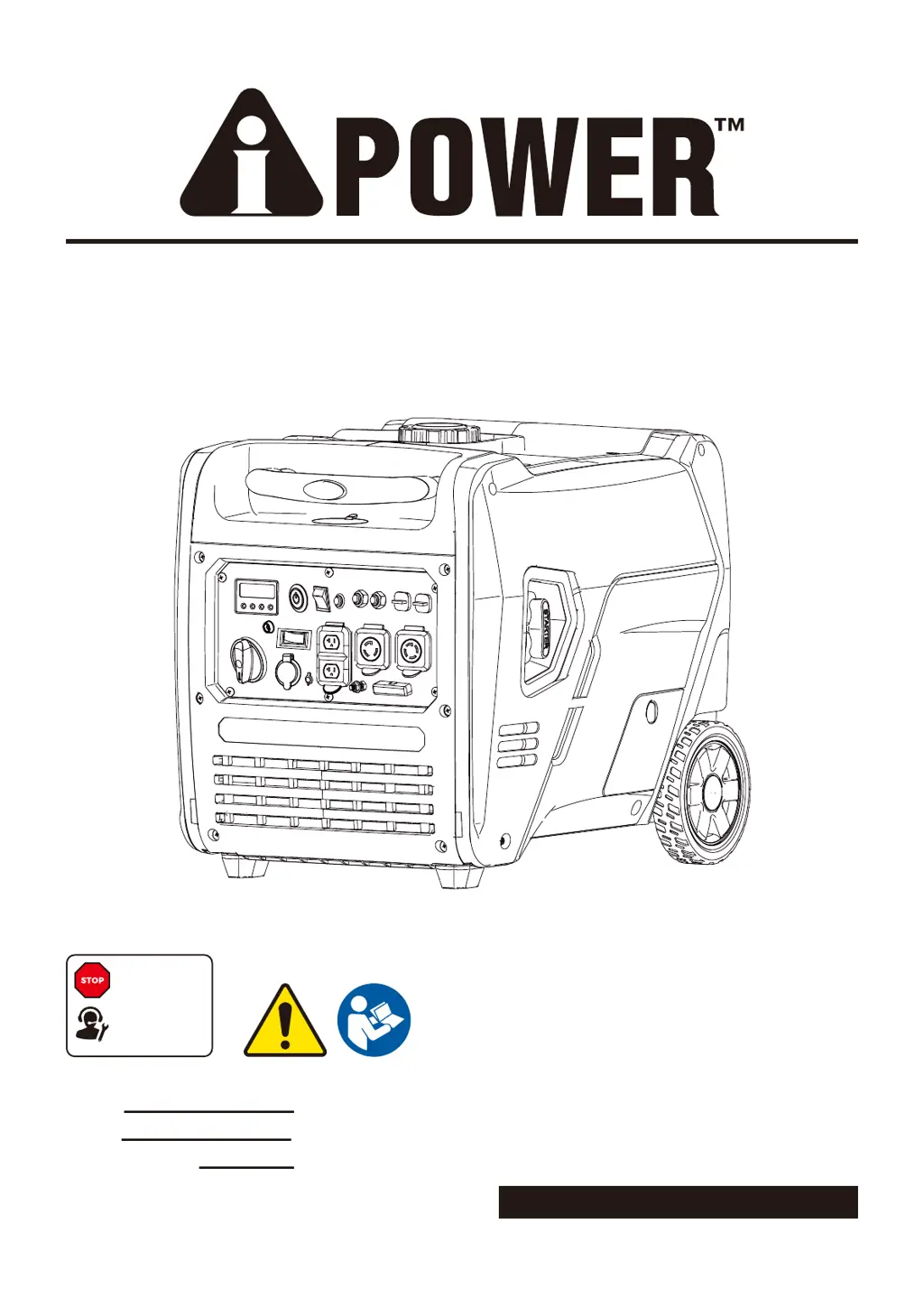
PORTABLE GENERATOR
Owner’s Manual
P/N: 32082-05460-00
Model:
Serial:
Date Purchased:
Model# 3222005 REV00
SAVE THIS MANUAL FOR FUTURE REFERENCE
DO NOT RETURN
TO STORE!
CALL US FIRST
855-888-3598
FOR SUPPORT
GXS7600iRD

Questions and Answers

  • D
    Derek MyersAug 5, 2025
    Why iPower Portable Generator will not start?
    • W
      wbenderAug 5, 2025
      If your iPower Portable Generator won't start, runs poorly, or shuts down, there are several possible causes: * Ensure the engine switch is in the ON (l) position. * Check that the fuel valve is in the ON (l) position. * Verify the oil level is adequate and the generator is on a level surface. * Clean or replace the air filter. * Make sure the fuel tank is full with fresh fuel. * Ensure the spark plug wire is connected, and the spark plug is in good condition. If the engine is flooded, wait 5 minutes before restarting. For excessively rich fuel mixture, stuck intake valve, or compression issues, it is best to contact customer service or an authorized service center. Also, check and/or replace the fuel filter, spark arrestor screen, and propane/LPG supply.
  • X
    xbradleyAug 10, 2025
    Why does my iPower Portable Generator lack power?
    • L
      lporterAug 10, 2025
      If your iPower Portable Generator lacks power, the issue might be due to several factors. First, try reducing the load on the generator. If that doesn't help, replace the air filter. Additionally, cleaning or replacing the fuel filter and spark arrestor screen can improve performance. If the problem persists, it could be due to bad fuel, in which case you should drain the gas tank and carburetor and fill with fresh fuel. If none of these steps work, contact customer service or an authorized service center.
  • S
    Selena ThomasAug 15, 2025
    What to do if iPower Portable Generator engine is running but no AC output?
    • C
      Carla McdanielAug 15, 2025
      If your iPower Portable Generator's engine is running but there's no AC output, start by checking the AC circuit breaker and resetting it if necessary. If that doesn't solve the issue, connect another device that you know is in good working order to see if the generator provides power to it. Also, check the ground fault and press the reset button on the GFCI outlet. If these steps don't restore AC output, it's recommended to contact customer service or an authorized service center for further assistance, and have the generator checked and repaired.
  • V
    Victoria JordanAug 21, 2025
    Why does my iPower Portable Generator shut down when running?
    • F
      Francisco ClarkAug 21, 2025
      If your iPower Portable Generator shuts down while running, check the following: ensure the fuel tank has fuel, clean or replace the air cleaner, and verify the oil level is at the proper level and the generator is placed on a level surface. Also, follow all safety instructions on the CO Action Label and fill the fuel tank with gasoline or replace the LPG cylinder/check the propane/LPG supply. If the problem persists, contact customer service or an authorized service center.
  • G
    Gloria SimonAug 26, 2025
    How to fix iPower Portable Generator that bogs down when load is connected?
    • A
      arianaharrisonAug 26, 2025
      If your iPower Portable Generator runs well without a load but bogs down when a load is connected, the problem could be a short circuit in the connected load. Disconnect the shorted electrical load. If that doesn't solve the issue, try reducing the load. Also, try connecting another device that is in good condition. Additionally, cleaning or replacing the fuel filter might help. If these steps don't resolve the issue, contact customer service or an authorized service center.
  • L
    lisa56Aug 31, 2025
    Why does my iPower Portable Generator engine hunt or falter?
    • J
      Jacob SmithAug 31, 2025
      If your iPower Portable Generator engine 'hunts' or falters, it could be due to the carburetor running too rich or too lean. Contact customer service or an authorized service center. Also, replace the fuel filter. If the choke is opened too soon, set it to the halfway position until the engine runs smoothly.

Summary

INTRODUCTION

Read This Manual Thoroughly

Instructions for understanding the manual and seeking support to ensure safe operation and maintenance.

SAFETY

General Safety Precautions

Guidelines and warnings for safe operation, including carbon monoxide, electrical hazards, and fuel safety.

FUEL SAFETY

Gasoline and gasoline vapors

Information on the flammability, hazards, and handling of gasoline and its vapors.

Propane;LPG (Liquid Petroleum Gas)

Information on the flammability, hazards, and handling of propane/LPG.

WHEN ADDING OR DRAINING FUEL

Procedures for safely adding and draining fuel for the generator.

WHEN STARTING GENERATOR

Checks and considerations before starting the generator to ensure safety and proper operation.

WHEN OPERATING THE GENERATOR

Electrical and Environmental Safety

Warnings about electrical shock, wet conditions, and proper grounding.

WHEN TRANSPORTING, MOVING OR REPAIRING THE GENERATOR

WHEN STORING FUEL OR THE GENERATOR WITH FUEL IN TANK

General Operation and Maintenance Warnings

Emergency Shutdown and Medical Use Precautions

UNPACKING THE GENERATOR

Parts Included

List of components included with the generator shipment.

CONTROLS AND FEATURES

Generator Components Overview

Identification and location of key external components of the generator.

CONTROL PANEL FEATURES

Control Panel Functions and Indicators

Detailed description of each function, button, outlet, and indicator on the control panel.

LED Data Center Features

Explanation of the LED Multi-Meter, Low Idle button, Low Oil LED, and Overload Reset button.

REMOTE CONTROL PROGRAMMING

Remote Control Pairing Procedure

Step-by-step instructions for pairing the remote control fob with the generator.

SPECIFICATIONS

Technical Specifications and Ratings

Detailed specifications including model, watts, voltage, frequency, engine type, and dimensions.

CO WATCH-GUARD

Carbon Monoxide (CO) Detection and Auto Shutoff System

Explanation of the CO detection system and its automatic shutoff function.

CO WATCH-GUARD ACTION LABEL

Instructions for responding to CO warnings and automatic shutoff.

NOTIFICATIONS: BLINKING RED AND YELLOW LIHGT

Meaning of blinking red and yellow indicator lights on the control panel.

CO WATCH-GUARD System Warnings

Warnings about tampering with the CO system and its implications.

Add Engine Oil

Engine Oil Level Check

Procedure for checking the engine oil level using the dipstick.

Low Oil Shutdown

Explanation of the low oil shutdown feature and troubleshooting tips.

Battery Cable Connection

Instructions for connecting the battery cables to the generator.

Add Fuel: Gasoline

WHEN ADDING GASOLINE

Procedures and safety precautions for adding gasoline to the tank.

Add Fuel: Propane;LPG

Propane;LPG Handling and Safety

Safety precautions and procedures for connecting and using propane/LPG.

FUEL SENSE (Automatic Fuel Selection Technology)

Operation at High Altitude

Grounding

Connecting to a Buildings Electrical System

OPERATION

Generator Location

Recommendations for selecting a safe and proper location for generator operation.

Surge Protection

Advice on using surge suppressors to protect electronic devices.

Before Starting the Generator

Pre-operation checks and steps before starting the generator.

Voltage Selector Switch

Explanation of the voltage selector switch and its function for 120V/240V output.

Starting the Engine (Generator)

Select Fuel Source (Gasoline)

Steps to select gasoline as the fuel source for starting the generator.

Select Fuel Source (Propane;LPG)

Steps to select propane/LPG as the fuel source for starting the generator.

Engine Starting Methods

Instructions for starting the generator using remote, electric, or recoil methods.

Fuel Transition: Propane;LPG to Gasoline

Procedure for switching fuel source from propane/LPG to gasoline.

Connecting Electrical Loads

Steps for connecting electrical loads to the generator after starting.

Low Idle Switch

Low Idle Switch Operation

Guidance on using the Low Idle switch for fuel efficiency and noise reduction.

Stopping the Engine

Engine Stopping Procedures

Procedures for stopping the generator using remote, electric, or dial switch.

Do Not Overload Generator

Changing Fuels

Parallel Operation (2 x GXS7600 iRD Models)

Parallel Operation Setup and Safety

Instructions for setting up two generators for parallel operation, including safety and alignment.

Connecting Generators for Parallel Operation

Steps for starting, connecting loads, and using parallel operation outlets.

MAINTENANCE AND STORAGE

MAINTENANCE SCHEDULE

Schedule for regular maintenance tasks based on hours or time intervals.

Walk-Around Inspection

Pre-operation visual inspection checklist for the generator.

General Recommendations

General advice for maintaining the generator and warranty coverage.

ENGINE MAINTENANCE

Safety precautions and general guidance for engine maintenance.

Engine Oil Level Check

Procedure for checking the engine oil level.

Change Engine Oil

Instructions for changing the engine oil, including safety precautions.

Air Filter Maintenance

Procedure for inspecting and cleaning the air filter element.

Charging the Battery by Battery Float Charger

Instructions for charging the generator battery using the float charger.

Battery Replacement

Procedure and safety warnings for replacing the generator battery.

Spark Plug Maintenance

Steps for inspecting, cleaning, and replacing the spark plug.

Valve Clearance

Information on checking and adjusting valve clearance for engine longevity.

Cleaning the Spark Arrestor

Procedure for cleaning the spark arrestor to prevent fire hazards.

GENERATOR MAINTENANCE

STORAGE

Recommendations for storing the generator for short and long terms.

Short Term Storage

Long Term Storage (over one year)

DRAINING THE FLOAT BOWL

TROUBLE SHOOTING

Common Problems and Solutions

Troubleshooting guide for common engine and generator operational issues.

PARTS DIAGRAM AND PARTS LIST

PARTS DIAGRAM

Exploded view diagram illustrating the generator components.

Parts List

Comprehensive list of part numbers, descriptions, and quantities for the generator.

Parts List

WARRANTY

LIMITED WARRANTY

Details of the limited warranty coverage, terms, and conditions.

How to Obtain Warranty Service

Instructions on how to contact customer service for warranty claims.

DO NOT RETURN THE PRODUCT TO THE PLACE OF PURCHASE

Guidance on contacting customer service instead of the retailer for issues.

Warranty Exclusions

List of items and conditions not covered by the generator's warranty.

Warranty limits and Implications and Consequential Damages

Limitations on warranty coverage, including consequential damages.

MERCHANDISE RETURN GUIDELINES

iPower GXS7600iRD Specifications

General IconGeneral
BrandiPower
ModelGXS7600iRD
CategoryPortable Generator
LanguageEnglish

Related product manuals