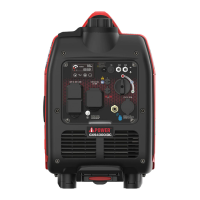
CONTROL PANEL FEATURES
Page 10
NOTE: Total power drawn from all outlets must not exceed the nameplate rating.
1
2 43 5 6 6 7 7
8
9101113141517 16 12
OFF OFF
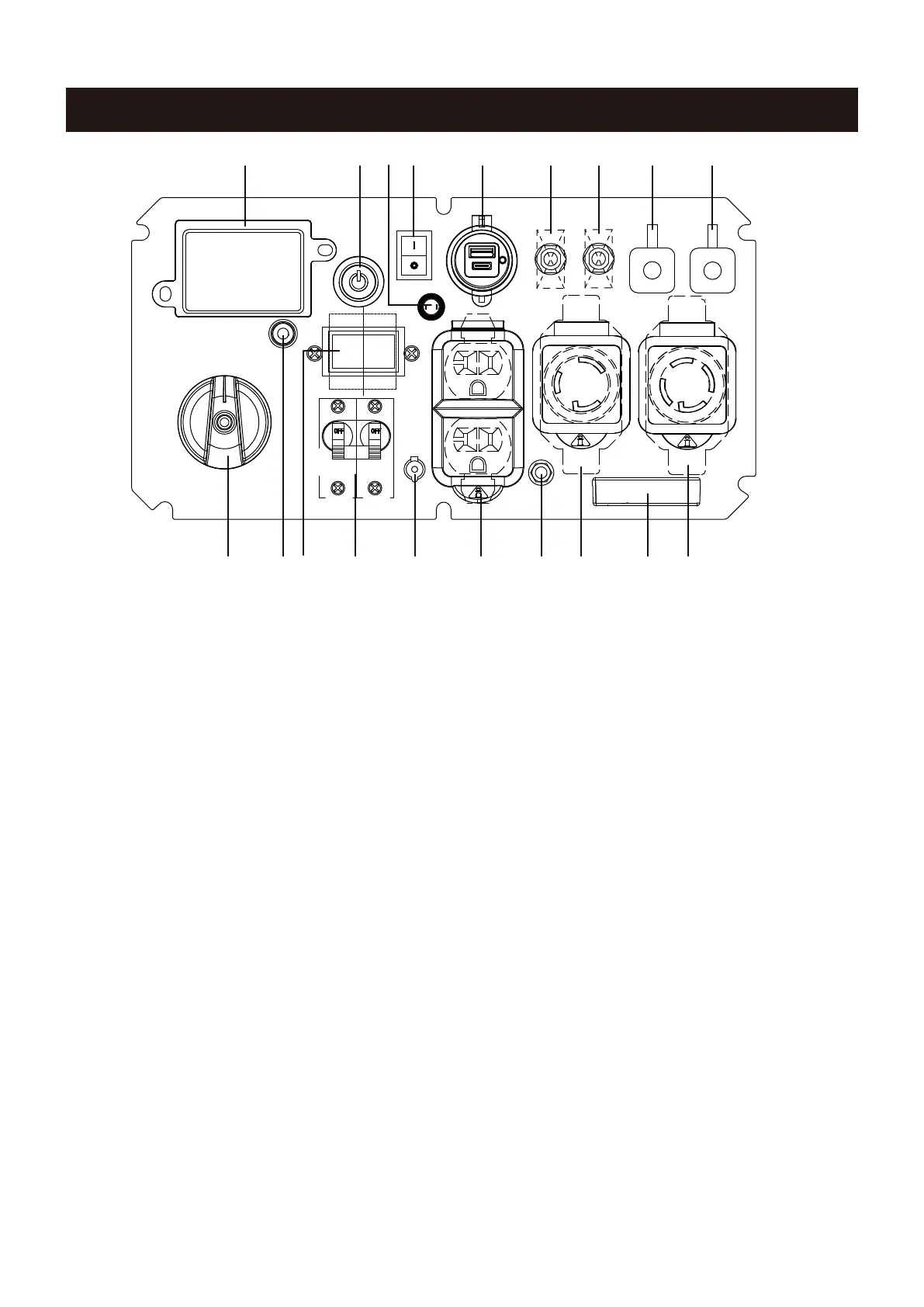
1. LED Data Center: See LED DATA CENTER section.
2. Push-Button START/STOP: Push once to automati-
cally start the engine. Push again to stop the engine.
3. Remote Set Button: To pair the new remote control
fob.
4. Battery Switch: Restore the battery power to the
control module. you must turn the switch to ON
position before start the generator.
5. 5V DC USB Outlets: Supply 3.6A USB-A type and
3.0A USB-C type for different applications.
6. Circuit Breaker(AC): Protects the generator against
electrical overloads.
7. Parallel Operation Outlets: These outlets are used
for connecting two AIPOWER inverter generators for
parallel operation. Do not connect or disconnect parallel
cables while the generator is running to avoid damage.
8. 120/240V AC, 30A Twist Lock, Single Phase,60Hz
Outlet (NEMA L14-30R): supply either 120 Volt or 240
Volt output up to 30 amps.
9. LED Light
10. 120V AC, 30A Twist Lock Outlet, Single Phase,60
Hz Outlet (NEMA L5-30R): This receptacle can
provide120 volt output up to 30 amps.
11. Grounding Terminal: To ground the generator.
12. 120V AC, 20A Duplex, Single Phase, 60Hz Outlets
(5-20R): Each outlet is capable of carrying a maximum
of 20 amps on a single outlet or a ombination of both
outlets.
13. 12V DC Battery Charger Inlet: Plug the battery
float charger to this inlet and 120V wall outlet to
charge the generator battery when the generator is
not running.
14. Circuit Breaker: Protects the generator against
electrical overloads.
15. Voltage Selector Switch: To select 120 Volt or 240
Volt. Turn generator off before switching voltages.
16. CO (Carbon Monoxide) WATCH-GUARD Indicator
Light (Red for Shut off and Yellow for Service): The
CO(Carbon Monoxide) WATCH-GUARD monitors for
the accumulation of poisonous CO gas around the
genera tor produced by engine exhaust when the
generator is running. If the CO WATCH-GUARD detects
increasing levels of CO gas, it automatically shuts off
the engine. See CO WATCH-GUARD section for more
information.
17. Starting Dial Switch: Used to start and stop the
generator.



 To Next Page