18
Getting Started
Charging
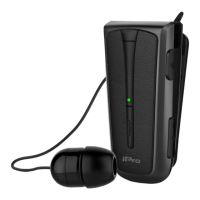
Always use an AC 5V / 1A charger with a Micro USB cable.
Turn On / Off
Α. Turn On
Press and hold the multi-function button until the indicator lights blue twice.
Β. Turn Off
Press and hold the multi-function button until the indicator lights red once.
Pairing the headset with your device
1. Turn on Bluetooth function in your device.
2. Make sure that iPro RH120 is switched off and close to the device you wish to
connect to.
3. Press and hold the multi-function button of the headset to activate the pairing mode.
When the indicator lights blue – red alternately, the pairing mode is on.
4. Select “iPro RH120” from the available Bluetooth devices that appear on your device.
If a code is requested, enter the code "0000".
5. As soon as the pairing completed, the indicator lights blue.


 To Next Page