Pairing your device
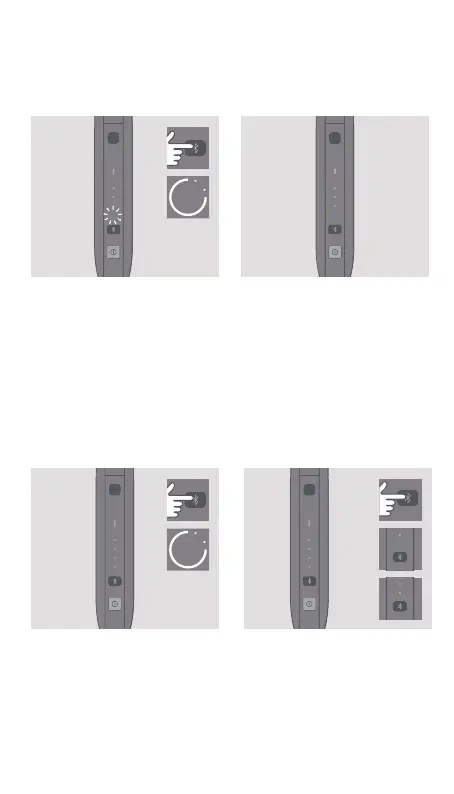
PAIRING MODE
Press the Bluetooth Button
for 3 seconds then release.
Bluetooth Status light will
blink during 30 seconds
indicating pairing mode is
active. Select pairing on your
smartphone.
PAIRED
IQOS is paired with your
smartphone when Bluetooth
Status light remains solid
during 3 seconds.
SWITCH OFF
To switch o Bluetooth press
the Bluetooth Button for
6 seconds.
STATUS
Tap the Bluetooth Button to
show current status.
3
″
6
″
ON
OFF


 To Next Page