20 IRIDEX IQ 577
®
/IQ 532
®
Laser Systems Operator Manual 15510-EN Rev G
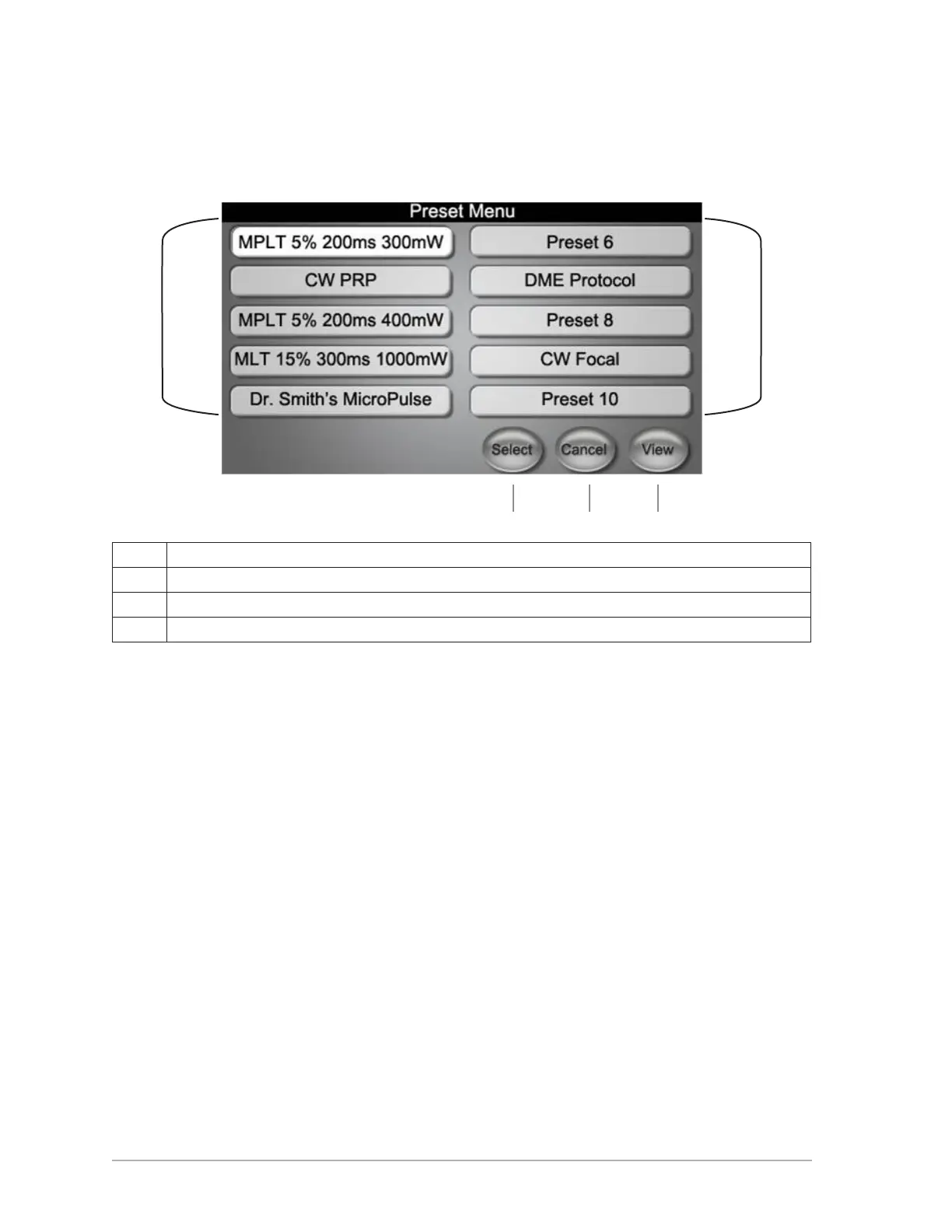
Preset Menu
To access the Preset Menu, at the Standby screen, touch PRESETS.
A Programmable presets.
B Selection button to load highlighted preset and go to Standby screen.
C Cancel loading preset selection and return to Standby screen.
D Go to Presets Screen to view, update and/or select preset parameters.
B
A A
C D



 To Next Page