DIAL-UP DATA -------------------------------------------------------------------------------------------------- WINDOWS NT 4.0 SETUP
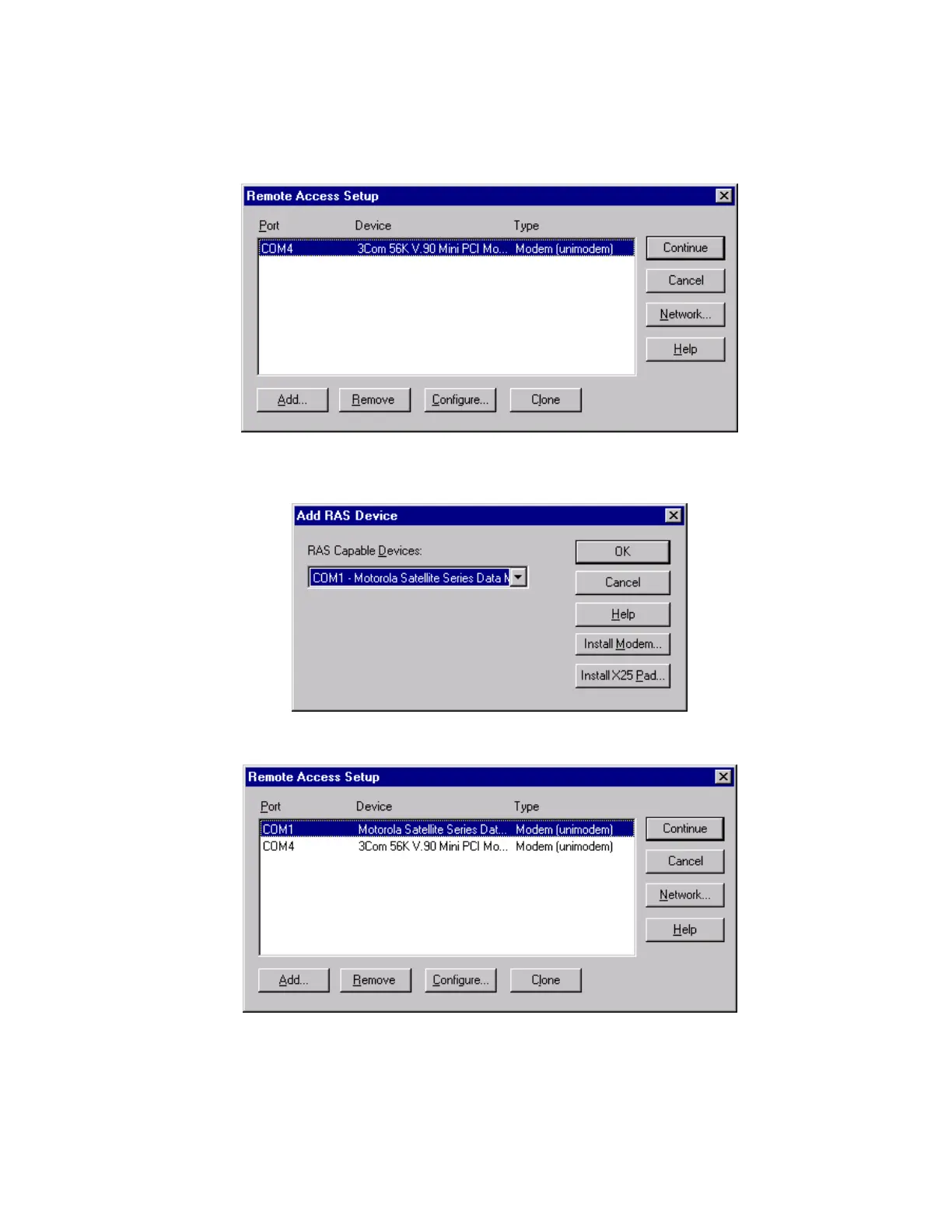
13. The Remote Access Setup window appears. Click Add to continue. Note: If a modem is
already installed on the COM port that you would like to use for the Motorola Satellite Series
Data Modem, select the modem in the list and click Remove.
14. Select the Motorola Satellite Series Data Modem from the list of RAS capable devices. Click
OK to add the entry to the Remote Access Setup list.
15. The new entry is added to the list of modems. Click Continue.
16. When the computer asks if you would like to restart the computer, click Yes.
17. You have now completed the installation of the Motorola Satellite Series Data Modem.
Continue with section 3.2.2.
Iridium Satellite LLC 19 Rev. 4; February 1, 2002



 To Next Page